
We may earn a commission if you buy through links on this page. It never changes a score or a ranking. How we make money
The bottom line
A capable free IDE for Java and more, with release compatibility worth checking before rollout.
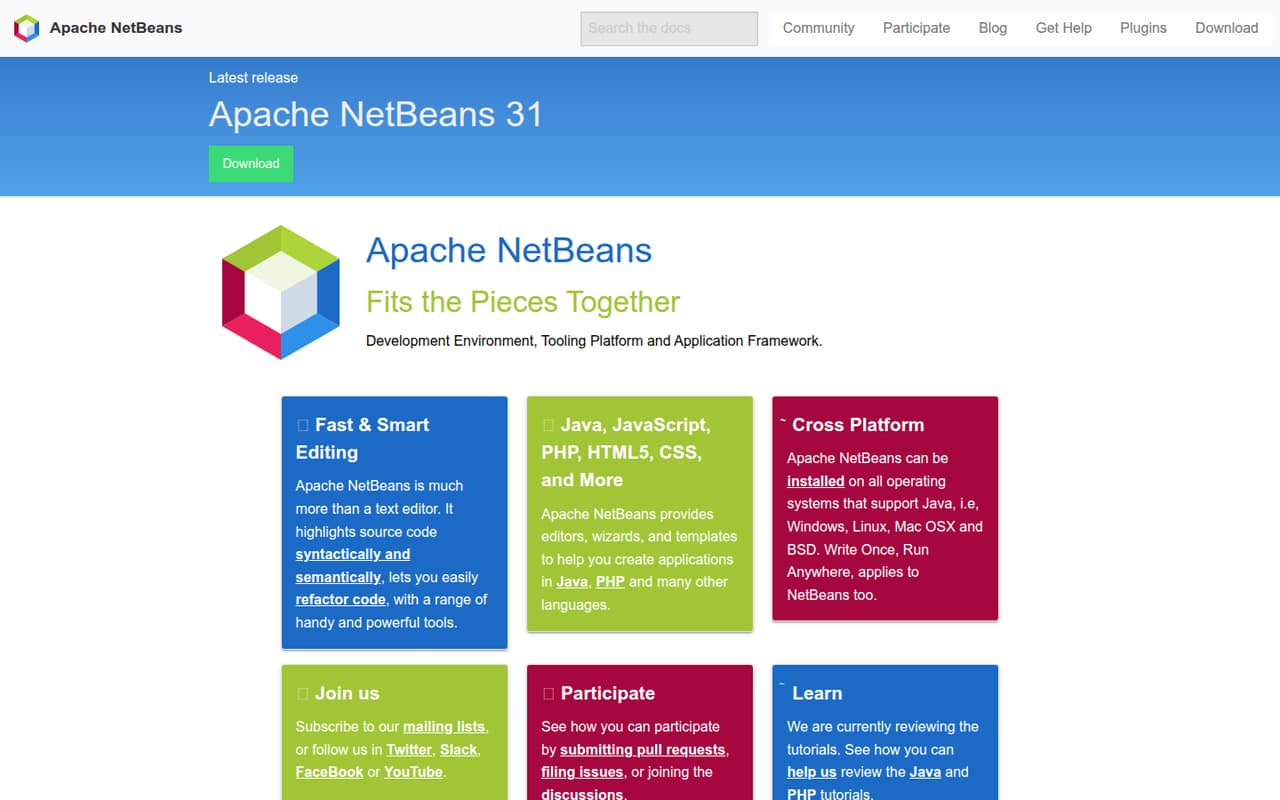
Apache NetBeans is an installable development environment, tooling platform and application framework. It provides editors, syntax and semantic highlighting, refactoring, wizards and templates for Java, JavaScript, PHP, HTML5, CSS and other languages, and runs on operating systems that support Java.
It costs $0 and is licensed under Apache License 2.0. Reddit users praise its Java and Maven workflows, while reports of clipboard bugs and release-specific JDK compatibility make it sensible to verify your toolchain before standardizing on a version.
Good fit if
- Java developers wanting a free IDE
- Teams working across supported operating systems
- Developers who value built-in refactoring
Skip it if
- Teams needing a hosted development environment
- Projects requiring a documented IDE API
- Organizations needing a published support SLA
ScoresHow it rates
What works
- Free and open source under Apache License 2.0
- Editors for Java, JavaScript, PHP, HTML5 and CSS
- Syntax and semantic highlighting with refactoring tools
- Wizards and templates help create applications
- Runs on Windows, Linux, Mac OS X and BSD
What doesn't
- No usage-based pricing or paid support options are listed
- The homepage does not present a separate SDK or CLI
- Release compatibility with newer JDKs can require upgrades
- Reddit users report clipboard issues in older releases
- One commenter finds the debugger less capable than alternatives
01What Apache NetBeans is, technically
Apache NetBeans is an installable development environment, tooling platform and application framework—not a hosted API or SaaS service. Developers use it on a workstation to edit code and work on applications. The project describes it as more than a text editor: it provides syntactic and semantic source highlighting, code refactoring, editors, wizards and templates.
It targets Java, JavaScript, PHP, HTML5, CSS and other languages. The homepage says it can be installed on operating systems that support Java, including Windows, Linux, Mac OS X and BSD. That places NetBeans in the development-tooling layer of a stack, alongside a project’s language runtimes and build tools, rather than in the application’s runtime path.
The project website lists Apache NetBeans 31 as the latest release. The homepage does not position NetBeans as a hosted collaboration service, so teams should plan their own source control, build and deployment workflow around the IDE.
02Apache NetBeans API, SDKs and docs
The integration surface is the IDE: editors, syntax and semantic highlighting, refactoring tools, wizards and templates. The project names Java, JavaScript, PHP, HTML5 and CSS among its language support. It does not present NetBeans as a hosted API or name a separate SDK or command-line interface; if those are requirements for your workflow, confirm support in the project documentation.
NetBeans is intended to help create applications, not to provide an application API for your codebase. Developers can use its editing and refactoring tools while working in the languages listed above. The homepage links to tutorials for Java and PHP and says those tutorials are under review. It also points users to help, mailing lists, discussions, issue filing and pull requests.
The website lists plugins, but the published project information does not detail plugin development or integration protocols. Check the documentation for the version you plan to deploy, particularly if your team depends on a specific language toolchain or extension.
03Apache NetBeans pricing for developers
Apache NetBeans costs $0. The project describes the software as free and open source under Apache License 2.0. The listed price is a software price, not a metered API rate: there is no per-request, per-seat or compute charge in the stated pricing. No free-trial period or paid plan is listed.
There is no published usage threshold at which the IDE starts charging, and the published pricing information lists no add-ons or overage fees. Monthly and annual billing options are not published; the software is listed as free rather than as a subscription. That makes the direct software cost straightforward for individual developers and teams, although it does not account for their own hardware, Java environments or support processes.
The practical trade-off is that buyers should not expect a published paid tier for contractual support or service guarantees. The project directs users to community resources, including help, mailing lists and discussions. Teams that need commercial support should establish who will maintain their development environment and confirm available support arrangements before rollout.
04Apache NetBeans: open source, self-hosting and lock-in
Apache NetBeans is open source under Apache License 2.0. It is an application developers install on operating systems that support Java, rather than a hosted service to self-host. The project invites contributions through pull requests, issues and discussions.
The homepage does not describe a hosted NetBeans workspace or a vendor-managed project store. Your application code and project files remain part of the development workflow you manage; the IDE is the tool used to edit them. Reddit commenters report that NetBeans understands Maven and Ant files directly as IDE project files, which may help keep project setup tied to familiar build files.
There is no published NetBeans-specific data export process to rely on. Migration effort depends on your project structure, build tooling and any IDE-specific configuration or plugins. To limit lock-in, keep build and dependency definitions in your repository and check how your project opens in another editor before standardizing on NetBeans.
05Apache NetBeans in production
NetBeans is a development tool, not a production service, so API rate limits and service scaling are not the main operational concerns. The project website does not publish an IDE uptime SLA. For a team rollout, check the compatibility of your chosen NetBeans release with its JDK, operating systems, plugins and project build tools. Also review how updates and plugin sources fit your security and compliance policies.
Release compatibility can matter: a commenter on a NetBeans 26 release thread reported that running NetBeans on JDK 24 or higher requires NetBeans 25 or later, while projects can still target JDK 8 or later. Treat that as a user report and verify compatibility against the release documentation you plan to use.
Reddit sentiment is generally positive about the Java experience, UI and Maven support. There are also reports of a copy-paste bug in a release discussion and one user's view that the debugger is less capable than alternatives. Test your required workflows and pin a compatible version before rolling it out broadly.
From the threadsWhat users say
Reddit sentiment is mostly positive, especially around Java usability, Maven and the interface. Some developers report release-specific bugs and find the debugger less capable than competing IDEs.
I've always liked NetBeans because I found it the most intuitive Java IDE
Netbeans maven support is hard to overstate
YES, people still use it. NO, the copy paste bug still hasn't been fixed
The debugger is not as good to use as either IntelliJ or Eclipse. It's serviceable though
Questions people ask
Can I use Apache NetBeans for Java?
Yes. Apache NetBeans provides editors, wizards and templates for creating applications in Java, along with code highlighting and refactoring tools. It is an installable development environment, so you use it locally while building your application. Check the compatibility of your chosen NetBeans release with the JDK you plan to use.
Which languages does Apache NetBeans support?
The project names Java, JavaScript, PHP, HTML5 and CSS, along with other languages. Its homepage describes editors, wizards and templates for application development. Check the documentation for your intended release and language workflow to confirm the tools available for your project.
Does Apache NetBeans cost anything?
Apache NetBeans is listed as free and open source under Apache License 2.0. The project does not list a paid subscription, usage-based rate, trial or add-on pricing. The $0 software price does not include costs your team may have for hardware, runtimes or its own support and maintenance.
Can I install Apache NetBeans on Windows, Linux or macOS?
The project says NetBeans can be installed on operating systems that support Java, including Windows, Linux, Mac OS X and BSD. Check the requirements for the specific release you intend to install, along with compatibility for the JDK and any plugins used by your team.
Does Apache NetBeans support Maven projects?
Reddit users report that NetBeans recognizes Maven files directly as IDE project files and praise its Maven support. The homepage does not list Maven among its named features, so confirm the behavior against the documentation for your NetBeans release and the build configuration in your repository.