
We may earn a commission if you buy through links on this page. It never changes a score or a ranking. How we make money
The bottom line
A free, MIT-licensed VS Code build with telemetry disabled; verify extensions before rolling it out.
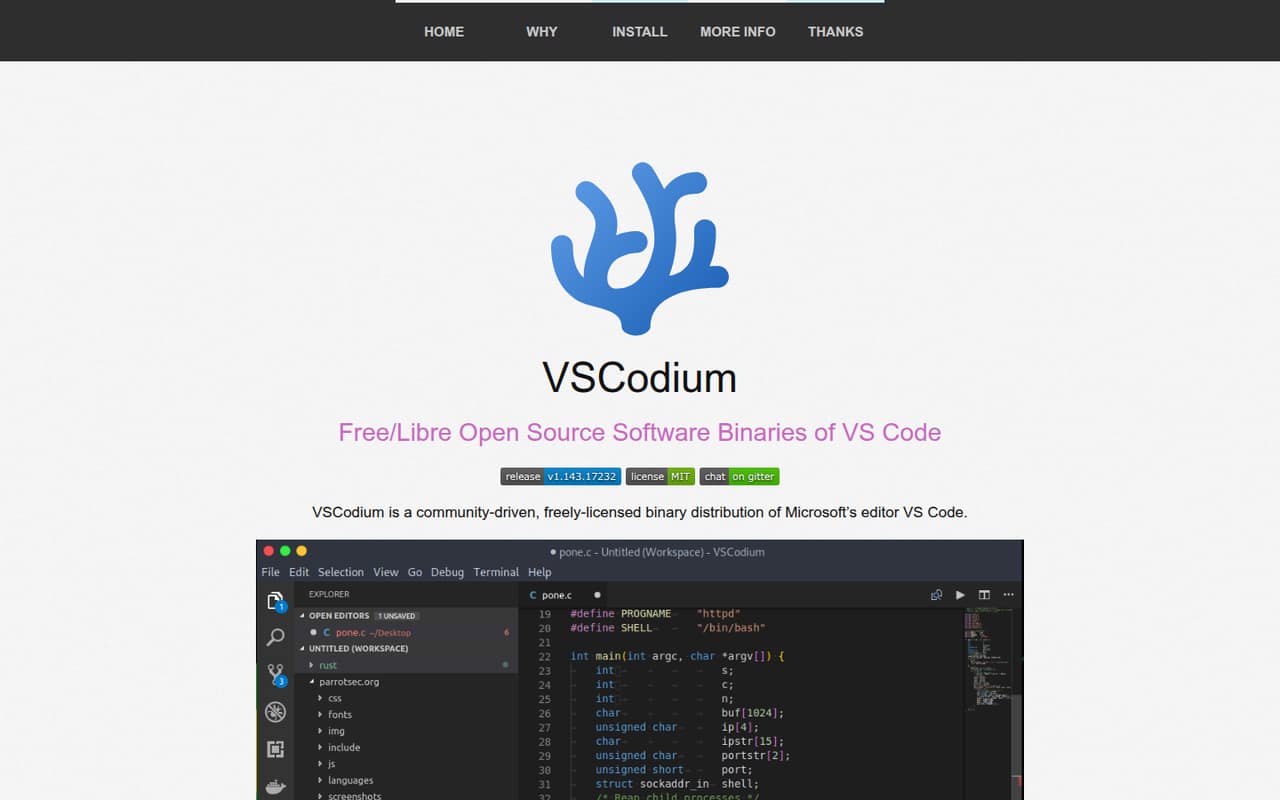
VSCodium is a community-built distribution of VS Code binaries. Its build scripts clone Microsoft’s VS Code repository, create MIT-licensed builds with telemetry disabled, and publish them on GitHub Releases. Downloads and package-manager options cover Windows, macOS, and Linux.
It is an editor, not a hosted API or a separate codebase. There is no published usage pricing or commercial tier, but extension access and support can take extra checking: Reddit users report manually installing some extensions and adjusting marketplace settings.
Good fit if
- Developers who want telemetry-disabled VS Code
- Teams standardizing on MIT-licensed editor binaries
- Users who prefer package-manager installs
Skip it if
- Developers avoiding Microsoft’s VS Code codebase
- Teams needing a published support SLA
- Users who require guaranteed extension compatibility
ScoresHow it rates
What works
- Free, with no published commercial tiers
- Published binaries are MIT-licensed
- Telemetry is disabled in published binaries
- Build scripts avoid compiling from source
- Available for Windows, macOS, and Linux
What doesn't
- Uses Microsoft’s VS Code source code
- Extension availability may require manual work
- Marketplace workarounds can need reapplying after updates
- No paid support tier is published
- No hosted service or API for integrations
01What VSCodium is, technically
VSCodium is a community-built distribution of desktop VS Code binaries, not a hosted coding service, library, or backend API. Its build scripts clone Microsoft’s VS Code repository, run the build commands, and publish the resulting binaries on GitHub Releases. The project’s stated purpose is to provide MIT-licensed builds with telemetry disabled without requiring users to compile VS Code themselves.
That puts VSCodium on a developer’s workstation as an editor in the code-authoring stack. It is built from the same VS Code source, rather than being an independent editor implementation. The project says Microsoft’s downloaded Visual Studio Code product includes Microsoft-specific customizations, while a clean build from the repository uses the default product configuration. VSCodium downloads are available for Windows, macOS, and Linux. The homepage also lists package-manager installation routes, including Homebrew, WinGet, Snap, Flatpak, and Linux repositories.
02VSCodium API, SDKs and docs
VSCodium is an editor, not an API product: there is no REST endpoint, webhook integration, or language SDK in its integration model. The documented surfaces are downloadable binaries, package-manager installs, and the build scripts that clone the VS Code repository and produce releases. No language-specific SDK is relevant to installing the desktop editor.
The homepage gives commands for Homebrew (brew install --cask vscodium), WinGet (winget install vscodium), and Snap (snap install codium --classic), alongside instructions for other package managers and Linux repositories. It also points users who want to build from source to Microsoft’s VS Code instructions. Reddit users report using extensions, but some say extensions unavailable by default require manual installation; one commenter describes changing marketplace settings in product.json after updates. Check the current VSCodium and extension documentation for compatibility before relying on a particular extension or workflow.
03VSCodium pricing for developers
VSCodium is free to download, and the pricing information lists a free, MIT-licensed option with no commercial tiers. It publishes no monthly or annual price. There is no listed per-request, per-seat, or compute charge, and no published overage rate or paid add-on.
That makes the cost model straightforward for editor use: there is no VSCodium usage bill that grows with builds, users, or API calls. The project publishes binaries and build scripts rather than a hosted service, so SaaS-style request limits and compute pricing do not apply. The trade-off is that the pricing information also lists no paid support tier. Teams evaluating the editor for a managed rollout should budget for their own deployment, extension review, and support work rather than assuming those services are included. The free price is useful, but it does not guarantee that every extension or marketplace workflow will work without extra configuration.
04VSCodium: open source, self-hosting and lock-in
The project says its published binaries are MIT-licensed, and its build scripts are available to clone Microsoft’s VS Code repository and create builds. Microsoft’s VS Code source is also described as MIT-licensed; the VSCodium project exists to distribute a clean build without requiring users to compile it themselves.
VSCodium is desktop software, not a server that teams self-host. It has no hosted account or service dependency to export data from, and the project publishes no data-export feature. Moving away means choosing another editor and checking how its extensions and settings fit your workflow; your choice of editor does not change the fact that VSCodium is based on VS Code’s source. Teams seeking to avoid Microsoft’s codebase should treat that as a constraint, not assume that VSCodium is an independently developed alternative.
05VSCodium in production
VSCodium is a workstation editor, so API rate limits, server scaling, and service uptime are not the relevant production checks. The project publishes binaries through GitHub Releases and lists installation through package managers. Its homepage states that telemetry is disabled in those binaries, but does not provide a security certification or a service-level commitment. Teams should review their chosen build and extensions against their security and compliance requirements.
Extension behavior is the clearest reported friction. In one Reddit thread, a user said the standard Live Server extension was massively out of date in the version they found. Other commenters report using extensions successfully, while one describes manually downloading extensions and another says a marketplace configuration change must be repeated after updates. These are individual reports, not a compatibility guarantee. Before standardizing on VSCodium, check the specific extensions your team needs and test your update and distribution process.
Questions people ask
What is VSCodium?
VSCodium is a community-built distribution of Microsoft’s VS Code editor. Its build scripts clone the VS Code repository, run the build commands, and publish binaries on GitHub Releases. The project says those binaries are MIT-licensed and telemetry is disabled. It is a desktop editor, not a hosted coding service.
Is VSCodium trustworthy?
The project states that telemetry is disabled in its published binaries and that those binaries are MIT-licensed. Those claims do not by themselves establish a security audit or guarantee the behavior of extensions. Review the build and extensions your team plans to use, and check them against your security and compliance requirements.
Is VSCodium free?
Yes. VSCodium is freely licensed, and the available pricing information lists a free option with no commercial tiers. It lists no monthly or annual price, usage charges, or paid add-ons. The project does not publish a paid support tier, so teams should plan their own support and rollout work.
Can I use VS Code extensions in VSCodium?
Reddit users report using extensions, but their accounts also describe manual downloads and marketplace configuration changes. One commenter says a change to product.json must be repeated after updates. Treat those reports as anecdotal, and verify that the specific extensions and marketplace workflow your team needs work with your VSCodium build.
How do I install VSCodium?
The project lists downloads for Windows, macOS, and Linux, plus package-manager options. Its homepage gives commands for Homebrew, WinGet, and Snap and provides instructions for several Linux repositories and distributions. Check the current installation instructions for your operating system and package manager.
Sources
- VSCodium homepage
- VSCodium pricing, compiled via web search from bestproductivityresources.com, vscodium.com, aiidelist.com
- Reddit: Is VSCodium a viable replacement for VSCode?
- Reddit: Alternative la VS Code mai "simple"?
- Reddit: VSCodium or Code OSS
- Reddit: What do y'all use for linux (mint), vs code or vscodium, and why