
We may earn a commission if you buy through links on this page. It never changes a score or a ranking. How we make money
The bottom line
A practical engineering app platform; opaque paid pricing and deployment details are the main caveats.
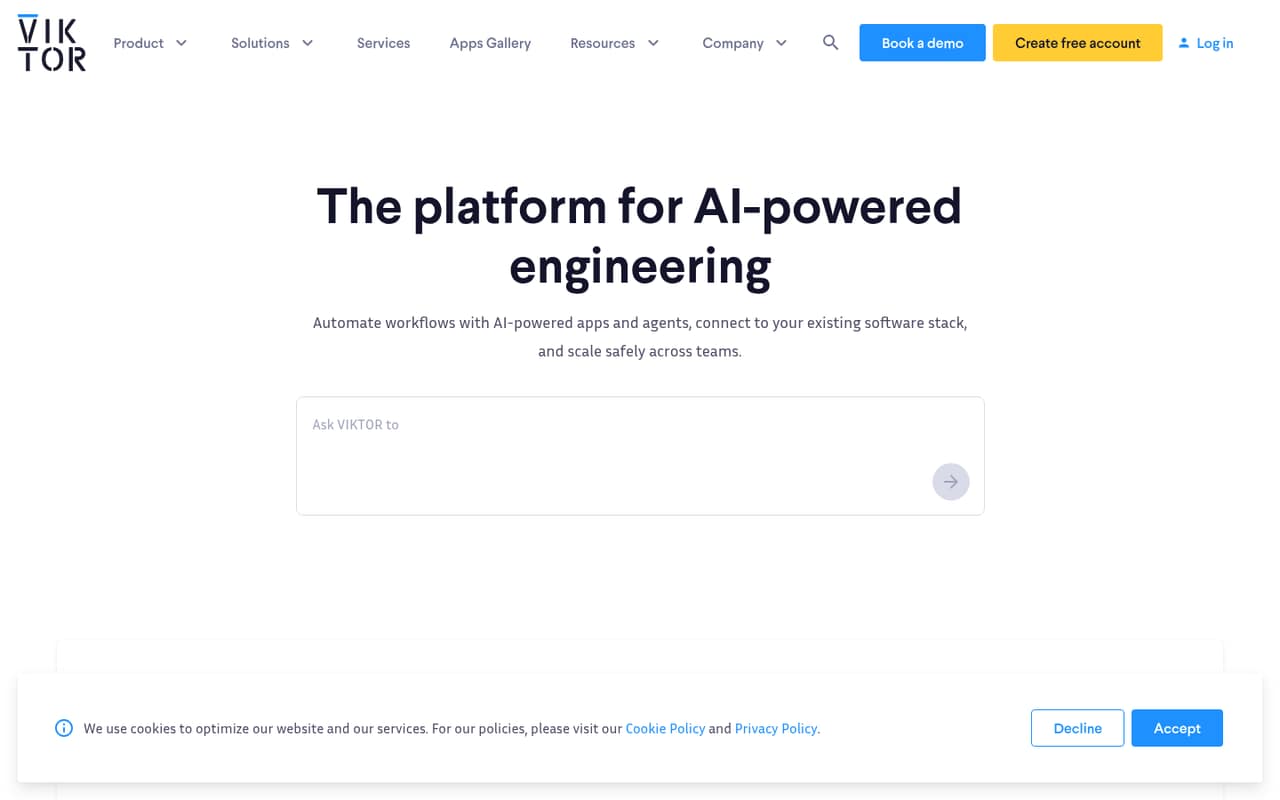
VIKTOR is a platform for building AI-powered engineering apps and agents, automating workflows, and connecting existing software. Its examples span mechanical, structural, BIM, MEP, architecture, geotechnical, hydraulics, and processing work, with calculations, checks, visualizations, and report exports.
The Free plan lets one user build one public application, with limited usage. Paid plans add private apps, integrations, seats, workflow tools, and support, but their prices and billing terms are not published. VIKTOR is worth evaluating for engineering teams that want to turn repeatable calculations into apps; confirm runtime, integration, and commercial details before committing.
Good fit if
- Engineering teams productizing calculations
- Builders of discipline-specific internal apps
- Teams automating repeatable engineering workflows
Skip it if
- Teams requiring a documented public API
- Projects needing published predictable pricing
- Buyers requiring verified self-hosting
ScoresHow it rates
What works
- Examples cover multiple engineering disciplines
- Build and publish apps on the Free plan
- Individual includes private apps and integrations
- Local development and Git revision control on Individual
- Higher plans include defined support hours
What doesn't
- Paid plan prices are not published
- Free apps are public and usage-limited
- Credit usage rules are not published
- API, SDK, language, and CLI details are not stated
- Licence and self-hosting options are not published
01What VIKTOR is, technically
VIKTOR is an engineering app-building platform for creating and publishing apps and agents, rather than a general-purpose API or a standalone command-line tool. It sits between engineering teams and their existing software stack: teams can turn calculations, checks, and workflow steps into apps, then connect those apps to other software. The homepage presents examples in mechanical, structural, BIM, MEP, architecture, geotechnical, hydraulics, and processing work.
The examples indicate the intended app shape: users enter engineering inputs, get calculations or design checks, and can view diagrams, charts, models, or report exports. Examples include a pulley belt tension checker, an IFC model analyzer, and a concrete beam calculator. The Free plan publishes public applications only; the Individual plan adds private apps and integrations. That makes VIKTOR a possible fit for teams packaging repeatable engineering work into usable tools. It is not enough to establish where app execution happens, what runtime architecture is available, or whether deployment can run in a customer-controlled environment; confirm those points with VIKTOR.
02VIKTOR API, SDKs and docs
VIKTOR's homepage describes building AI-powered apps and agents, automating workflows, connecting existing software, and scaling across teams. The Individual plan lists local development, Git, and data revision control; it also includes a workflow builder and user management. These are the clearest integration and development surfaces described for builders.
The homepage does not name an API style, SDK, programming language, CLI, plugin system, or specific third-party integration. Do not assume REST endpoints, webhooks, or a particular language from the product's app examples. Confirm SDK and API support, supported languages, authentication, deployment workflow, and integration methods in VIKTOR's developer docs before designing around them. The public examples show engineering outputs such as XLSX, PDF, and Word reports, but those exports do not establish a general data export or API contract. Git and data revision control are listed for Individual, which may matter for teams reviewing changes to app code and data.
03VIKTOR pricing for developers
The Free plan costs $0 per month and is described as free forever. It includes one Free user seat and the ability to build one application, but that app can be published only as a public application and usage is limited. It is a way to try the platform or build a public app, not a private production tier.
Individual includes one Power Builder seat, 100 Credits per month, private apps and integrations, a workflow builder, user management, and local development with Git and data revision control. Small Business and Business increase Power Builder and Builder seat counts and add annual technical support hours and Success Manager meetings. Enterprise starts at 20 Power Builder seats and 100 Builder seats, and adds support, meetings, and multi-region options. The pricing page does not publish paid prices, monthly-versus-annual billing details, credit consumption rules, or overage rates. Seat additions, optional SSO, branded environments, activity dashboards, global support, custom compute, and additional regions may add costs; ask VIKTOR for a written quote and usage terms.
04VIKTOR: open source, self-hosting and lock-in
VIKTOR does not publish an open-source licence or state that its platform source is available. Its pricing information also does not establish a self-hosted deployment option, so teams should not plan on running the platform on their own infrastructure without written confirmation from the vendor.
The homepage lists report exports in some example apps, including PDF, XLSX, Word, and image outputs. Those are app-level outputs, not evidence that users can export all platform data, app definitions, or revision history in a portable format. Individual includes local development, Git, and data revision control, but that does not by itself establish that a VIKTOR app can run outside the platform. Before committing, ask about source-code ownership, export formats for app and user data, backups, deletion timelines, and what remains usable after cancellation. Migration effort will depend on whether app logic and data can be extracted in formats your team can operate independently.
05VIKTOR in production
VIKTOR's examples suggest use cases where calculation inputs, design checks, visualizations, and reports become part of an engineering workflow. Before relying on an app for project decisions, validate its calculations, applicable standards, assumptions, and review process with your engineering team. The homepage examples mention standards such as ACI 318 and Eurocode 2, but they do not establish product-wide validation or certification.
The Free plan has limited usage and public apps only. Individual lists 100 Credits per month, but the pricing information does not define what consumes a credit, what happens at the limit, or whether overages are available. Paid plan prices, rate limits, uptime commitments, and service-level terms are not published. Ask about compute capacity, regional availability, backup and recovery, security controls, compliance documentation, and support response targets. Business and Enterprise list technical support hours and Success Manager meetings, but those allowances do not substitute for a documented production SLA or a clear incident process.
Questions people ask
Is VIKTOR free to use?
Yes. VIKTOR's Free plan is listed at $0 per month and described as free forever. It includes one Free user seat and one application, but applications can be published only publicly and usage is limited. Private apps and integrations are listed on the paid Individual plan.
Does VIKTOR cost money for private apps?
Private apps and integrations are listed as Individual plan features, but VIKTOR does not publish that plan's price. The Free plan supports public applications only. Ask VIKTOR for current pricing, billing terms, and any usage charges before moving a private app into production.
What does VIKTOR do for engineering teams?
VIKTOR is a platform for building AI-powered engineering apps and agents, automating workflows, and connecting existing software. Its examples cover calculations and design checks across mechanical, structural, BIM, MEP, architecture, geotechnical, hydraulics, and processing work.
What is VIKTOR in Slack?
VIKTOR describes connecting apps to an existing software stack, but its homepage does not identify Slack as a supported integration. Confirm with VIKTOR whether a Slack connection is available, how it is configured, and whether it requires a particular plan.
Does VIKTOR have an API or SDK?
VIKTOR's homepage describes app and agent building, workflow automation, and software connections, but does not name an API style, SDK, or programming language. Check the developer documentation or ask VIKTOR for supported interfaces, languages, authentication methods, and integration limits.