
We may earn a commission if you buy through links on this page. It never changes a score or a ranking. How we make money
The bottom line
A free local LaTeX editor with useful writing tools and no usage-based bill.
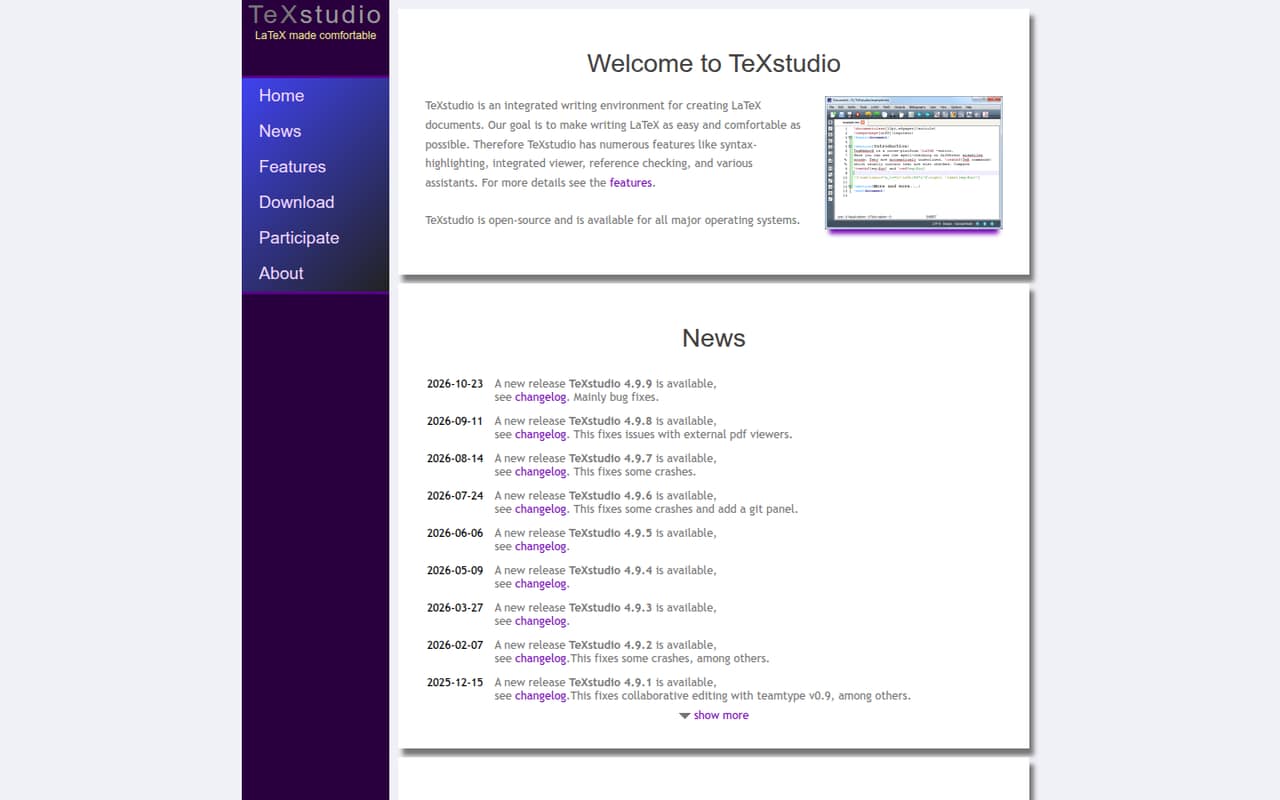
TeXstudio is a free, open-source desktop environment for writing LaTeX. It combines syntax highlighting, an integrated viewer, reference checking and writing assistants in one application, with collaborative editing through teamtype noted in its release history.
For developers, the trade-off is a focused editor rather than a programmable service or all-purpose IDE. Reddit commenters praise its approachable GUI and PDF workflow, while collaboration needs and preferences for other editors shape some users’ choices.
Good fit if
- LaTeX authors who want a desktop GUI
- Users who need an integrated PDF viewer
- Teams checking teamtype collaboration support
Skip it if
- Developers seeking a hosted LaTeX service
- Projects requiring a documented editor API
- Teams needing verified simultaneous editing everywhere
ScoresHow it rates
What works
- Free to install and use locally
- Open-source and GPL-licensed
- Syntax highlighting and reference checking
- Integrated viewer and writing assistants
- Downloads include Windows and macOS builds
What doesn't
- No paid support or service plan listed
- No documented API or SDK contract
- Requires a separate LaTeX distribution
- Teamtype collaboration is platform-dependent
- Release history includes crash and viewer fixes
01What TeXstudio is, technically
TeXstudio is an open-source desktop writing environment, not a hosted service, API, library or self-hosted server. You install it on a computer and use it to create LaTeX documents. It sits in the authoring layer of a LaTeX workflow: the editor provides syntax highlighting, reference checking, writing assistants and an integrated viewer, while a separate LaTeX distribution supplies the typesetting tools. A Reddit commenter makes that distinction explicitly: TeXstudio is an editor, while TeX Live and MiKTeX are distributions.
The homepage says TeXstudio is available for all major operating systems. Its listed 4.9.9 downloads include Windows x86_64 and Arm64 installers, plus macOS builds for macOS 13 or higher. The release history also notes Linux releases. This architecture suits people who want a dedicated LaTeX GUI and local document workflow; it does not put a hosted API or shared project service between the editor and your files.
02TeXstudio API, SDKs and docs
Integration is through the desktop application: write LaTeX, use the integrated viewer, check references and work with the writing assistants. The vendor’s homepage does not publish an API or SDK contract; check the manual for any automation or extension support your workflow depends on. It names no programming languages, CLI, REST API or webhooks, so do not plan an application integration around those surfaces without confirming them in the vendor’s docs.
The homepage links to feature information, a manual and changelogs. These are the relevant docs for editor setup and release-specific behavior. The release history says collaborative editing was introduced with teamtype in TeXstudio 4.9.0, initially for macOS and Linux; a later release fixed collaboration with teamtype v0.9. Check the current manual and platform support before adopting that feature. For other shared workflows, the local editor can remain part of a repository-based process, but the product is not presented as a hosted team workspace.
03TeXstudio pricing for developers
TeXstudio costs $0. The pricing information lists a free, open-source plan with a GPL license, a desktop LaTeX editor and unlimited local installation and use. It lists no paid plans, billing options or add-ons. There is no usage meter for requests, seats or compute in this pricing model, so a larger local project does not create a usage-based TeXstudio bill.
That free price covers the editor, not every part of a LaTeX workflow. A Reddit commenter distinguishes editors such as TeXstudio from distributions such as TeX Live or MiKTeX; factor in the setup and maintenance of the distribution your project needs. The pricing information lists no separate charge for teamtype collaboration, but check the current release documentation for its platform requirements and any external dependencies. There are no listed overages to budget for. For a production team, the direct software cost is simple; the costs to evaluate are local setup, maintaining the TeX toolchain and supporting users across operating systems.
04TeXstudio: open source, self-hosting and lock-in
TeXstudio is open-source, and its pricing information identifies it as GPL-licensed. It is distributed as a desktop application rather than a server, so there is no service to self-host: install it on the machines where people write. The homepage describes it as available for major operating systems and links to downloads and project documentation.
Your work is LaTeX source, so moving to another editor does not require exporting it from a TeXstudio-hosted workspace. Keep project files and any team workflow under your control, and check how editor-specific settings or teamtype collaboration state carry over before switching tools. The core document workflow has little service lock-in; the main migration work is recreating local editor preferences and ensuring the replacement editor can use the project’s LaTeX toolchain.
05TeXstudio in production
There are no API rate limits or hosted-service scaling limits to plan around: TeXstudio is a local desktop application. Production concerns instead include OS compatibility, the separate LaTeX distribution, document size and the reliability of the editor and PDF-viewer workflow. Its release history records fixes for external PDF viewer issues and crashes. In 2023, the project also noted reports of crashes with large documents; its included-file cache speeds reopening, but disables preview and search in cached documents. Those are release notes, not a guarantee that the same issues affect current builds.
Reddit comments describe TeXstudio as an approachable GUI and praise compiling with the output synced beside the editor. Another user says they moved to Overleaf to work with others, while a separate thread asks for simultaneous editing. Treat those as individual experiences, not a reliability measure. Before standardizing on TeXstudio, check current platform support, the teamtype workflow, update practices and any security or compliance requirements for local document storage.
From the threadsWhat users say
Reddit sentiment is mostly positive about TeXstudio as an approachable LaTeX GUI, with mixed views on whether a dedicated editor fits collaboration and broader coding workflows.
TexStudio is an awesome user-friendly gui to start with
hitting the compile button and having the output synced up side by side
I’m searching another TeX editor that allows me to work simultaneously with other people
Texstudio is my current, but that’s just because it’s the one I was taught to use
Questions people ask
Is TeXstudio free?
Yes. The pricing information lists TeXstudio as free and open-source, with a GPL license and unlimited local installation and use. It lists no paid plans or billing options. You may still need to set up a separate LaTeX distribution for typesetting; TeXstudio is the editor, not the distribution.
Which operating systems does TeXstudio support?
The homepage says TeXstudio is available for all major operating systems. Its 4.9.9 downloads include Windows x86_64 and Arm64 installers and macOS builds for macOS 13 or higher. The release history also includes Linux releases. Check the download page for the current build and requirements for your system.
Does TeXstudio support collaborative editing?
The release history says TeXstudio 4.9.0 added collaborative editing with teamtype, initially available on macOS and Linux. A later release fixed collaboration with teamtype v0.9. Because the notes describe platform-specific availability, confirm current support for your OS and team workflow before relying on it.
Does TeXstudio include a LaTeX compiler?
TeXstudio is a writing environment and editor. A Reddit commenter distinguishes it from a TeX distribution, such as TeX Live or MiKTeX, which supplies the typesetting tools. Plan to install and configure a distribution for your LaTeX workflow, then check the TeXstudio manual for setup instructions.
What features does TeXstudio include?
The homepage lists syntax highlighting, an integrated viewer, reference checking and writing assistants. Those features put editing and document review in one desktop environment. The release history also notes collaborative editing with teamtype, with platform availability described in the release notes; check current documentation for the details relevant to your setup.
Sources
- TeXstudio homepage
- TeXstudio pricing, compiled via web search from scalarly.com, augmentedscholars.com, wikipedia.org, latex-cloud-studio.com, g2.com
- Reddit: Which LaTeX editor should I use?
- Reddit: Why would I use LaTex as an IDE extension instead of in TexStudio?
- Reddit: Best TeX editor?
- Reddit: On Windows, TexStudio or TexMaker or something (open source) else ?