
We may earn a commission if you buy through links on this page. It never changes a score or a ranking. How we make money
The bottom line
A low-friction route from prompt to hosted app, but not a documented API-first development platform.
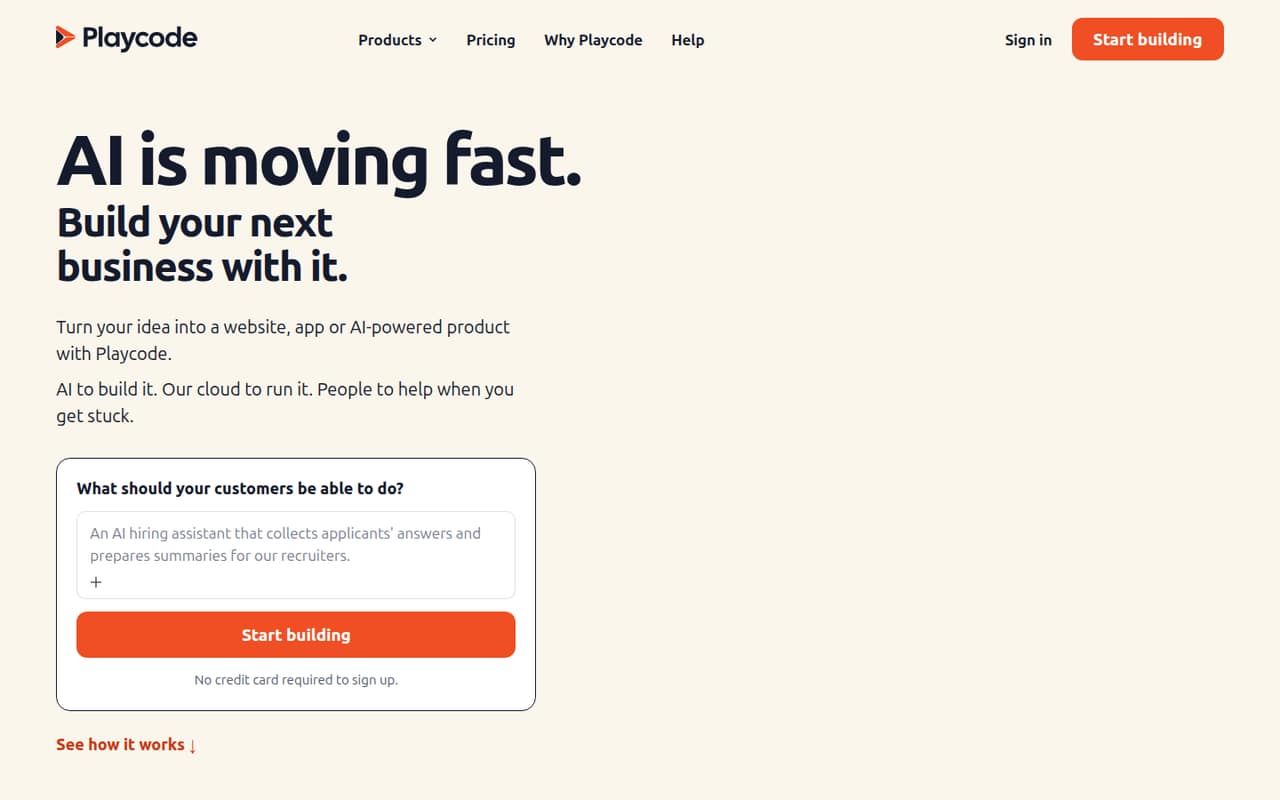
PlayCode is a hosted development environment that combines an AI building agent, live preview, database and cloud publishing. Teams can collaborate in shared projects, and code export gives developers a route to continue elsewhere.
The trade-off is limited published detail for teams evaluating it as part of a software stack: the vendor does not publish an open-source licence, self-hosting option or metered usage rates. Pro starts at $17 per month when billed annually, but production limits and export scope need review.
Good fit if
- Prototyping full-stack product ideas
- Small teams building business apps
- Publishing simple static websites
Skip it if
- Teams requiring self-hosted infrastructure
- API-first platform integrations
- Projects needing predictable usage rates
ScoresHow it rates
What works
- AI agent plans and builds screens, logic and databases
- Live preview supports iterative changes
- Cloud publishing includes a production environment
- Teams can share projects and control editing
- Export includes project code and tests
What doesn't
- No open-source licence or self-hosting path is published
- API, SDK, language and CLI details are not named
- Email, AI and Cloud usage rates are not listed
- Free publishing is static, branded and address-limited
- One Reddit post reports a restrictive free line limit
01What PlayCode is, technically
PlayCode is a hosted cloud development environment and app-building service, not a library or a self-hosted server. Its product combines an AI agent, a browser-based project workflow, database and hosting. The agent plans, builds and checks screens, application logic and databases from a project description; the user follows the work in a live preview, requests changes and publishes to Playcode Cloud.
That puts PlayCode across several parts of a small product stack: development environment, app generation, database, deployment and production runtime. The service is intended to reduce the infrastructure a builder assembles before launching an idea. Teams can invite collaborators and assign editing access. The vendor also says projects can be exported, including tests, for running on a VPS or continuing elsewhere. That provides an exit route for code, though it does not by itself establish that the hosted database or deployment configuration can move unchanged.
02PlayCode API, SDKs and docs
The named integration surface is the PlayCode browser workflow: describe a product, work through the agent's plan and live preview, refine it, then publish to Playcode Cloud or export code. The vendor says the agent can write and run tests, open the app in a browser and inspect screenshots. Shared projects provide collaboration and editing controls.
The vendor does not name an API style, SDK, programming language, CLI, plugin system or external integration in the product details. That makes PlayCode easier to assess as a managed builder than as a platform to embed in an existing development pipeline. Before adopting it for an established codebase, check the vendor's docs for API access, supported languages, SDKs, version control and CI/CD workflows. Confirm what the export contains and how generated projects run outside PlayCode. The available product description focuses on a browser-based build-and-publish flow rather than documenting those developer interfaces.
03PlayCode pricing for developers
Free costs $0 and requires no credit card. Eligible signups may receive trial AI credits, but the plan's publishing is static, branded and hosted on a Playcode address. It allows up to 25 workspace members. The pricing page lists Pro at $199 charged annually, or a displayed equivalent of $17 per month, with 76 credits added monthly. Pro includes up to three Cloud apps, 100 GB monthly Cloud bandwidth and a production machine with 1 CPU and 2 GiB RAM.
Max costs $1,000 charged annually, displayed as $83 per month, with 400 monthly credits at the listed price. It includes up to 10 Cloud apps, 1,000 GB monthly bandwidth and 2 CPU with 4 GiB RAM. Higher monthly credit options are listed, but their prices are not published. Credit top-ups cost $25 for 100 credits, $50 for 210, $100 for 440 or $200 for 960; they last 12 months from the latest top-up. Email, AI and Cloud usage can add metered charges, and rates are not listed. Domains are separate; eligible annual plans include the first year of a new domain priced up to $20.
04PlayCode: open source, self-hosting and lock-in
PlayCode is presented as a hosted service. The vendor does not publish an open-source licence or a self-hosting option, so teams should treat the builder and Playcode Cloud as vendor-operated infrastructure unless the vendor confirms otherwise. The described publishing path is to Playcode Cloud, while code export is offered for running a project on a VPS or continuing elsewhere.
Export is a useful portability measure, but it does not establish how database records, uploaded files, environment variables, domains or deployment settings transfer. The vendor says exported projects include tests; confirm the export format, dependencies and database migration process before committing production data. If your exit requirement is a runnable codebase, export may help. If it includes the entire operating stack and data, get those details from the vendor first.
05PlayCode in production
The production machine and bandwidth allowances are explicit on paid plans: Pro lists 1 CPU, 2 GiB RAM and 100 GB monthly Cloud bandwidth; Max lists 2 CPU, 4 GiB RAM and 1,000 GB. Those limits matter when estimating workload fit. The vendor does not publish reliability targets, scaling behavior, security controls or compliance certifications in the product details, so teams should ask for those before handling sensitive or business-critical workloads. Email, AI and Cloud usage rates are also not listed, making a projected bill harder to calculate.
Reddit reports are mixed and should be treated as individual accounts, not current service guarantees. A post in r/learnjavascript says a strict free line limit made PlayCode unusable for that user. An older r/javascript thread includes praise for the browser environment, alongside reports of mobile editing issues and a blank screen on one device. Check the current plan limits and test the intended workflow before relying on it.
From the threadsWhat users say
Reddit sentiment is mixed: users praised the browser-based playground and its usability, while others reported free-tier restrictions and device issues. These posts are individual reports, not a measure of current reliability.
It's the best shareable, modern web dev environment in a browser
recently brought a really strict limit to the number of lines you are allowed to type
It works in codewars but it didn’t work on playcode
Screen stays black with me. Nothing shows up after finished loading
Questions people ask
Does PlayCode provide an API or SDK?
The product details describe a browser-based builder, live preview, Playcode Cloud publishing and code export. They do not name an API style, SDK or supported programming language. Check the vendor's docs before planning an integration with an existing codebase or development pipeline.
Can I export a PlayCode project?
Yes. PlayCode says users can export project code, including tests, to run on a VPS or continue elsewhere. Confirm which project files, dependencies, database contents and deployment settings are included before relying on export as a complete migration path.
Can I self-host PlayCode?
PlayCode is presented as a hosted development environment and cloud service. The vendor does not publish a self-hosting option or open-source licence in its product details. Code export lets you run a project elsewhere, but that is different from self-hosting the PlayCode platform.
How much does PlayCode cost?
Free is $0. Pro is $199 charged annually, displayed as $17 per month, and Max is $1,000 charged annually, displayed as $83 per month. Both paid plans add credits monthly. Credit top-ups and metered AI, email and Cloud usage can add costs; some usage rates are not listed.
Can PlayCode host a production app?
Yes. Pro and Max include Playcode Cloud publishing with a production machine and monthly bandwidth allowance. Pro lists 1 CPU, 2 GiB RAM and 100 GB of monthly bandwidth; Max lists 2 CPU, 4 GiB RAM and 1,000 GB. Ask the vendor about reliability, scaling, security and compliance requirements.