
We may earn a commission if you buy through links on this page. It never changes a score or a ranking. How we make money
The bottom line
Noloco is a practical hosted app builder for data-driven operations, not a developer platform with a documented API stack.
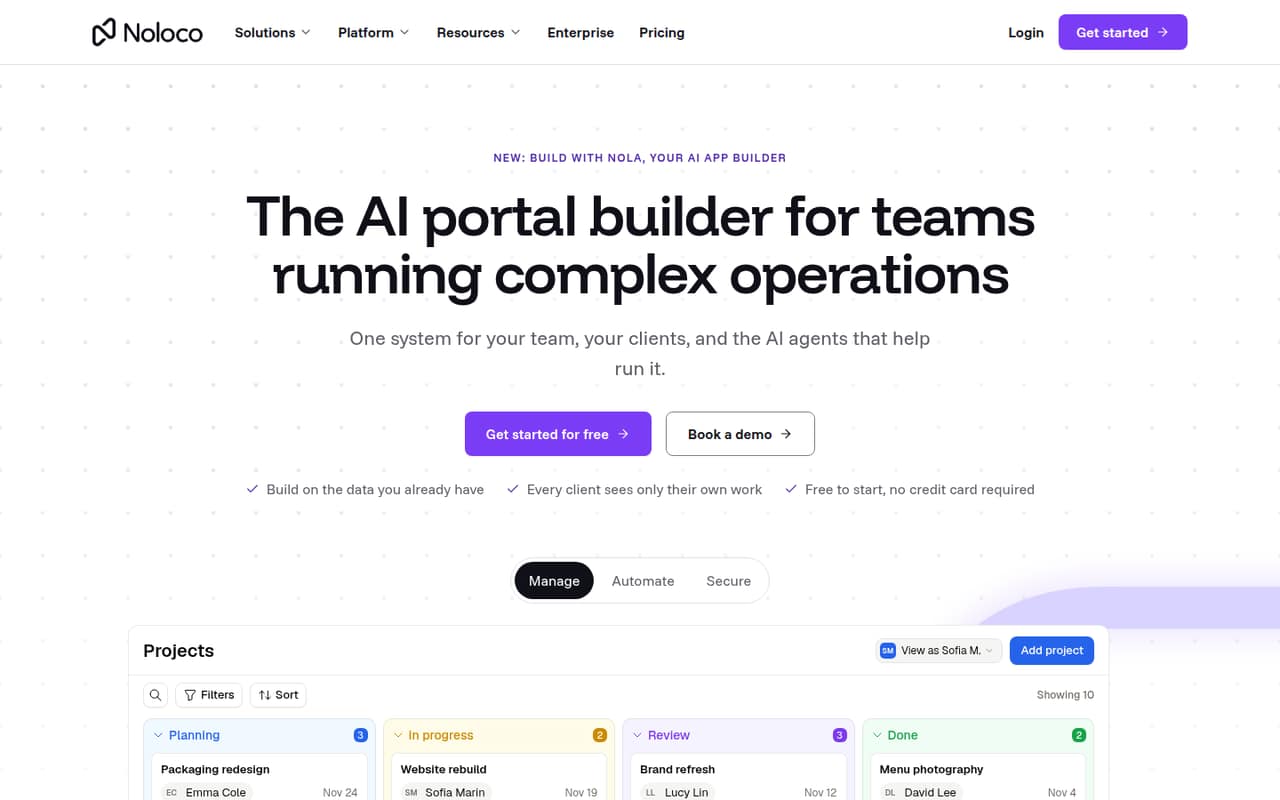
Noloco is a hosted no-code app builder that turns existing data into internal tools and client portals. Its visual builder, role-based access and workflow automation suit teams that need operational apps without building a custom frontend.
The trade-off for developers is a thin public integration story: the homepage names data sources and automation integrations, but not SDKs, languages or a CLI. Pricing starts with a capable free tier; production teams need to track record, workflow, seat and AI-credit limits.
Good fit if
- Teams building client portals
- Operations teams using Airtable or Sheets
- Internal tools with role-based access
Skip it if
- Teams requiring a documented SDK
- Products needing self-hosted infrastructure
- Apps with custom backend requirements
ScoresHow it rates
What works
- Connects Airtable, Google Sheets, Postgres and SmartSuite
- Builds pages with a point-and-click editor
- Controls access by role, record, field and action
- Automates work on data changes, schedules or button clicks
- Free plan includes unlimited team seats
What doesn't
- No SDK, programming language or CLI is named
- No self-hosted deployment path is listed
- Record and workflow limits can add costs
- Data export and migration details need vendor confirmation
- An early Reddit comment said documentation needed work
01What Noloco is, technically
Noloco is a hosted no-code app builder: it connects to business data and provides a visual layer for creating internal tools and client portals. It is not presented as a library, CLI or self-hosted server. Teams can connect Airtable, Google Sheets, Postgres and SmartSuite, or use Noloco Tables, then build pages and workflows on that data.
In a typical stack, Noloco sits between operational data and the people who need to work with it. Its builder creates the interface; role-based permissions control access to records, fields and actions; and workflows trigger tasks when data changes, on a schedule or by button. Nola, its built-in AI app builder, can set up tables, pages, permissions and workflows on existing data.
That makes Noloco a fit for portals and internal operations apps where the priority is delivering controlled access to business data. It is less clearly suited to teams that need to extend a codebase with a conventional frontend framework or own the application runtime.
02Noloco API, SDKs and docs
The documented integration surface centers on native data sources—Airtable, Google Sheets, Postgres and SmartSuite—and connections to thousands of apps through Zapier, Make and n8n. The visual builder shapes pages, while Noloco workflows automate tasks. Nola can create app components on top of existing data.
The homepage does not name a REST API, webhooks, SDKs, supported programming languages or a CLI. Developers planning to integrate from code should confirm API and SDK support in Noloco’s docs before choosing it as an application layer; do not assume a particular client library or protocol. The homepage also does not link a documentation depth or API reference that would establish those details.
For teams comfortable composing apps through a visual editor and integration services, the setup is direct: connect a data source, build pages, then configure permissions and workflows. A Reddit comment from an early builder said the team still had documentation to catch up on, so verify that current documentation covers the specific integration and deployment path your project needs.
03Noloco pricing for developers
Noloco has a Free plan at $0 per month, with 30 AI credits monthly plus five daily, unlimited team seats, 50 active clients, 2,000 records and 1 GB of file storage. It is useful for evaluation, but the record, client and storage caps matter if you put a live portal on it.
Build costs $79 per month on monthly billing or $65 per month on annual billing. It includes 250 AI credits monthly, 10 team seats, 1,000 active clients, 25,000 records and 3,000 workflow runs per month. The pricing page says annual billing saves two months. Extra Build seats are $5 each on annual billing; the page also lists $6 per seat without specifying the billing term. Additional records cost $25 per 25,000, up to 250,000 before a custom quote; extra workflow runs cost $15 per 1,000. Storage adds $15 per month per 10 GB. AI-credit subscriptions range from $40 for 400 credits to $1,850 for 10,000. Enterprise has custom pricing, with custom seats and AI credits, 1M+ records, all data sources, SSO/SAML and audit logs.
04Noloco: open source, self-hosting and lock-in
Noloco is offered as a hosted app-building service, not as a self-hosted server or an open-source project. The vendor does not publish an open-source licence or a self-hosting option on its homepage, so teams should treat the runtime as vendor-managed and ask about deployment requirements before committing.
The homepage also does not explain data export or app-definition export. Connecting existing sources such as Postgres, Airtable and Google Sheets may keep operational data in those systems, but it does not establish that Noloco pages, permissions or workflows can be exported. Plan for migration work: another tool may need those interfaces and automations rebuilt. Ask the vendor what data and configuration can be exported, in which formats, and whether export access changes by plan.
05Noloco in production
Production fit depends on more than the visual builder. Build includes 25,000 records and 3,000 workflow runs per month; extra capacity is paid, and records have a stated add-on ceiling of 250,000 before a custom quote. Enterprise lists 1M+ records, SSO/SAML and audit logs. The vendor does not publish a request-rate limit or uptime commitment in the pricing details, so confirm service levels and limits for your workload before relying on it.
The homepage describes role-based access to records, fields and actions, and gives an example where one client sees only its own projects and not budget data. Test permissions against real user roles and sensitive fields before launch; the example is not a substitute for a security review. Ask about backups, incident response, data residency and compliance requirements.
Reddit discussion is mostly early-stage interest rather than production reports. One early builder acknowledged that the team had documentation to catch up on. That is a reason to validate current docs and support routes, not evidence of present-day reliability or failure rates.
From the threadsWhat users say
The Reddit material is mostly early interest and questions, not a body of current production reviews. One early builder mentioned documentation gaps, while other commenters expressed curiosity about the editor and database features.
Gives me vscode and webflow vibes. Digging it
Databases are where I wish webflow would expand more and it looks like this solves the problem
we still have a lot of catching up to do on our documentation
How is it better than Bubble?
Questions people ask
Is Noloco free?
Yes. Noloco’s Free plan costs $0 per month and includes unlimited team seats, 50 active clients, 2,000 records and 1 GB of file storage. It also includes 30 AI credits per month plus five daily. The caps on clients, records and storage may lead a live project to a paid plan or add-ons.
What can I build with Noloco?
Noloco is designed for internal tools and client portals built on existing business data. Teams can create pages with its point-and-click builder, tailor access by role and automate tasks when data changes, on a schedule or by button. Nola can set up tables, pages, permissions and workflows on existing data.
Does Noloco support APIs or SDKs?
The homepage names native connections to Airtable, Google Sheets, Postgres and SmartSuite, plus integrations through Zapier, Make and n8n. It does not name SDKs, programming languages or a CLI. If you need code-level integration, confirm the API surface and supported SDKs in Noloco’s documentation before adopting it.
Can Noloco be self-hosted?
Noloco is presented as a hosted app-building service, and its homepage does not list a self-hosted deployment option or an open-source licence. If your organization requires control of the runtime, ask Noloco about deployment options before building on it.
What happens when I exceed a Noloco plan limit?
Build has 25,000 records and 3,000 workflow runs per month. The pricing page lists extra records at $25 per 25,000 and extra workflow runs at $15 per 1,000. It also lists add-ons for seats, file storage and AI credits. Check plan-specific rules for what happens at a limit.