
We may earn a commission if you buy through links on this page. It never changes a score or a ranking. How we make money
The bottom line
Strong analytics and data ownership, with self-hosting effort and plan limits to weigh.
Matomo is a web analytics platform offered as hosted Cloud or self-hosted On-Premise software. It combines unsampled reports, privacy controls and visitor-behavior tools, with raw data access and export for teams that want ownership of their analytics data.
The free Community option offers unlimited users and hits, but puts hosting and operations on your team. Cloud Business is listed at $29 per month; on-premise paid plans have hit and user caps, and their USD prices are not published.
Good fit if
- Teams requiring analytics data ownership
- Self-hosters needing full-hit reports
- Marketers using funnels and heatmaps
Skip it if
- Teams seeking a named SDK ecosystem
- Operators avoiding analytics infrastructure
- Projects needing published API rate limits
ScoresHow it rates
What works
- Cloud and on-premise deployment options
- Community plan includes unlimited users and hits
- Unsampled reports and raw data access
- Cookieless tracking and data anonymisation
- Heatmaps, recordings, funnels and segments
What doesn't
- SDKs and programming-language support need confirmation
- No published API rate limits in the published details
- On-premise paid-plan prices are shown in EUR
- Overage and Data Warehouse Connector amounts are unreadable
- Self-hosting means owning the server operations
01What Matomo is, technically
Matomo is web analytics software available as a hosted Cloud service or an On-Premise server you run yourself. It sits alongside a website or app: a JavaScript tracking snippet or log analytics sends activity to Matomo, where teams can inspect reports on pages, traffic sources, events, conversions, funnels, flows and segments.
The core job is to measure visitor behavior while giving the organization control over its analytics data. Matomo promotes unsampled reports, cookieless tracking, anonymisation and access controls. Its feature set also includes heatmaps, session recordings and AI traffic reporting. The homepage lists APIs, integrations, raw data access and raw data export, but does not name a specific API protocol. For self-hosting, Matomo is part of your application infrastructure, not just a browser-based reporting tool: you must operate the server that collects and stores analytics. Cloud shifts that hosting to Matomo. Choose between the two based on data residency, operational capacity and the need to manage the analytics environment yourself.
02Matomo API, SDKs and docs
The documented integration surface on Matomo’s homepage includes a JavaScript tracking snippet, log analytics, APIs, raw data access and export, plus WordPress, Google Tag Manager and 100+ integrations. The homepage also points to developer documentation and a Marketplace with community plugins. That gives teams several ways to connect existing sites and analytics workflows without making the product’s underlying API protocol clear.
The homepage does not name SDKs, supported programming languages beyond JavaScript, a CLI or webhooks. Confirm SDK support, API authentication, endpoints, pagination and rate limits in Matomo’s developer documentation before designing an integration around them. The same applies if you need to automate account setup or export reports on a schedule: the homepage lists APIs and raw data export, but does not establish the exact mechanism or limits. For a basic website integration, Matomo says you can add one line of JavaScript or connect through WordPress or Google Tag Manager. Check how that tracking setup fits your consent controls and deployment pipeline.
03Matomo pricing for developers
Community is free forever and lists unlimited users and hits, forum support, community plugins and base features. It is the no-subscription route, but your team supplies and operates the hosting. Cloud Business is listed at $29 per month, with 30 websites, 30 team members, 100 segments and 24-month raw data retention. The pricing details also say annual billing includes two months free, while listing $29 for both annual and monthly billing; confirm the checkout total before budgeting.
Cloud Enterprise has custom pricing and allowances. On-Premise plans set usage ceilings: Team lists up to 5M hits per month and four users; Business, up to 30M hits and 20 users; Enterprise, up to 100M hits and 50 users. VIP has custom hit and user limits. On-Premise bundle prices are shown in EUR, with USD equivalents not published. Additional-hit overage charges are listed, but their amounts are not legible; the Data Warehouse Connector also has a starting price that is not legible. Get written pricing for expected traffic, add-ons and support before production.
04Matomo: open source, self-hosting and lock-in
Matomo’s homepage presents the product as open source and offers a free Community option for self-hosting. It also promotes Cloud hosting, on-premise deployment and full ownership of analytics data. The exact open-source licence is not named in the homepage details here; confirm the licence and its obligations in Matomo’s documentation before modifying or redistributing the software.
Matomo lists raw data access and raw data export, which can help with reporting outside the product and with exit planning. Export does not guarantee that another analytics platform can reproduce Matomo’s reports, segments, heatmaps or recordings. Before adopting it, verify which data formats are available and whether your required history can be exported. Cloud reduces server operations but keeps analytics on Matomo’s hosted service; On-Premise gives your team control of hosting and its maintenance. Neither option removes the work of mapping reports and integrations if you later migrate.
05Matomo in production
For production, size the plan against its stated limits: On-Premise tiers cap monthly hits and users, while Cloud Business lists 30 websites, 30 team members and 24-month raw-data retention. Matomo’s homepage says reports are unsampled, but the published details do not publish API rate limits or a Cloud hit allowance. Ask Matomo how your traffic, retention needs and export jobs fit the selected plan, and confirm overage charges before launch.
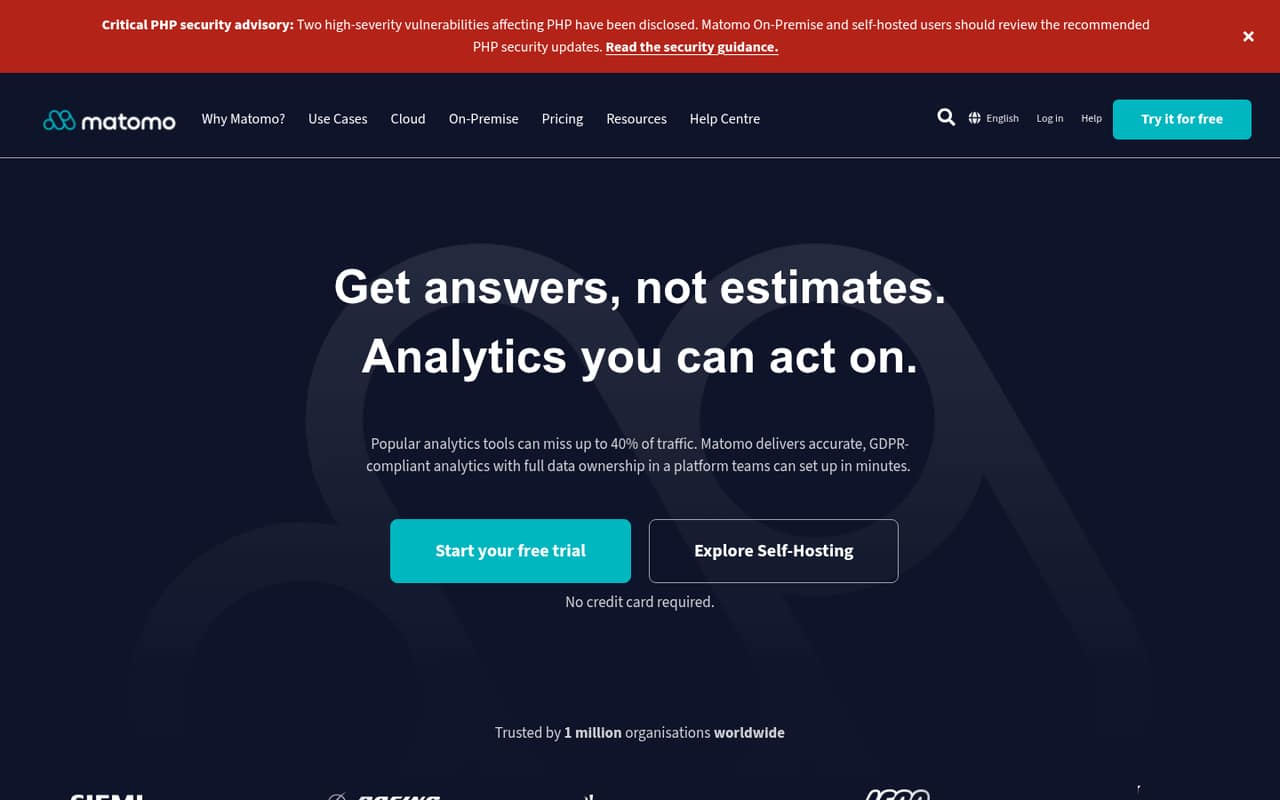
Self-hosting shifts availability, storage, backups and upgrades to your team. Matomo’s homepage currently flags two high-severity PHP vulnerabilities and tells On-Premise and self-hosted users to review recommended PHP security updates; keep PHP and Matomo security guidance in your release process. Privacy controls include cookieless tracking and anonymisation, but teams still need to configure them for their legal and consent requirements.
One Reddit thread describes a self-hosted analytics setup where a server-side timer was associated with inflated numbers and CPU spikes; the post does not establish that Matomo caused them. Treat tracking jobs and resource use as things to monitor. A separate self-hosting discussion also highlights the need to check that public visitors can reach the tracking endpoint.
From the threadsWhat users say
The Reddit material is mixed: self-hosting attracts interest, but one user describes time spent tracing inflated counts and CPU spikes in an analytics setup. Another discussion surfaces practical deployment questions about exposing the tracking endpoint.
I have plenty of compute and storage to host it myself
All I really want is a general idea of whether my sites are being visited; I don’t care about
Questions people ask
Is Matomo free to use?
Yes. Matomo’s Community option is free forever and lists unlimited users and hits, along with forum support, community plugins and base features. You still need to provide and maintain the hosting for a self-hosted deployment. Cloud Business is a paid hosted option listed at $29 per month.
How does Matomo track users?
Matomo’s homepage lists JavaScript tracking and log analytics. It also offers cookieless tracking and data anonymisation as privacy controls. The exact tracking setup depends on your site and configuration, so check Matomo’s documentation for implementation details and configure tracking to meet your consent and privacy requirements.
Does Matomo use AI?
Matomo lists AI traffic analytics for tracking traffic sources, engagement and how AI tools use site content. Its homepage also names AI channel growth, human-versus-AI behavior, pages used by AI and AI search visibility. These are analytics features; the listed details do not describe Matomo as an AI content-generation product.
Can Matomo track visitors without cookies?
Matomo lists cookieless tracking as a privacy feature. It also offers data anonymisation and access controls. The right configuration depends on your implementation and legal requirements; review the vendor’s documentation and your organization’s consent policies rather than treating a cookieless option as automatic compliance.
Can I export my Matomo data?
Matomo lists raw data access and raw data export. Those options can support downstream analysis and migration planning, but check the documentation for available formats, export scope and any plan-specific limits. Exporting records does not necessarily recreate Matomo-specific reports or features in another analytics platform.