
We may earn a commission if you buy through links on this page. It never changes a score or a ranking. How we make money
The bottom line
Useful for delegated business workflows; verify developer access and per-task credit costs before committing.
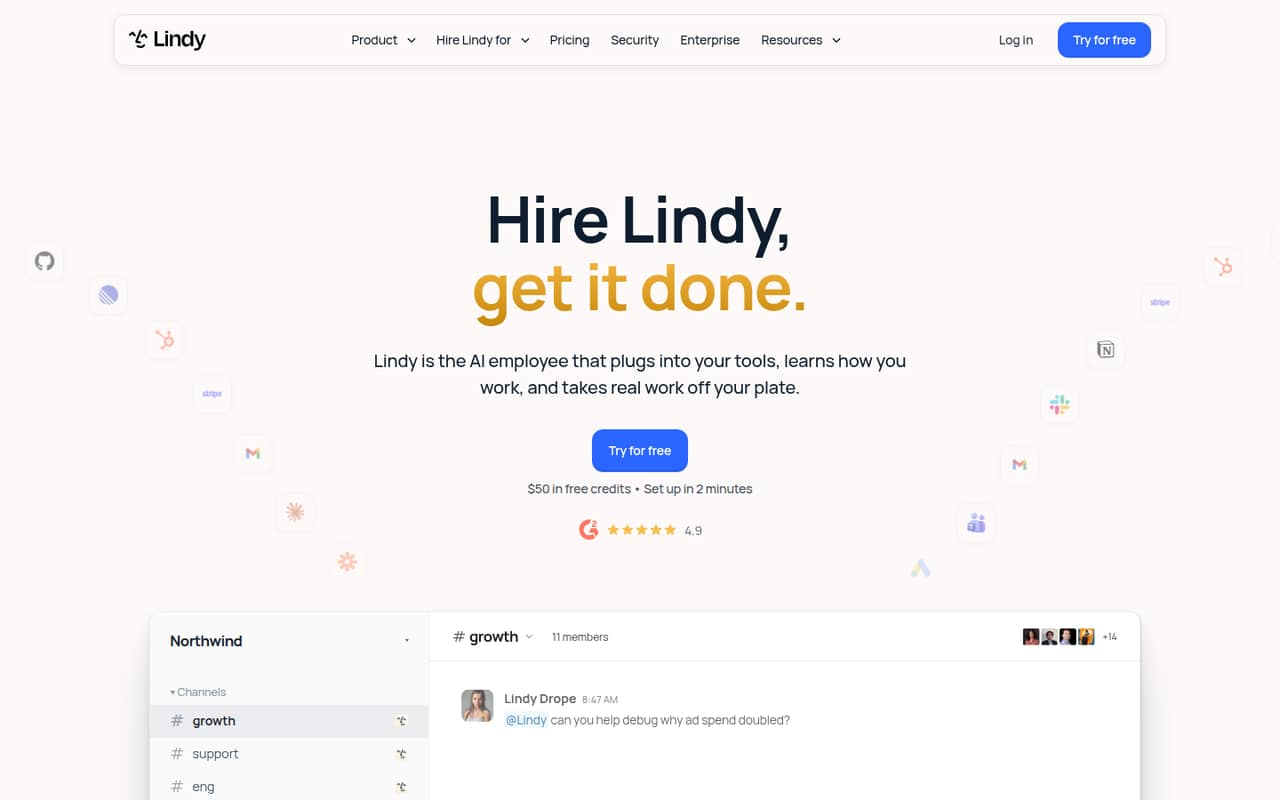
Lindy is a hosted AI assistant for business workflows: it can find leads, build client reports, follow up on invoices and respond to new leads. It works through Slack, email, text and calendars, and says actions with outside impact wait for approval. The vendor lists 1,500+ integrations and MCP, but positions Lindy as an AI employee rather than a conventional API-first product.
The Free plan starts with $50 in credits that expire after seven days. Team starts at $29.99 per user per month, with credit bundles and pooled team usage. Reddit feedback is mixed: users describe useful email and meeting automations, while others report setup friction and lower-than-expected ongoing use.
Good fit if
- Teams automating email and lead follow-up
- Agencies producing recurring client reports
- Operators comfortable with workflow-based tools
Skip it if
- Developers needing a documented SDK
- Teams requiring self-hosted automation
- Workloads needing published rate limits
ScoresHow it rates
What works
- Approval gates for actions affecting others
- Works through Slack, email, text and calendar
- Lists 1,500+ integrations and MCP
- Credits can be pooled across a team
- Enterprise includes SSO, SCIM and audit logs
What doesn't
- No named SDK, language or CLI in the homepage details
- Credit use per task is not published
- No published rate limits or uptime target
- No stated self-hosting or open-source route
- Reddit users report setup friction and uneven ongoing use
01What Lindy is, technically
Lindy is a hosted AI-workflow service presented as an “AI employee,” not a library or self-hosted server. It sits above business systems such as email, Slack, calendars and client-data tools, coordinating tasks across them. The vendor describes lead discovery, client reporting, invoice follow-up and after-hours lead responses as common jobs.
For a developer, the architectural question is whether Lindy can safely orchestrate work already spread across a company’s SaaS stack. It says it can use 1,500+ integrations and MCP, and that it works through Slack, email, text and calendars. The product also maintains business context from calls, emails and user corrections. The vendor says outside-impact actions wait for approval, while read-only lookups happen without approval. That makes Lindy closer to a managed workflow agent than a general-purpose model endpoint. Teams should assess it as an automation layer with permissions and operational controls, not assume it can replace an API service or run arbitrary code in their own environment.
02Lindy API, SDKs and docs
Lindy’s homepage presents integrations and MCP as its developer-facing connection surfaces: it lists 1,500+ integrations and says the product works through Slack, email, text and calendars. It also describes browser use and phone calls. These are the stated ways Lindy connects to business workflows; the product is not presented as a conventional client library.
The homepage does not name an API style, SDK, programming language or CLI. Before planning a direct integration, confirm in Lindy’s docs whether the specific connector exposes API methods, webhooks or another interface, and whether an SDK exists for your language. MCP support is listed, but confirm the supported transport, tool behavior and authentication details with the vendor. For teams building workflows without custom code, the vendor’s integration catalog is the more clearly described route. Ask how connector permissions are scoped, how errors are surfaced, and whether you can inspect or replay failed runs. Those details matter more than the number of listed integrations when Lindy is in a production workflow.
03Lindy pricing for developers
The Free plan costs $0 and includes $50 in credits, which last seven days; no credit card is required. It is a short evaluation allowance, not a recurring monthly credit allocation. Team is billed monthly per active user, with credits pooled across the team. The listed bundles start at 3,000 credits for $29.99 per user per month, then include options such as 5,000 for $49.99 and 15,000 for $99.99. The pricing page lists no annual price.
The bill grows with both active users and the credit bundle selected. Lindy lists larger Team bundles up to 1,750,000 credits for $9,999.50 per user per month. Credit top-ups cost $10 per 1,000 credits. The homepage says overages stay off unless enabled, so check how that setting works before production use. The vendor does not publish a per-task credit schedule here, making it hard to estimate cost from workflow volume alone. Enterprise pricing is custom and includes added controls such as SSO, SCIM and audit logs.
04Lindy: open source, self-hosting and lock-in
Lindy is presented as a hosted service. The vendor does not publish an open-source license or a self-hosting option in its homepage details, so teams should not plan to deploy the service inside their own infrastructure without confirming that possibility directly.
The homepage says data is encrypted in transit and at rest, is not sold or shared, and is not used to train models. It does not describe data-export formats or a migration path. Ask the vendor how to export workflow definitions, business context, run history and connected data before importing sensitive company knowledge or building many automations. Lock-in risk depends on how much logic lives in Lindy rather than in your own systems: workflows tied to its connectors, approval behavior and stored context may need to be rebuilt elsewhere. Keep source data and business records in systems you control, and document important workflow rules outside the service.
05Lindy in production
Before relying on Lindy for customer-facing work, confirm how it handles failed runs, retries, duplicate actions, connector outages and human approval timeouts. The vendor describes approval gates for actions with outside impact, but does not publish rate limits, uptime commitments or credit consumption per operation in the homepage details. Ask for those limits and for a way to monitor, replay and audit workflow runs at your expected volume.
The vendor says it has SOC 2 Type II, and describes GDPR and PIPEDA as independently verified. It says data is encrypted in transit and at rest and is not used to train models. Enterprise adds HIPAA with a signed BAA, SSO, SCIM and audit logs. Confirm the scope of those controls for each integration and data flow.
Reddit feedback highlights both useful automations and setup friction. One user described email follow-up and web research flows, while another said the learning curve was frustrating. A different commenter said they used Lindy less than expected over time. Treat workflow maintenance and credit forecasting as part of the production cost.
From the threadsWhat users say
Reddit sentiment is mixed. Some users report useful email, meeting and research automations; others mention setup friction or finding fewer ongoing uses than expected.
I just started using it yesterday, so far so good
I find the learning curve a bit frustrating to get it set up and to learn correctly
Essentially, only using it to automate meetings notes from zoom meetings in my google calendar
Also sending HTT P requests to update my CRM based on activities in Notion
Questions people ask
What does Lindy do?
Lindy is a hosted AI assistant for business tasks. The vendor describes it finding leads, preparing client reports, following up on invoices and responding to new leads. It works through Slack, email, text and calendars, and says actions that affect others wait for approval.
Does Lindy have an API or SDK?
The homepage lists 1,500+ integrations and MCP, but does not name a specific API style, SDK, programming language or CLI. Check Lindy’s current docs or ask the vendor about the connector and SDK support your integration needs before designing around direct code access.
Can Lindy send messages without approval?
Lindy says outside-impact actions wait for approval, while read-only lookups happen without approval. The homepage says approval can be lifted after you authorize an action. Confirm how this control works for each workflow and integration before enabling customer-facing automation.
Is Lindy suitable for production workflows?
It may fit workflows where its integrations, approval gates and credit model meet your requirements. The vendor does not publish rate limits or an uptime commitment in its homepage details. Ask about failure handling, monitoring, auditability and expected credit use before depending on it for critical or high-volume work.
Can I self-host Lindy or export my data?
Lindy is presented as a hosted service, and the homepage details do not describe a self-hosting route or data-export formats. Ask the vendor how to export workflow definitions, run history and business context, and whether a self-hosted deployment is available for your plan.