
We may earn a commission if you buy through links on this page. It never changes a score or a ranking. How we make money
The bottom line
A capable free Mac text editor, but not a substitute for an IDE or extensible developer platform.
CotEditor is a free, open-source plain-text editor built for macOS. It handles local documents with syntax highlighting for more than 60 languages, ICU regular-expression search and replace, automatic backups, split panes and scripting in seven named languages.
For a developer, its appeal is focused editing without a hosted service, usage bill or complex configuration files. The trade-off is scope: the vendor describes no API, SDK, CLI or plugin ecosystem. Choose it for lightweight text work on a Mac, not as the center of a development stack.
Good fit if
- Mac users editing source and text files
- Writers working with Unicode and encodings
- People who want a free scriptable editor
Skip it if
- Teams needing a cross-platform IDE
- Developers who need an editor API
- Users who rely on Vim controls
ScoresHow it rates
What works
- Free to download and use
- Syntax highlighting for over 60 languages
- ICU regular-expression find and replace
- Macros can use seven named languages
- Automatic backups and split panes
What doesn't
- Made specifically for macOS
- No API, SDK or CLI described
- Not positioned as a full IDE
- Licence terms need checking before reuse
- No published service-level or support targets
01What CotEditor is, technically
CotEditor is a desktop plain-text editor for macOS, not a hosted API, SaaS service, library, CLI or self-hosted server. It sits at the document-editing layer of a developer’s stack: open a local text file, edit it, and save it from a Mac application. It is intended for code and other text, rather than to provide a build system, runtime, source-control service or team workspace.
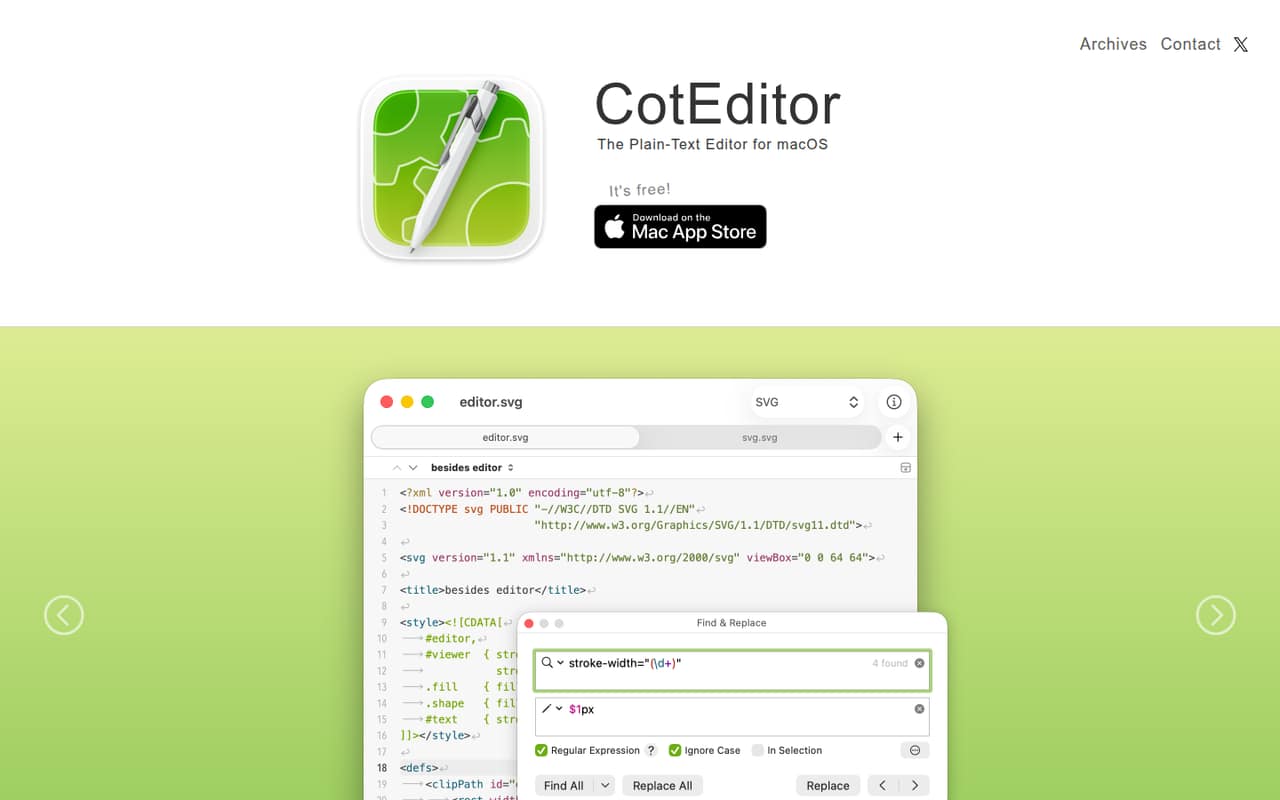
The vendor lists syntax highlighting for more than 60 pre-installed languages, customizable syntax settings, ICU regular-expression find and replace, automatic backups, split panes and a Unicode character inspector. It also includes an outline menu and tools for checking characters that cannot convert to a desired encoding. CotEditor highlights CJK-oriented features such as estimating file encodings and vertical text mode. Those features make it useful for focused editing, but they do not make it an IDE or a shared editing backend. Its architectural footprint is a Mac app handling documents, with scripting as an automation route.
02CotEditor API, SDKs and docs
The homepage describes an editor interface, not a developer API: it names no REST or other API, SDK, CLI, webhook or external service integration. The integration surface it does describe is scripting and macros in Python, Ruby, Perl, PHP, UNIX shell, AppleScript and JavaScript. The vendor also says settings, themes and syntax definitions can be changed through a standard settings window, rather than complex configuration files.
For everyday editing, the listed tools include syntax highlighting, ICU regular-expression search and replace, split panes, an outline menu and a character inspector. The homepage links to a GitHub project and issue tracker for contributions, bugs and feature requests. That gives developers a place to inspect the project and raise issues, but the homepage does not establish response times or support guarantees. If you need to automate CotEditor from another application, confirm the relevant scripting interface and SDK support in the vendor’s project documentation before making it part of a workflow.
03CotEditor pricing for developers
CotEditor is free to download and use. The listed Free plan costs $0 per month, and the homepage also describes the app as free. There is no paid tier or annual billing listed, so there is no published per-seat, per-request or compute charge to model for a project using the editor.
The free plan’s stated features include syntax highlighting for more than 60 languages and automatic document backups. The pricing information does not list a usage cap, request limit, paid upgrade or overage schedule. CotEditor is a local macOS editor rather than a metered hosted service, so those cloud-cost questions do not apply in the same way they would to an API. The project accepts voluntary in-app tips or donations; their prices are not published. Treat those as optional support, not required add-ons. The practical cost is therefore $0 for the editor, plus whatever Mac hardware and operating-system access your team already needs.
04CotEditor: open source, self-hosting and lock-in
CotEditor identifies itself as an open-source project and links to its GitHub project. The homepage does not name the software licence, so check the project’s licence file before redistributing the app, modifying it or incorporating code into another product. CotEditor is a macOS application, not a hosted service, so self-hosting a server is not part of its deployment model.
Documents remain ordinary text files that you can edit with other software, which limits document-format lock-in. The vendor’s feature list includes encoding-related tools, so preserve the intended encoding when moving files between editors. You can leave CotEditor by opening those files elsewhere; settings, themes, syntax definitions and scripts may need separate handling. Confirm their formats and portability in the project documentation if you depend on them. The vendor does not list a formal data-export service, and none is needed for basic text-file portability.
05CotEditor in production
CotEditor is a desktop editor, not a service to scale across requests or depend on for an API uptime target. The vendor’s homepage publishes no rate limits, service-level commitment, security certifications or compliance claims. Teams handling regulated or sensitive material should review local storage, backup behavior and macOS device controls against their own requirements. Automatic backups are listed, but retention, location and recovery details should be checked before treating them as a recovery plan.
For production workflows, validate encoding behavior, scripts and any required file-handling conventions with your own documents. The vendor highlights encoding estimation, incompatible-character checks and CJK support, but those features do not guarantee that every conversion preserves content. Reddit feedback is mixed and mostly about fit: commenters describe CotEditor as useful for lightweight editing, while others wanted a closer replacement for a larger editor or faster performance. Those are user opinions, not reliability data. The issue tracker is the stated route for bugs and feature requests; response targets are not published.
From the threadsWhat users say
Reddit sentiment is mixed but generally treats CotEditor as a useful lightweight Mac text editor, not a full IDE replacement. Commenters value its native-Mac feel and simplicity, while some prefer broader editor features or question its speed.
if you don't have a license for Sublime Text or want to use a fast plaintext editor written in Swift, or want to upgrade from TextEdit, this might be worth your time
Settings are handled through a familiar MacOS system settings-style window box instead of through scripting like Sublime Text, which means it's more convenient but less powerful
This may not quite be a replacement for Sublime Text
Not as quick as Sublime. Will see about other sides of it
Questions people ask
Is CotEditor free?
Yes. CotEditor is free to download and use, and the listed Free plan is $0 per month. Voluntary in-app tips or donations are mentioned, but their prices are not published. No paid tier or usage-based charge is listed.
Does CotEditor support syntax highlighting?
Yes. The vendor says CotEditor includes syntax highlighting for more than 60 pre-installed languages, including HTML, PHP, Python, Ruby and Markdown. You can also create your own settings for syntax highlighting.
Can I automate CotEditor with scripts?
CotEditor describes support for making macros in Python, Ruby, Perl, PHP, UNIX shell, AppleScript and JavaScript. The homepage does not describe a general-purpose API or SDK. Check the project documentation for the scripting interface you need before relying on it.
Is CotEditor available for Windows or Linux?
CotEditor is made specifically for macOS, according to the vendor. The homepage does not list Windows or Linux versions. If your team needs multiple operating systems, confirm current platform support in the project’s official documentation before choosing it.
Does CotEditor have an API or command-line interface?
The vendor describes scripting and macros, but not a public API, SDK or CLI. If you need to control the editor from another tool or automate a specific task, check the project documentation for supported scripting commands and confirm that your workflow is covered.
Sources
- CotEditor homepage
- CotEditor pricing, compiled via web search from github.com, coteditor.com, funkyspacemonkey.com, apple.com, macupdate.com
- Reddit: Best mac alternative for notepad++
- Reddit: CotEditor
- Reddit: CotEditor - a free, open-source plaintext editor written in Swift, with syntax highlighting and more