
We may earn a commission if you buy through links on this page. It never changes a score or a ranking. How we make money
The bottom line
A low-friction way to share code live, not a documented API-first tool.
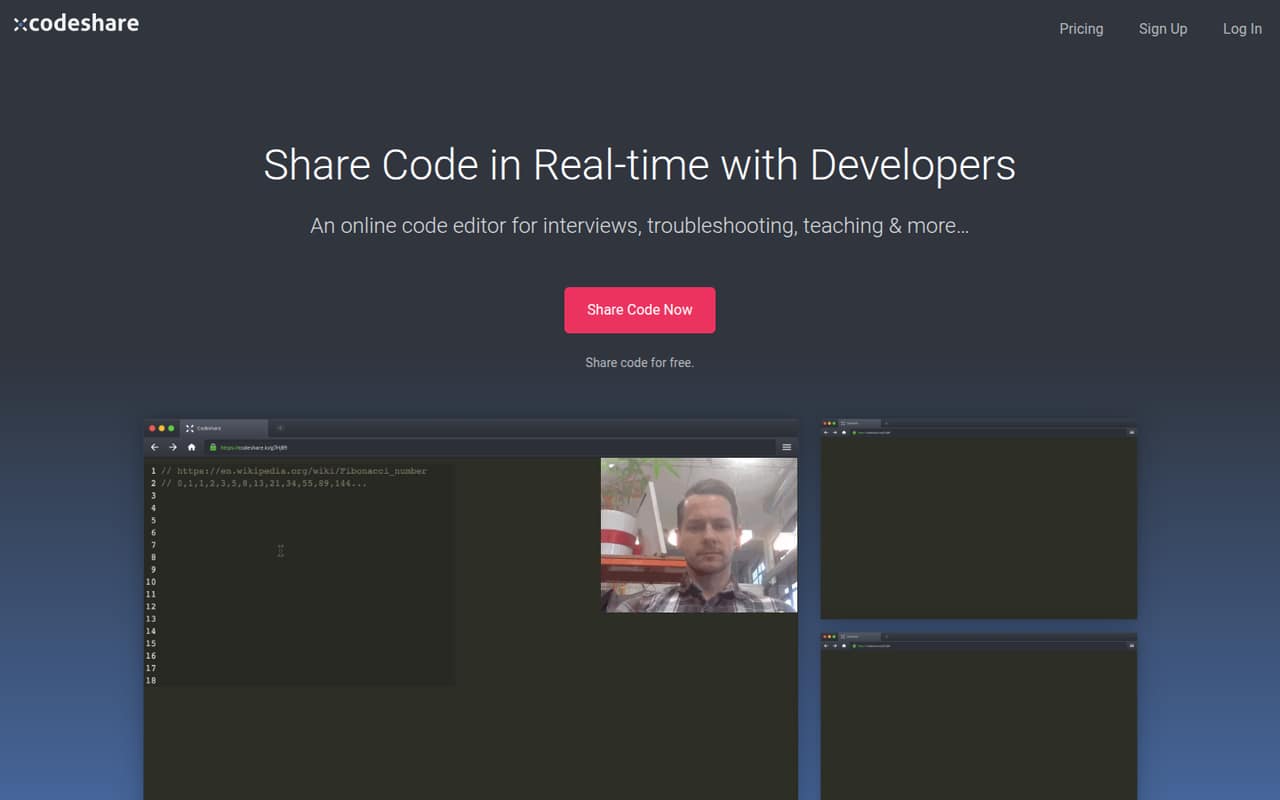
Codeshare is a hosted, browser-based editor for sharing code in real time. Its workflow suits pairing, troubleshooting, remote interviews and teaching; the free plan includes 20 saved Codeshares and unlimited collaborators.
For developers integrating tools into a codebase, the fit is less clear: the vendor doesn't publish API details, and its homepage doesn't name SDKs or programming languages. Pro costs $49 per month, while Custom pricing is not published.
Good fit if
- Live pair programming in a browser
- Remote coding interviews
- Teaching code to students
Skip it if
- API-driven editor integrations
- Self-hosted collaboration workflows
- Teams needing published production limits
ScoresHow it rates
What works
- Browser-based editor for writing or copying code
- Real-time sharing for pairing and troubleshooting
- Free plan includes unlimited collaborators
- Supports interview and teaching workflows
- Pro includes unlimited saved Codeshares
What doesn't
- No published API details
- SDKs and supported languages are not named
- Free plan caps saved Codeshares at 20
- Pro costs $49 per month
- Custom plan price is not published
01What Codeshare is, technically
Codeshare is a hosted, browser-based collaborative code editor. It gives people a shared place to write or paste code and work on it in real time, without positioning itself as a local IDE, compiler or build system. The vendor describes uses including pair programming, troubleshooting, remote or in-person coding interviews, and teaching.
The workflow is to open an editor, write or copy code, then share it with colleagues, students or interview candidates. That puts Codeshare in the collaboration layer around a development workflow: it can support discussion and shared editing, but the homepage does not describe how it connects to a repository, CI pipeline or local development environment. Teams considering it as part of a production stack should treat it as a separate hosted service, not as a replacement for their existing development tools.
02Codeshare API, SDKs and docs
The integration surface described by Codeshare is its browser editor: open a Codeshare, write or copy code, and share it with other people. The vendor doesn't publish API details on its homepage, and the page names no SDKs, programming languages, CLI, webhooks or plugins. Confirm SDK support in the vendor's docs before planning an automated integration.
For a basic session, the described workflow is direct and does not require a codebase integration: participants use the shared editor to pair, troubleshoot, interview or teach. That simplicity may work for ad hoc collaboration, but it leaves developers without a documented contract for creating sessions programmatically, embedding the editor, or connecting it to existing identity and repository systems. Check the vendor's documentation for supported languages and integration options before making Codeshare part of a developer platform.
03Codeshare pricing for developers
The Free plan costs $0 per month and includes 20 Saved Codeshares and Unlimited Collaborators. That gives a small team room to try shared sessions, but the saved-code limit is the published boundary. Pro costs $49 per month and includes Unlimited Saved Codeshares, Unlimited Collaborators, View-Only Mode, no ads for the account and collaborators, and Default Codeshare Settings.
The pricing page lists monthly prices; annual-billing prices are not published. Custom plans have no published price. The listed tiers do not state request, compute or per-seat meters, and they do not publish overage rates or add-on charges. So the known cost is $0 or $49 monthly for the named plans, but teams should confirm billing details and any usage limits with the vendor before rolling Codeshare out broadly. The pricing material does not establish how costs change with usage beyond the free plan's saved-Codeshare cap.
04Codeshare: open source, self-hosting and lock-in
Codeshare is presented as an online editor, but the vendor does not publish a source licence or self-hosting option on its homepage. We can't treat it as an open-source or deploy-it-yourself component without confirmation from the vendor. Teams with requirements for isolated networks, private infrastructure or source review should ask directly about those options before adopting it.
The homepage describes writing or copying code into a shared editor, but it does not explain data export or migration. If you need an archive of saved Codeshares or a way to move sessions into another tool, confirm the export format and process before storing important work there. Without a documented export path, migration planning should account for manually retaining code outside the service.
05Codeshare in production
Codeshare's published use cases are collaborative editing, interviews, troubleshooting and teaching. The pricing details establish a 20-Saved-Codeshare cap on Free and unlimited saved Codeshares on Pro, but do not provide rate limits, uptime commitments, availability targets or scaling figures. Confirm those limits if a team plans to rely on the service for scheduled interviews or recurring instruction.
The vendor's homepage also does not describe security controls, data retention, access management or compliance certifications. Those details matter if sessions may contain proprietary code, personal data or interview submissions. Ask the vendor about access controls, storage and deletion policies, service commitments and incident handling before using Codeshare for sensitive or business-critical work. For casual sessions, the browser workflow is easy to understand; for production use, validate the operational and security requirements with the vendor first.
Questions people ask
What does Codeshare cost?
The Free plan costs $0 per month and includes 20 Saved Codeshares and Unlimited Collaborators. Pro costs $49 per month and includes Unlimited Saved Codeshares, Unlimited Collaborators, View-Only Mode, no ads and Default Codeshare Settings. Custom pricing is not published.
Can I use Codeshare for coding interviews?
Yes. The vendor describes Codeshare as a tool for setting coding tasks and observing candidates in real time, remotely or in person. Check the available editor features and plan requirements against your interview process before relying on it.
Which programming languages does Codeshare support?
The vendor's homepage does not name supported languages. It describes a browser-based editor for writing or copying code. Check the vendor's docs or ask support whether the languages and editor behavior you need are supported.
Can I connect Codeshare to my codebase through an API?
Codeshare's described workflow is to use and share code in its browser editor. Before building an integration, confirm with the vendor whether an API or SDK is available and whether it supports your intended workflow.
Can I self-host Codeshare?
The vendor presents Codeshare as an online editor, but does not publish a self-hosting option on its homepage. If deployment on private infrastructure is a requirement, ask the vendor directly before adopting the service.