
We may earn a commission if you buy through links on this page. It never changes a score or a ranking. How we make money
The bottom line
A strong local AI workspace; a less certain choice when you need a well-documented integration contract.
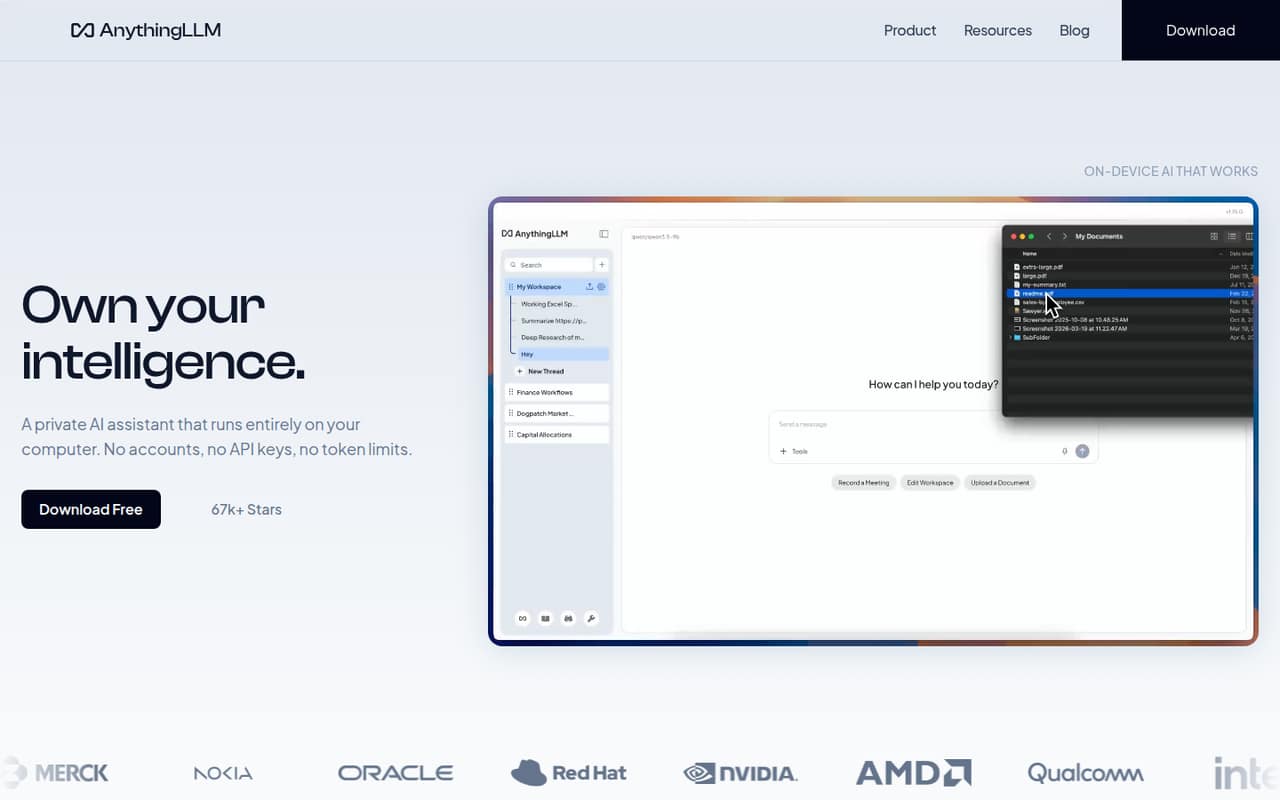
AnythingLLM combines local desktop and mobile apps with a self-hosted multi-user option. It handles document chat, local models, web search, meeting transcription and agent workflows. The MIT-licensed code and free desktop app make it practical to evaluate without starting with a paid plan.
For developers, the main caveat is integration clarity: the vendor names a developer API and custom tool builder, but not API protocols or language SDKs on its homepage. Reddit feedback is mixed, with users praising the product and others reporting confusing document workflows, crashes or disappearing chats.
Good fit if
- Developers prioritizing local data processing
- Teams building document-based AI workflows
- Users who want a free desktop app
Skip it if
- Teams needing documented SDK coverage
- Users expecting RAG to summarize files
- Production teams requiring published uptime limits
ScoresHow it rates
What works
- Free desktop app for macOS, Windows and Linux
- Local document processing and model options
- Meeting transcripts, summaries and action items
- MIT license permits organizational use
- Self-hosted multi-user deployment is available
What doesn't
- Developer API protocol and language SDKs aren't named
- Free-plan features and limits aren't published
- External LLM API costs are separate
- No published numerical rate or usage limits
- Reddit users report confusing RAG and reliability issues
01What AnythingLLM is, technically
AnythingLLM is a local AI assistant application, not just a hosted API or a model. Its desktop app runs on macOS, Windows and Linux, and its mobile app runs small models on-device. The vendor also offers a self-hosted, multi-user deployment for teams, plus paid private-instance plans.
In a typical stack, AnythingLLM sits between users and a language model: it provides chat, document knowledge, agent workflows and tools, while the model can run locally or use an API key. The desktop app can recommend a model for the machine or let users choose one. The vendor says document processing stays on the device and meeting transcription and summaries run locally. Mobile includes web search, document chat, file generation, scheduled jobs and memory; it can pair with desktop to reach larger models and workspaces. This makes AnythingLLM a private assistant and workflow layer, rather than a replacement for model infrastructure.
02AnythingLLM API, SDKs and docs
The homepage names a developer API and custom tool builder for extending AnythingLLM with agent workflows. It also links to the vendor’s docs, GitHub and Discussions. The product surface includes document knowledge, web scraping and search, background jobs, dynamic model selection and custom agent skills, but the homepage does not name a protocol or particular integration framework.
The vendor does not publish language SDK names on its homepage. Before building a service around AnythingLLM, check the docs for the API’s request and authentication format, supported operations, versioning and SDK support for your language. The homepage also does not name a CLI, webhooks or a plugin system, so confirm whether the developer API and custom tools cover your integration needs. For a prototype, the desktop app offers a low-friction way to evaluate local models and document chat; a production integration needs a clearer contract for deployment, error handling and upgrades.
03AnythingLLM pricing for developers
The desktop app is free to download, and the vendor lists a free plan. The free plan’s exact features, usage limits and support terms are not published, so check what it includes before using it as a production tier.
The Basic private-instance plan costs $50 per month and includes a private instance, custom subdomain, RAG, agents and work, plus bring-your-own LLM API key. Pro costs $99 per month and adds priority resources and a 72-hour support SLA. Enterprise pricing is custom; listed features include on-premise deployment, custom SLA, custom integrations, SSO and RBAC. Annual billing is not listed.
With a third-party model API, AnythingLLM’s plan price is not the full inference bill: the model provider charges separately for API usage. The vendor does not publish product-level request, seat or compute overages, and lists no add-ons. For local models, hardware is the main resource to plan around; the vendor does not publish a numerical usage ceiling. Confirm the free tier’s limits and your model provider’s rates before estimating production cost.
04AnythingLLM: open source, self-hosting and lock-in
AnythingLLM is open source under the MIT license, which the vendor says is suitable for organizational use. You can use the desktop app or self-host a multi-user deployment on your own servers. The Enterprise plan lists on-premise deployment, custom integrations, SSO and RBAC.
The vendor says document processing stays on-device in the desktop app, and describes local meeting processing. Self-hosting gives teams more control over where the application runs, but you still need to assess model-provider settings if you connect an external API. The vendor doesn't publish supported data-export formats on its homepage; verify how to export workspaces, documents, chat history and agent configuration before committing. Using open formats for your source documents and keeping model selection separate from application workflows can reduce migration work, but moving agent skills and workspace data may still require custom effort.
05AnythingLLM in production
AnythingLLM’s local-first design can keep document processing and meeting transcription on-device, while self-hosting lets teams run a multi-user deployment on their own servers. Enterprise lists SSO and RBAC, but teams should confirm the exact controls, retention behavior and compliance commitments for their deployment. The vendor does not publish numerical rate limits, uptime targets or a general capacity ceiling; ask about these before making it a critical service.
Local model performance and document handling depend on hardware, model context and workflow. A Reddit user reported crashes and disappearing chats. Another described difficulty getting useful document summaries; a commenter explained that RAG retrieves relevant passages rather than summarizing a whole file, while a later commenter said full-text comprehension had been added. Treat those reports as signals to test your own document sizes, recovery process and upgrade path. For paid plans, Pro lists a 72-hour support SLA; Basic does not list one.
From the threadsWhat users say
Reddit sentiment is mixed: some users praise AnythingLLM, while others report confusing document workflows or reliability problems. One discussion also shows that results can depend on understanding the difference between RAG and document summarization.
Your app is nearly perfect for what it does, I cannot understand the complaints
I tested AnythingLLM and I simply hated it
AnythingLLM documentation is very confusing
I'm tired of it crashing and the chat's disappearing
Questions people ask
Is AnythingLLM trustworthy for private documents?
The vendor says desktop document processing stays on your device and meeting transcription and summaries run locally. AnythingLLM is also MIT-licensed and can be self-hosted. Those claims don't replace deployment review: check where your chosen model runs, what data any connected API receives, and what controls your team needs.
How much does AnythingLLM cost?
The desktop app is free to download, and the vendor lists a free plan without publishing its limits. Paid private-instance plans start with Basic at $50 per month; Pro is $99 per month, and Enterprise pricing is custom. Bring-your-own-key model usage may add separate charges from the model provider.
What can I do with AnythingLLM?
AnythingLLM supports document chat, agent workflows, web search and local model use. Its meeting assistant transcribes and summarizes calls, with action items and transcripts. The mobile app adds document chat, file generation, scheduled jobs and memory, and the desktop app includes tools for custom agent skills.
Can I run AnythingLLM without a cloud API key?
Yes. The vendor says the desktop app can run on-device models without a cloud API key, and it can recommend a model for your hardware. The Basic paid plan also supports bringing your own LLM API key. If you choose an external model provider, its API usage may carry separate costs.
Can I self-host AnythingLLM for a team?
Yes. The vendor offers a self-hosted multi-user deployment, and its Enterprise plan lists on-premise deployment, SSO, RBAC, custom integrations and a custom SLA. Confirm the deployment requirements, supported authentication setup and data export process with the vendor before rolling it out to a team.