
We may earn a commission if you buy through links on this page. It never changes a score or a ranking. How we make money
The bottom line
A capable local API client for teams that want Git workflows and agent access without hosted workspace sync.
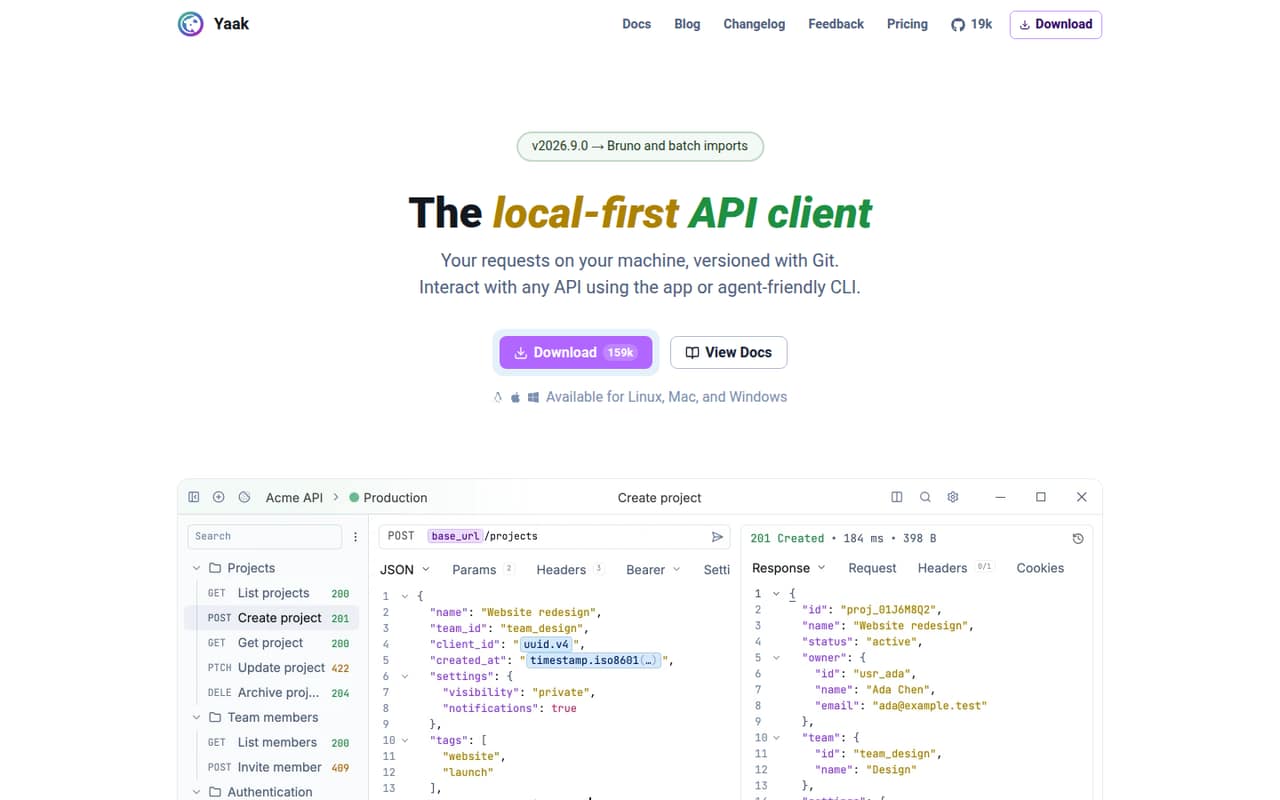
Yaak is a desktop API client for HTTP, GraphQL, gRPC, WebSocket, and SSE, with a CLI and MCP server plugin for agent access. Workspaces stay on the machine by default, and teams can share requests through Git rather than a proprietary cloud service.
It is free for personal use; commercial use requires a license after a 30-day trial. Individual licenses start at $79 billed annually, while teams get SSO and provisioning on the Business plan. Reddit discussion about Yaak is limited, so it offers little evidence about support quality or production reliability.
Good fit if
- Developers who version API requests in Git
- Teams using desktop API clients
- Agent workflows that reuse existing requests
Skip it if
- Teams requiring a hosted shared workspace
- Projects needing published reliability guarantees
- Users looking for a documented SDK
ScoresHow it rates
What works
- Supports HTTP, GraphQL, gRPC, WebSocket, and SSE
- Stores work locally without requiring an account
- Git UI supports branching, commits, and diffs
- CLI and MCP plugin give agents workspace access
- MIT-licensed source can be inspected and built
What doesn't
- Commercial use requires a paid license after 30 days
- No hosted workspace sync is included
- No SDK languages are named on the homepage
- Published rate limits and reliability targets are absent
- Reddit discussion offers little production feedback
01What Yaak is, technically
Yaak is a local-first desktop API client, not a hosted API platform or a self-hosted server. The app runs on macOS, Windows, and Linux, stores workspaces on the machine, and sends API requests directly to your servers. It covers HTTP, GraphQL, gRPC, WebSocket, and Server-Sent Events (SSE).
In a development stack, Yaak sits alongside your code editor and test tooling as a GUI for creating, sending, inspecting, and organizing API requests. Its CLI and MCP server plugin provide another way to work with the same workspace, including through AI agents. The vendor says CLI changes appear in the app, avoiding a separate collection for agent-driven work.
Yaak is built with Rust and Tauri, according to its homepage. Work can be shared through Git or a synced folder rather than Yaak-hosted workspace sync. That makes it a fit for teams already comfortable managing request files and secrets through their own version-control workflow.
02Yaak API, SDKs and docs
Yaak is a client for making requests to APIs, not an API that your application calls. The homepage lists HTTP, GraphQL, gRPC, WebSocket, and SSE support, plus request chaining that reuses values without scripts. It also describes plugins for authentication, importers, and template functions.
The integration surfaces are the desktop app, the CLI, and an MCP server plugin. The vendor documents yaak agent install for installing its CLI skill and says the MCP plugin connects clients such as Claude and Cursor to existing workspaces. The homepage does not name SDK languages or an application-facing Yaak REST API; confirm CLI commands, plugin interfaces, and any SDK support in the vendor's docs before building automation around them.
Import options listed by the vendor include Postman collections and environments, Insomnia exports, Bruno collections, OpenAPI and Swagger specs, and curl commands. Requests are stored as YAML files, one per request, folder, and environment.
03Yaak pricing for developers
Yaak is free for personal use. Commercial use requires a license after a 30-day trial, according to the vendor. The Individual Annual plan is $79 billed annually for one person, with commercial use, a single non-transferable license, and up to three devices. The pricing page lists a lifetime fallback license if the subscription ends. There is no monthly billing for this plan.
Individual Lifetime costs $349 once and includes commercial use, future updates, a single non-transferable license, and up to three devices. Business costs $149 per user, billed annually, and adds transferable licenses, SSO, and user provisioning; each license covers up to three devices. Its equivalent rate is $12.42 per user per month, but billing is annual.
These are license prices, not usage-based charges: the vendor does not list request, compute, or API-call fees, overages, or add-ons. Costs grow with commercial seats, not request volume. The free tier is for personal use, not commercial work; organizations needing shared administration should budget for Business.
04Yaak: open source, self-hosting and lock-in
Yaak says its source is available on GitHub under the MIT license, and that users can inspect and build it themselves. The product is a desktop app; the vendor does not describe a separate server to self-host. Building the client from source is not the same as hosting a shared Yaak service.
Workspaces stay local unless you choose to share them. The vendor describes one YAML file per request, folder, and environment, with Git support for commits, diffs, and branches. Optional secrets encryption uses keys in the operating system keychain. That file-based workflow gives teams a route to retain and version their request data outside a proprietary cloud workspace.
Yaak lists imports from several other API tools and standard formats, which can help when moving into Yaak. For moving away, the YAML structure and Git history are the clearest portability path the vendor describes; confirm export behavior for any plugins or encrypted secrets before adopting it.
05Yaak in production
Yaak is a developer client, not a production API gateway. The vendor says requests go directly from the desktop app to your servers, and that secrets are encrypted with keys in the OS keychain. It also claims zero telemetry from the desktop app. Teams should still review how Git access, secret encryption, and local device controls fit their security and compliance requirements.
The vendor advertises managing 3,286 requests with no lag and mentions no lag at 3,000-plus requests in its changelog. Those are vendor claims, not published performance guarantees. Published rate limits, uptime targets, support response times, and compliance certifications are not listed on the homepage; ask the vendor about requirements that depend on them. Business includes OpenID Connect sign-in and SCIM provisioning, according to the homepage.
Reddit discussion is not a strong reliability signal: one thread links to Yaak, and the open-source announcement is from its creator. The Reddit threads we read contain no detailed reports about production incidents, scaling, or support.
From the threadsWhat users say
The available Reddit discussion is sparse and mostly consists of brief mentions or the creator's own posts. It signals some interest in Yaak, but does not establish broad user sentiment or production reliability.
You'd like https://yaak.app then!
I’m the original creator of Inspmnia (sold) and started Yaak a couple years ago because Insomnia went in a different direction
After thinking on it for a few months, I decided this was correct, so Yaak is now open source!
Curious what the webdev community here is actually using in day
Questions people ask
Is Yaak free for commercial use?
No. Yaak is free for personal use, but commercial use requires a license after a 30-day trial. The Individual Annual plan is $79 billed annually, and the Individual Lifetime license costs $349 once. Business is $149 per user, billed annually, and includes transferable licenses, SSO, and user provisioning.
Does Yaak store my API requests in the cloud?
The desktop app stores workspaces locally and does not require an account or automatically sync to a cloud service, according to the vendor. You can share work through Git or a synced folder. Yaak says the desktop app sends requests directly to your servers and encrypts secrets using keys in the OS keychain.
Which protocols does Yaak support?
Yaak supports HTTP, GraphQL, gRPC, WebSocket, and Server-Sent Events (SSE), according to its homepage. It also lists request chaining, which lets you reuse values across requests without writing scripts. The app is available for macOS, Windows, and Linux.
Can AI agents use my Yaak workspace?
Yes. Yaak provides a CLI and an MCP server plugin for connecting agents to existing workspaces. Its homepage names Claude and Cursor as examples and says changes made through the CLI appear in the desktop app. The vendor documents yaak agent install for installing its CLI skill.
Can I build Yaak from source or self-host it?
Yaak's source is available on GitHub under the MIT license, and the vendor says users can inspect and build it themselves. Yaak is a desktop app; the vendor does not describe a separate server to self-host. Its local workspaces can be shared through Git rather than a Yaak-hosted workspace service.