
We may earn a commission if you buy through links on this page. It never changes a score or a ranking. How we make money
The bottom line
Useful hosted uptime checks and status pages; verify alert behavior and plan limits before production.
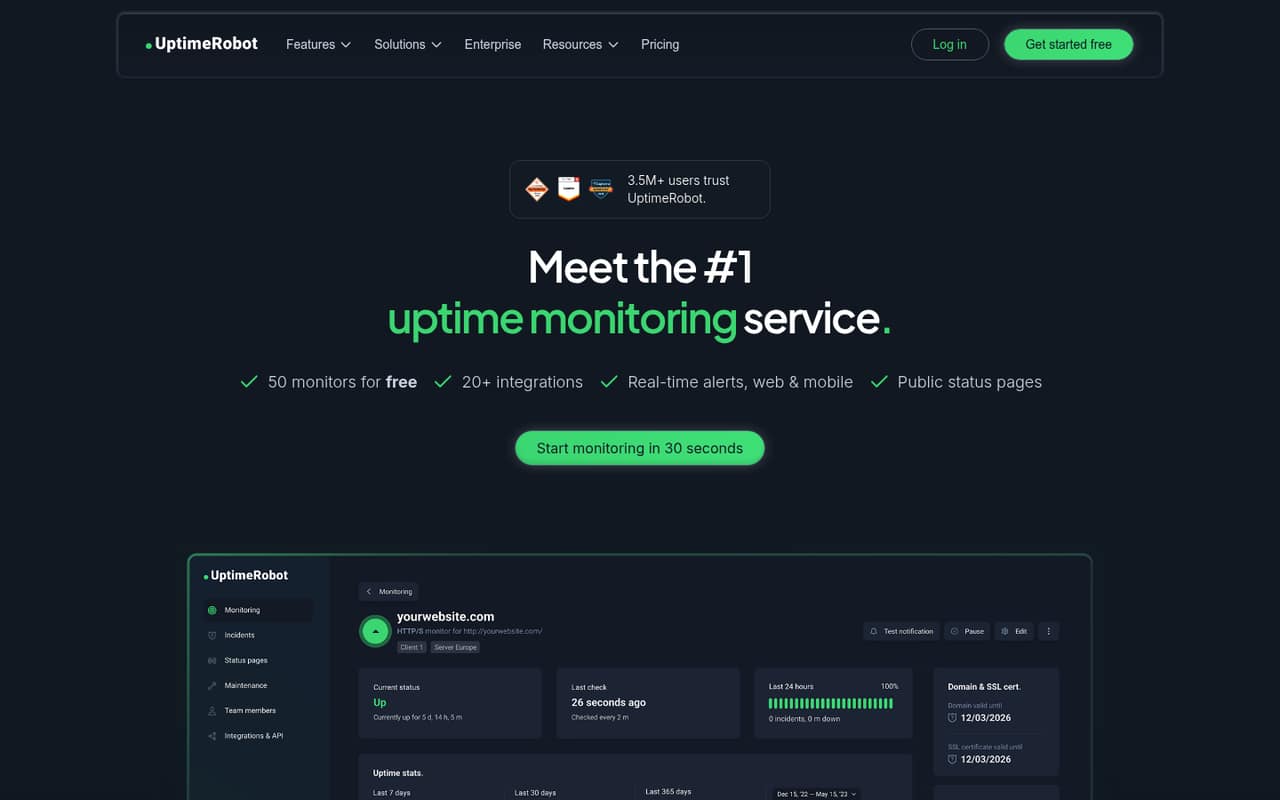
UptimeRobot is a hosted monitoring service for websites, APIs, servers and other endpoints. It combines recurring checks and alerts with status pages and incident-management tools, so it can sit alongside an application stack without requiring you to run monitoring infrastructure.
The free plan covers 50 monitors, but checks run every five minutes. Paid plans add faster intervals, more monitors and team or status-page capacity. Reddit reports on reliability are mixed, particularly around heartbeat monitoring and false positives.
Good fit if
- Website and API availability checks
- Teams needing public status pages
- Projects starting with free monitoring
Skip it if
- Teams needing self-hosted monitoring
- Deep internal infrastructure observability
- Workloads requiring published API limits
ScoresHow it rates
What works
- Free plan includes 50 monitors
- Supports HTTP(S), keyword, ping and port monitors
- Also monitors cron jobs, DNS and SSL certificates
- Status pages include branding and incident history
- Checks can run from up to four regions
What doesn't
- Free checks run at five-minute intervals
- API style and SDK support need verification
- Source availability and self-hosting are not documented
- API rate limits and data export are not published
- Reddit users report false positives with some monitors
01What UptimeRobot is, technically
UptimeRobot is a hosted SaaS monitoring service, not a monitoring library or self-hosted server. You configure monitors in its dashboard; the service checks websites, APIs, servers and other endpoints, records incidents and sends alerts when it detects downtime, slow responses, certificate issues or changes.
It sits outside the application stack, watching the endpoints your users or other services reach. Monitor types include HTTP(S), keyword, ping, ports, cron jobs, DNS, SSL certificates and response times. Checks can run from up to four regions, which can help identify location-specific outages. The service also includes branded status pages for uptime, incidents and maintenance updates, plus incident tools for team notes, timelines and status updates.
That makes it a fit for external availability checks and communicating service status. The vendor also describes role-based access and maintenance windows. UptimeRobot is not positioned in the published material as a full replacement for internal infrastructure monitoring or application performance monitoring; check whether its monitor types cover your operational requirements.
02UptimeRobot API, SDKs and docs
The vendor homepage describes a dashboard, a “powerful API” and detailed documentation, but does not name the API style, SDKs, supported languages or a CLI. Confirm the API protocol, authentication method, SDK support and versioning in UptimeRobot’s documentation before building an integration. The API rate limits and usage rules are not published on the homepage; ask the vendor for those details if you plan to automate monitor management at scale.
The integration surface also includes 20+ services, real-time web and mobile alerts, and notification channels such as email, push, Slack, SMS and calls. The homepage describes integrations with chat and incident-management services but does not enumerate them in the published text. Status pages can use custom domains and branding, show incident history, embed monitors, and be password-protected or private.
For a basic setup, the vendor’s documented flow is to add an HTTP(S) monitor in the dashboard, set an interval and notification channels, then save it. Confirm SDK and integration support in the vendor’s docs before choosing a language-specific implementation.
03UptimeRobot pricing for developers
The Free plan costs €0 per month and includes 50 monitors, a five-minute interval, one status page, five integrations and three months of data retention. Solo starts at €9 per month with annual billing, or €10 monthly; it includes 10 monitors, one third-party service monitor, 60-second checks, three status pages and 12 months of retention. Team is €35 annually billed or €41 monthly, with 100 monitors, 20 third-party service monitors, 30-second checks, three included seats and 100 status pages.
Scale costs €65 per month with annual billing or €77 monthly. It includes 200 or 500 monitors, 40 third-party service monitors, 15-second checks, five seats and unlimited status pages. Enterprise is custom-priced. The pricing page advertises annual billing as saving about 15%, with annual prices shown as monthly equivalents.
The bill grows with the plan’s monitor, interval, service-monitor, seat and status-page limits. Additional login seats are listed as “$15/19 per month,” without clarifying the two prices. SMS and voice-call credits are one-time purchases, from $3 for 10 credits to $100 for 1,000. Overages and additional notify-only seat pricing are not published.
04UptimeRobot: open source, self-hosting and lock-in
UptimeRobot is presented as a hosted monitoring service. The homepage does not document a self-hosted edition, source repository or software licence, so treat it as hosted SaaS unless the vendor confirms otherwise. Ask whether monitor configuration, incident history and status-page data can be exported, and in what format, before making it a core operational dependency.
The main migration work is likely to be recreating monitors, alert routing and status pages in another service. The homepage describes integrations and an API, but not an export path or migration tooling. Confirm API coverage for the resources you need to move and whether you can retrieve historical data. Without documented export and self-hosting options, plan for some vendor dependency in monitor configuration and incident records.
05UptimeRobot in production
Before depending on UptimeRobot for critical services, match the plan’s monitor count and check interval to your alerting needs. The Free plan checks every five minutes; paid plans list intervals down to 15 seconds. The service supports checks from up to four regions, but the homepage does not publish API rate limits, an availability SLA for the monitoring service, or overage rules. Enterprise lists an SLA and security review as available features; ask for the terms and scope.
Reddit reports on alert accuracy are mixed. In one r/msp thread, users describe false positives with heartbeat or HTTP-status monitoring; another commenter says keyword checks helped catch application errors. Other commenters report reliable website and WAN monitoring. Treat these as individual reports, not service-wide measurements, and validate monitor behavior against your own endpoints before routing paging alerts.
The Enterprise plan lists SOC 2, DPA and MSA, plus a security review. Confirm the applicable documents, retention requirements and escalation path with the vendor before using the service for regulated or high-impact systems.
From the threadsWhat users say
Reddit sentiment is mixed: some users value UptimeRobot for website and WAN checks, while others report false positives, support friction and plan-price increases.
We have been trying to use the heartbeat monitor several times and each time we end up turning it off and disabling as it creates false positive like crazy
We predominantly use it to monitor websites that we're responsible for, we did get a lot of false positives just looking at HTTP status codes, but we solved this by changing the monitors to look for text on the page and alert if it is/isn't there
We do use it, and haven't suffered with false positives. By the contrary: it's very reliable, and when it alerts, we do have an issue
I have been a paying customer of UptimeRobot for years. I have been paying $8 a month for about 30-35 monitors and it has worked great to monitor all my home lab services
Questions people ask
What is UptimeRobot used for?
UptimeRobot checks websites, APIs, servers and other endpoints for availability, slow responses, certificate issues and changes. It can send alerts and provide status pages and incident-management tools for communicating and responding to service issues.
Is UptimeRobot free?
Yes. The Free plan costs €0 per month and includes 50 monitors, five-minute monitoring intervals, one status page, five integrations and three months of data retention. Faster intervals and higher plan limits require a paid plan.
Does UptimeRobot support API monitoring?
The vendor describes monitoring websites, APIs and other endpoints, and lists HTTP(S) monitoring. The homepage also refers to a UptimeRobot API, but does not name its protocol or SDKs. Check the documentation for the API features and integration method you need.
Can UptimeRobot monitor from multiple locations?
Yes. The vendor says checks can run from up to four regions. This can help identify outages that affect users in some locations but not others.
Can I self-host UptimeRobot?
The vendor presents UptimeRobot as a hosted service and does not document a self-hosted edition on its homepage. Ask the vendor about hosting options, source availability and data export if those affect your deployment requirements.
Sources
- UptimeRobot homepage
- UptimeRobot pricing page
- Reddit: UptimeRobot killing legacy plans - wants to charge me 425% more - what are alternatives?
- Reddit: Does anyone use UptimeRobot?
- Reddit: What's the best free/cheap uptime monitoring with 1-minute checks?
- Reddit: Uptimerobot increased solo tier price by 62.5%