
We may earn a commission if you buy through links on this page. It never changes a score or a ranking. How we make money
The bottom line
A visual Git client with deep workflow tools, priced per user and built for desktop use.
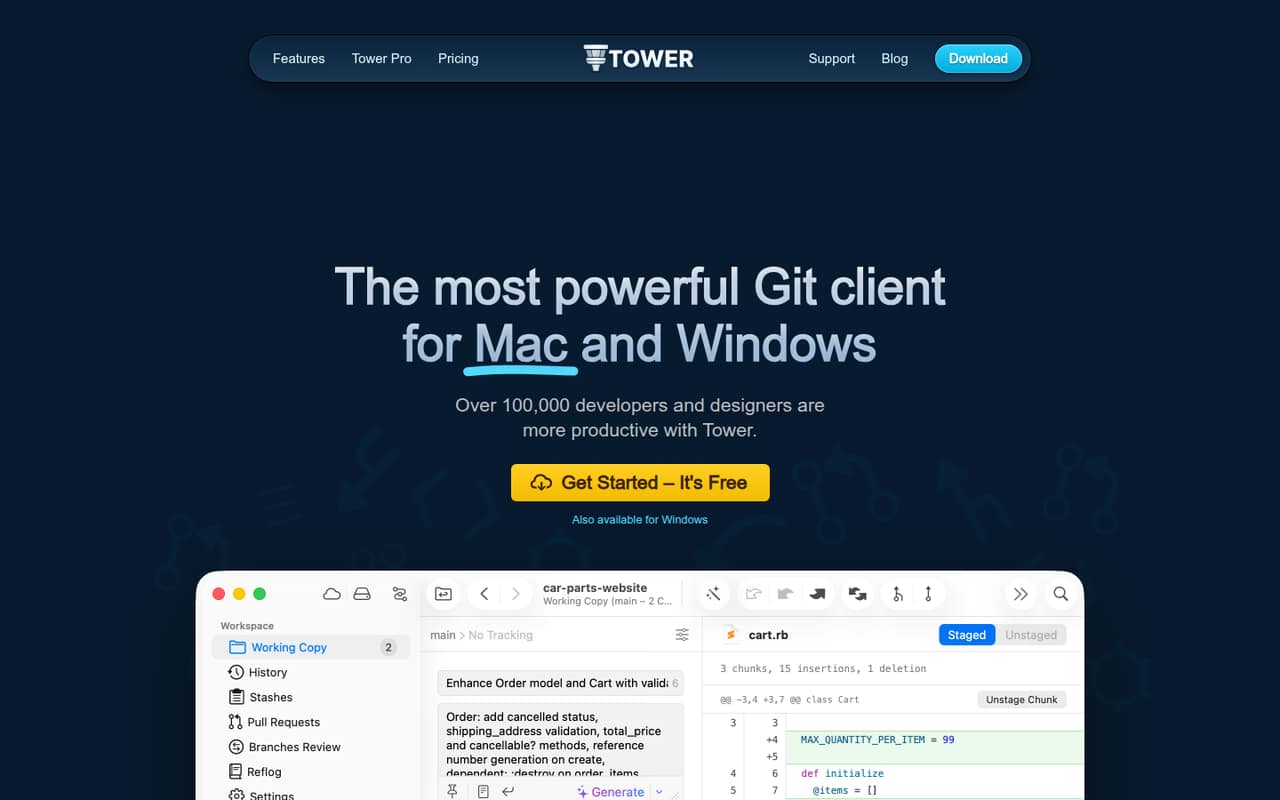
Tower is a desktop Git client for macOS and Windows. It puts visual controls around Git workflows, including drag-and-drop operations, interactive rebase, conflict resolution, submodules and Git-Flow. The vendor also lists AI commits, stacked branches and automatic branch management.
The 30-day Pro trial is followed by paid plans starting at $5.75 per user per month with annual billing. Tower suits developers who want a desktop interface for Git; teams should check host compatibility, plan requirements and licensing before adopting it.
Good fit if
- Developers who prefer visual Git workflows
- Teams using interactive rebase and conflict tools
- Mac and Windows desktop users
Skip it if
- Teams requiring a Git API or CLI
- Projects requiring open-source tooling
- Users seeking a permanent free plan
ScoresHow it rates
What works
- Available for macOS and Windows
- Interactive rebase and conflict-resolution tools
- Supports submodules, Git LFS and Git-Flow
- Undo actions with ⌘+Z
- 30-day Pro trial without limitations
What doesn't
- No free plan after the trial
- Monthly billing prices aren't listed
- Desktop-first workflow may not suit API-driven automation
- SAML-based SSO is limited to Enterprise
- Per-user pricing grows with team size
01What Tower is, technically
Tower is an installable desktop Git client for macOS and Windows, not a hosted Git service, library or server. It sits between a developer and Git repositories, adding visual controls for common operations and advanced workflows. The vendor lists drag-and-drop actions, single-line staging, interactive rebase, conflict resolution, submodules, Git LFS, Git-Flow, file history, blame and cherry-pick.
The client also includes pull requests and a Services Manager for cloud code hosting, plus workflows such as automatic stashing and fetching. Tower Pro features include stacked branches, custom workflows, branch cleanup, merge detection and support for self-hosted repositories. That last feature means connecting a repository hosted on your own server; it does not make Tower itself a self-hosted server. For developers who work locally with Git and want a visual interface around repository operations, Tower is a desktop productivity layer in the version-control stack.
02Tower API, SDKs and docs
Tower is a desktop application operated through its visual interface, rather than an API-first service or a command-line tool. Its listed integration surface includes pull requests and a Services Manager for cloud code hosting, along with the ability to connect self-hosted repositories. The homepage also lists integrations generally, but names no particular providers in the published feature text.
The product uses Git workflows such as interactive rebase, staging, cherry-pick, submodules and worktrees. The vendor links to documentation, but does not publish SDK or programming-language names in the published product details. Developers planning to automate Tower or connect a specific hosting provider should confirm that path in Tower's documentation before making it part of a build or release pipeline. Avoid assuming a REST API, webhooks, plugins or a supported CLI; those are different integration surfaces from the desktop controls described by the vendor.
03Tower pricing for developers
Tower has no free plan. The vendor offers a 30-day Pro trial without limitations, then lists annual-billing equivalents of $5.75 per user per month for Basic, $10.75 for Pro and $12.42 for Enterprise. Monthly billing prices are not listed. Basic includes one user, macOS and Windows versions, unlimited app updates, and pull requests and Services Manager for cloud code hosting.
Pro adds exclusive features, basic team management, dedicated billing and admin roles, and consolidated billing. Pro plans receive a 10% discount at 10 or more seats; additional users can be added through the customer portal. Enterprise adds advanced team management, invoicing and wire transfer, priority support, and SAML-based SSO. The bill scales by user count, not API calls, compute or repository activity. The pricing page lists no usage-based overages. Teams should confirm the billing term and seat costs before budgeting, especially if they need Enterprise-only controls.
04Tower: open source, self-hosting and lock-in
Tower is not presented as an open-source client, and the vendor does not publish a source-code license in its product details. Tower itself is a desktop application; the vendor does not describe a self-hosted Tower server. Its self-hosted repositories feature is for connecting Tower to repositories on your own server.
The work is based on Git repositories, so repository history remains in Git rather than being held only inside a Tower-hosted service. Developers can continue using Git tooling if they stop using the client. That limits lock-in for repository data, but does not establish how Tower-specific preferences, workflows or account settings can be exported. Teams that depend on custom Tower configurations should ask the vendor about portability and account-data export before standardizing on them.
05Tower in production
Tower is a developer desktop client, so production use depends on developers having it installed and compatible with their macOS or Windows environment. The vendor lists versions for both operating systems, but the published product details do not publish service-level commitments, availability targets, API rate limits or scaling limits. Those are relevant questions if a team expects to make the client part of a required workflow.
For security and administration, Enterprise includes SAML-based SSO, advanced team management and priority support; Pro includes basic team management and dedicated billing and admin roles. The pricing page does not list separate usage charges or overages. Before rolling Tower out broadly, confirm how the plan handles seats, account provisioning, repository-host compatibility and support response expectations. Also verify whether the team can meet its access-control requirements on the plan it intends to buy.
Questions people ask
What is Tower used for?
Tower is a desktop Git client for macOS and Windows. It provides visual controls for repository work, including staging, branching, interactive rebase, conflict resolution, submodules and Git-Flow. The vendor also lists pull-request features and a Services Manager for cloud code hosting.
Does Tower have a free plan?
No. Tower's pricing lists paid Basic, Pro and Enterprise plans. The vendor offers a 30-day Pro trial without limitations, but does not list a permanent free plan.
Can Tower connect to self-hosted Git repositories?
Yes. Tower lists a Self-Hosted Repos feature for connecting your own server. This is support for repositories hosted on your infrastructure, not a self-hosted version of the Tower application.
Does Tower support Windows?
Yes. Tower is available for Windows as well as macOS. The pricing page lists both operating-system versions as included with Basic.
Does Tower offer an API or CLI?
Tower is described as a desktop application with visual controls. Its product details list no API or CLI workflow. If your team needs automation or a particular integration, confirm support with Tower's documentation before relying on it.