
We may earn a commission if you buy through links on this page. It never changes a score or a ranking. How we make money
The bottom line
A broad hosted API suite with useful SDKs; check usage costs and lock-in before scaling.
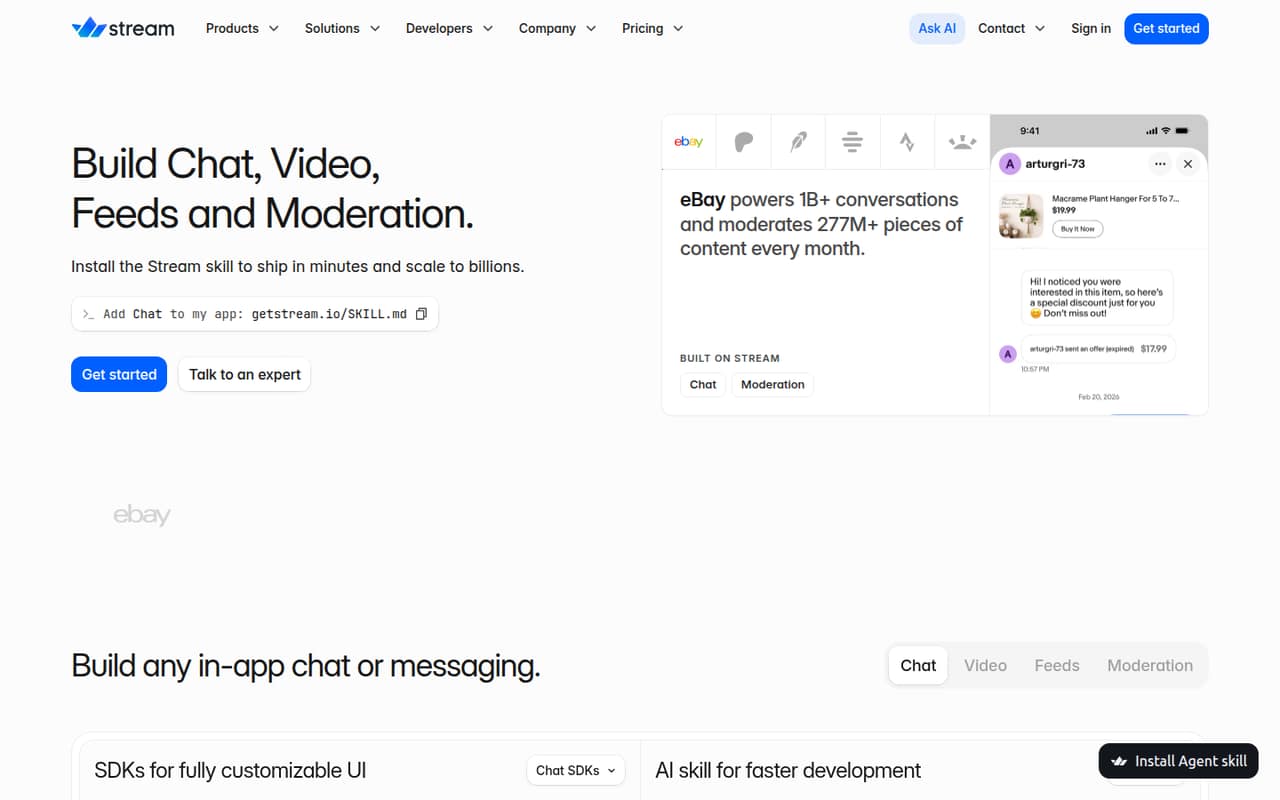
Stream is a hosted API platform for adding in-app chat, video, activity feeds and content moderation. Its SDKs cover several major frontend frameworks and platforms, while agent skills offer prompts and documentation for coding agents working on integrations.
The range is useful for teams that want these features from one vendor, but the pricing details here focus on Chat. Build is free within stated limits; production plans add capacity and features, with usage overages and separately priced upgrades to factor into forecasts.
Good fit if
- Apps adding in-product chat
- Teams building feeds or video
- Developers using supported SDKs
Skip it if
- Teams requiring self-hosted infrastructure
- Projects needing fully published rate limits
- Buyers requiring a clear migration path
ScoresHow it rates
What works
- Chat, video, feeds and moderation APIs in one platform
- SDKs named for React, Swift, Android and Flutter
- React Native SDKs for chat and video
- Free Build plan includes 1,000 MAU
- Agent skills link prompts to Stream documentation
What doesn't
- Pricing details focus on Chat plans
- Usage overages can add costs across several meters
- Rate limits are not published on the vendor's site
- Self-hosting, licence and data-export terms need confirmation
- AI moderation and some other upgrades have unpublished prices
01What Stream is, technically
Stream is a hosted API platform with SDKs for embedding chat, video, activity feeds and content moderation in an app. It sits behind your product’s interface: your application uses Stream’s services for messaging, calls, feeds or moderation rather than building those systems from scratch. The moderation workspace adds review queues, a no-code Rule Builder, enforcement actions and audit logs.
This is not just a client-side UI library. The vendor lists server-side integrations alongside its client SDKs, and its agent-skill examples include creating channels, sending messages, retrieving users and minting an auth token. That points to integration work across both application clients and server code. The homepage also promotes agent skills to help coding agents build or update Stream integrations. Stream is a fit when these capabilities belong inside an existing app; it is not a consumer movie-streaming service.
02Stream API, SDKs and docs
The homepage lists production-ready Chat SDKs for React, Swift, Android, Flutter, React Native, Unity, Unreal and server-side integrations. Video SDKs are listed for React, Swift, Android, Flutter, React Native, JavaScript and Unity, plus server-side integrations. Feeds SDKs are listed for React, Swift, Android, Flutter and React Native, with JavaScript and server-side integrations also named. Check Stream’s documentation for the right SDK and current platform support before choosing an app architecture.
The vendor’s skill examples show workflows for creating channels, sending messages, querying users and looking up documentation. They also point to documentation about customizing the React message list and verifying webhook signatures. Stream promotes getstream.io/SKILL.md as the skill entry point for coding agents. The homepage does not name a CLI or a specific API protocol, so confirm those integration details in the vendor’s docs. Moderation is managed through a workspace that includes review queues, a no-code Rule Builder, enforcement actions and audit logs.
03Stream pricing for developers
The listed plans are Chat plans. Build costs $0 per month and includes 1,000 MAU, 100 concurrent connections and community support, with no credit card required. Start is $399 per month billed annually or $499 monthly; it includes 10,000 MAU, 500 concurrent connections, up to 5M stored messages and up to 500K channels. Elevate is $599 per month billed annually or $675 monthly, with up to 10M stored messages and 1M channels, plus multi-tenancy and advanced search. Enterprise has custom pricing and usage limits.
Usage beyond plan allowances adds cost: MAU overage is $0.09 per user and concurrent overage is $0.99 per connection. Stored messages cost $5 per 1M over the allowance, channels $100 per 1M, and API calls $7 per 1M; query-channel API calls are $2.50 per 100K. API bandwidth is $0.40 per GB. Optional CDN usage has separate storage, bandwidth and image-resizing charges. AI moderation, Datadog integration and the 99.999% SLA are listed as upgrades, but their prices are not published. Confirm whether video, feeds and moderation have separate pricing.
04Stream: open source, self-hosting and lock-in
Stream is presented as a hosted API service with client and server-side SDKs. The published product details do not establish an open-source licence, a self-hosted server option or data-export tooling. The vendor does not publish those terms here; ask Stream directly about source availability, hosting choices, data retention and export formats before adopting it for critical workloads.
Migration effort will depend on how much application logic relies on Stream’s APIs, SDK models, moderation rules and stored data. Replacing chat, feeds or video can mean rebuilding those integrations and moving data into another system. Keep an internal boundary around Stream-specific calls and maintain your own records for data your product must retain. Confirm how to export messages, users, channels and moderation audit logs, and whether exports preserve identifiers and relationships. Do not treat SDK availability as evidence that the underlying service can be self-hosted.
05Stream in production
Stream’s homepage reports an 8 ms median API response and infrastructure serving more than 20B API calls per month, alongside a 99.999% uptime SLA option. These are vendor-published figures, not a substitute for checking the service-level terms that would apply to your plan. The pricing details list the SLA as an Enterprise option, so ask whether it is available for your deployment and what remedies it provides.
Model costs against MAU, concurrent connections, stored messages, channels, API calls and bandwidth; each has a separate allowance or overage rate. The listed plans do not publish rate-limit values, so ask about request throttling, burst limits and behavior during sustained peaks. Stream advertises moderation coverage for text, audio, images and video in 50+ languages, and names DSA, Online Safety Act, COPPA and EU AI Act compliance. Confirm which obligations apply to your use case, where data is processed, and what security controls and retention policies are available.
Stream in the news
Questions people ask
What does Stream provide for app developers?
Stream provides hosted APIs and SDKs for in-app chat, video, activity feeds and content moderation. The moderation workspace includes review queues, a no-code Rule Builder, enforcement actions and audit logs. The homepage also promotes agent skills that help coding agents build or update Stream integrations.
Does Stream have a free plan?
Yes. The Build Chat plan costs $0 per month and includes 1,000 monthly active users, 100 concurrent connections, community support and no credit-card requirement. Check the current plan terms and confirm whether the same pricing applies to the video, feeds or moderation products you plan to use.
Does Stream publish API rate limits?
The published pricing details list API overage rates but do not give rate-limit values. Ask Stream about request-per-second limits, burst allowances, throttling responses and whether limits vary by plan. Usage-based API charges and rate limits are separate questions: knowing the former does not tell you the latter.
Can we self-host Stream?
Stream is presented as a hosted API service, and the published details do not establish a self-hosted server option. The vendor does not publish self-hosting terms here. Ask Stream about hosting choices, source availability and data export before relying on it for workloads that require infrastructure control.
How can Stream costs grow beyond the plan price?
Usage overages can apply to MAU, concurrent connections, stored messages, channels, API calls and bandwidth. Optional CDN usage has separate rates, and AI moderation, Datadog integration and the 99.999% SLA are listed as upgrades with unpublished prices. Estimate usage across each meter before selecting a plan.