
We may earn a commission if you buy through links on this page. It never changes a score or a ranking. How we make money
The bottom line
A hosted web-data API with useful browser and streaming features, but check its limits and lock-in first.
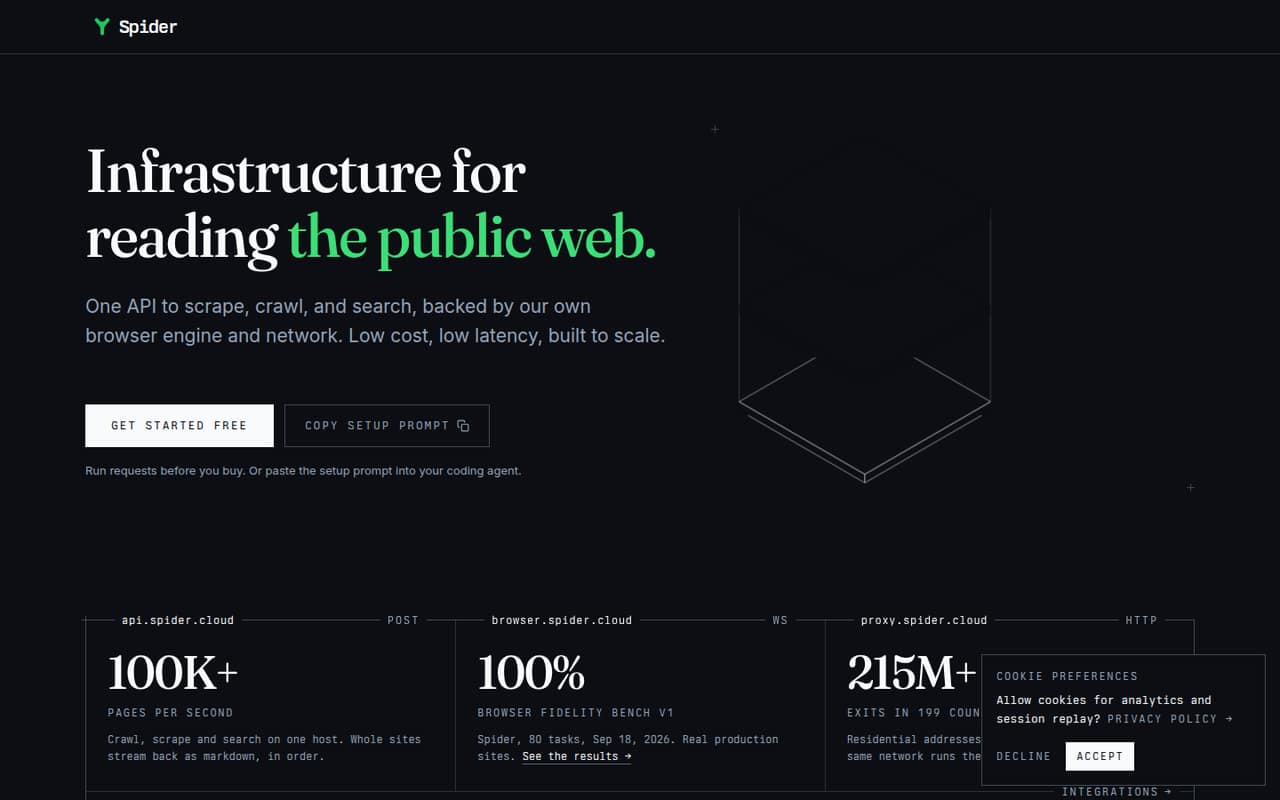
Spider is a hosted API for scraping, crawling and searching the public web. It combines its own browser engine and proxy network, then returns extracted content as markdown or JSON. Crawl results can stream as ordered JSONL lines, which suits pipelines that process pages as they arrive.
The free start and pay-as-you-go rates make it possible to begin without a subscription. Costs can also depend on CPU time, and the Unlimited plan is priced by concurrency. Before production use, confirm free-tier limits, rate limits, data-retention terms and whether your deployment needs can be met by a hosted service.
Good fit if
- RAG pipelines that ingest public web pages
- Crawls needing browser-rendered content
- Teams processing pages as they arrive
Skip it if
- Teams requiring self-hosted crawling infrastructure
- Workloads needing published rate limits upfront
- Projects that require a named SDK or CLI
ScoresHow it rates
What works
- Scrape, crawl and search through one API
- Browser rendering handles scripts and infinite scroll
- Returns markdown, JSON and ordered JSONL streams
- Failed requests cost $0 on pay as you go
- Pay-as-you-go balances do not expire
What doesn't
- Free-tier request or usage limits are not published
- Language-specific SDKs and CLI are not named on the homepage
- CPU time adds a separate usage charge
- Source licence and self-hosting options are not published
- Rate limits and production service guarantees need confirmation
01What Spider is, technically
Spider is a hosted web-data service, not a library or self-hosted crawler. Its API receives scrape, crawl and search requests; Spider runs them on its own browser engine and network, then returns extracted page content. The service sits between your application and the public web, supplying data to downstream search indexes, RAG pipelines or agents.
The browser-rendering path runs scripts, loads lazy images and handles infinite scroll. Spider also describes using rotating proxies and automatic retries for protected pages. Content extraction removes navigation, ads and footers, with markdown or JSON output. For crawls, ordered streaming sends each completed page as a JSONL line, so consumers can process results before the entire crawl finishes. The homepage also presents separate browser and proxy endpoints, using WebSocket and HTTP respectively, alongside the API host. This combines several web-access components behind one API key, while keeping the execution and network infrastructure under Spider's control.
02Spider API, SDKs and docs
The main integration surface is a hosted HTTP API. Spider's homepage shows a POST /crawl request to api.spider.cloud, authenticated with SPIDER_API_KEY; it says the same API can fetch a page, crawl a site or search the web. Crawl output can stream as markdown or as application/jsonl. The browser endpoint uses WebSocket (browser.spider.cloud), and the proxy endpoint uses HTTP (proxy.spider.cloud).
The homepage names integrations for CrewAI, LangChain, LlamaIndex, Agno, Dify, Flowise, Langflow and Model Context Protocol (MCP). It does not name a language-specific SDK or CLI there. Check Spider's vendor docs for SDK availability, supported languages, request parameters, errors and versioning before choosing a client. The homepage offers a setup prompt for coding agents and a free way to run requests before buying. That lowers the initial setup barrier, but production code should still handle streaming, retries and API errors explicitly.
03Spider pricing for developers
Spider advertises a free start, but the free-tier allowance and where it stops are not published on the vendor's site. Pay as you go has no subscription: the pricing lists $1 per GB and $0.0001 per CPU minute. Failed requests cost $0, and balances do not expire. That makes the entry cost low, but total spend depends on both transferred data and compute time.
For high-concurrency workloads, Unlimited starts at $40 per month for two concurrent requests. The listed rate runs from $20 to $13 per concurrent request; 25 concurrent requests cost $350 per month. The self-serve maximum is 1,538 concurrent requests for $19,994 per month. These prices are monthly, with no annual billing listed. AI Studio is an alpha option for natural-language endpoints on an existing key, starting at $6 per month. Pay-as-you-go top-ups of $500 or more earn a 5% bonus; $2,000 or more earns 12%. Optional zero data retention bills requests at 2.5x credits. Confirm how the free allowance and any usage caps apply before launch.
04Spider: open source, self-hosting and lock-in
Spider presents its API, browser and proxy as hosted endpoints backed by its own browser engine and network. The vendor does not publish a source licence or a self-hosting option in the published product materials, so teams that require open-source infrastructure or deployment in their own environment should confirm those points with Spider before adopting it.
The output formats—markdown, JSON and JSONL—give applications content they can store outside Spider, but the homepage does not describe a formal data-export process or export guarantees. A migration would mean replacing Spider's request, crawl and browser workflows, then adapting consumers to another provider's response and streaming formats. Your extracted content can be retained in your own systems; the crawling infrastructure and network remain provider-controlled. Avoid making Spider-specific request behavior a hidden dependency in downstream services.
05Spider in production
Spider's ordered JSONL streaming can let a consumer process crawl pages as they complete, while pay-as-you-go billing charges for data and CPU time. For concurrency-based use, the Unlimited plan's monthly cost scales with the concurrency level. The pricing facts do not give request-rate limits, maximum crawl size, timeout behavior or queueing rules; ask the vendor for those values and how they apply to your plan.
The homepage describes browser rendering, rotating proxies and automatic retries, but production teams should confirm retry limits and how failures are reported. Failed requests are listed as free on pay as you go; confirm how Spider defines a failed request. Ask about service-level commitments, incident handling, retention, compliance certifications and the exact effect of zero data retention, which costs 2.5x credits. Run your own checks against representative sites, especially for pages that depend on scripts, geography or bot protections. Also verify how API keys are managed and rotated before putting them into production.
Questions people ask
What does Spider do?
Spider is a hosted API for scraping pages, crawling sites and searching the public web. It uses its own browser engine and network, then returns extracted page content as markdown or JSON. Crawl results can also stream as ordered JSONL lines, which lets a consumer handle each page as it arrives.
How much does Spider cost?
Spider offers a free start, but the free-tier allowance is not published on the vendor's site. Pay as you go costs $1 per GB plus $0.0001 per CPU minute, with failed requests listed at $0. The Unlimited plan starts at $40 per month for two concurrent requests.
Does Spider render JavaScript?
Yes. Spider says its browser runs scripts, loads lazy images and handles infinite scroll. The vendor also describes browser-based access to protected pages, including geo checks. Confirm supported browser options and behavior for your target sites in Spider's docs before relying on them.
Does Spider have SDKs or a CLI?
The homepage shows an HTTP API using POST /crawl, an API key, and integrations including LangChain, LlamaIndex and MCP. It does not name a language-specific SDK or CLI there. Check Spider's docs for current SDK packages, supported languages and CLI availability before selecting an integration.
Can I self-host Spider?
Spider presents its service through hosted API, browser and proxy endpoints. The vendor does not publish a self-hosting option or source licence in the published product materials. If your project requires deployment in your own environment, ask Spider directly about availability, licence terms and data-handling requirements.