
We may earn a commission if you buy through links on this page. It never changes a score or a ranking. How we make money
The bottom line
A visual business-app builder with useful built-ins, but finite limits and platform dependence.
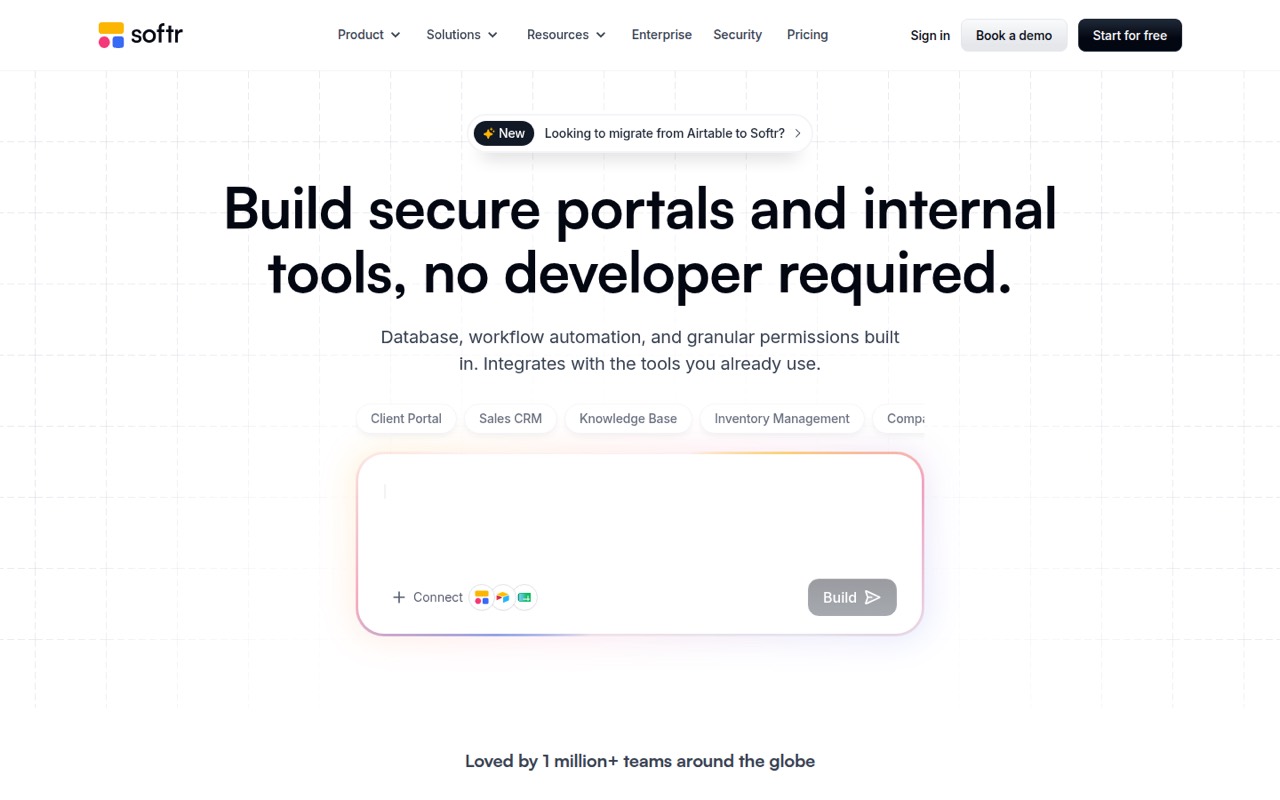
Softr is a no-code platform for building portals, CRMs and internal tools. Its AI co-builder can generate an interface, database and workflows from a description, and you can then edit the app visually.
It fits teams that need role-based business apps more than developers seeking a code-first framework. Check user, record and workflow limits against your expected production use; the platform does not publish a self-hosted option.
Good fit if
- Client and partner portals
- Internal business tools
- Visual no-code app builders
Skip it if
- Code-first application teams
- Apps needing self-hosting
- Large apps with uncertain usage
ScoresHow it rates
What works
- AI can generate interface, database and workflows
- Built-in database and workflow automation
- Roles and permissions are part of the platform
- Integrates with databases and business tools
- Free plan supports small-scale evaluation
What doesn't
- Plan limits apply to users, records and workflow actions
- No self-hosted edition is listed
- SDK, language and CLI support need vendor confirmation
- Some users report limits on interface customization
- Export and migration details are not published
01What Softr is, technically
Softr is a subscription no-code app-building platform, not a library or command-line framework. It sits between your business data and the people who need to use it: teams build portals, CRMs, dashboards and internal tools, then control which users can see or change data. The AI co-builder takes a natural-language description and generates an interface, database and workflows; builders can continue editing visually.
Softr includes a database and workflow automation, so a small app can be built without a separate database or automation service. It also connects to external sources such as Airtable, Google Sheets, Supabase, MySQL and PostgreSQL. The homepage lists REST API integrations and MCP support for internal tools accessible to AI agents. This is a fit for business processes that map to Softr's app model, rather than a general-purpose codebase you can deploy anywhere. The homepage says the platform is used by more than 1 million builders and 7,000 organizations.
02Softr API, SDKs and docs
The primary build surface is Softr's visual editor and AI co-builder: describe an app, let the platform generate its interface, database and workflows, then iterate with AI or visually. The homepage lists integrations with Airtable, Notion, Google Sheets, HubSpot, monday.com, ClickUp, Coda, Supabase, MySQL and PostgreSQL. It also names REST API connections to external tools and data sources, and integrations with OpenAI and Anthropic models for AI agents in databases and workflows.
The homepage names MCP support for building internal tools with an AI agent. It does not list a programming language, SDK, CLI or webhook surface. Confirm SDK availability, API direction and authentication details in Softr's Help Docs before designing an integration around them. The site also lists Softr Academy, community resources and templates. For teams connecting existing systems, verify which data operations and sync behavior each integration supports; the integration name alone does not define those details.
03Softr pricing for developers
The Free plan costs $0 per month and includes up to 3 builders, 5 Team and 5 Client app users, 5,000 database records, 500 workflow actions per month and 5 AI credits per month. Basic is $19 monthly, with 1 included builder, 50,000 records, 2,500 workflow actions and 10 AI credits. Pro is $99, with 2 builders, 500,000 records, 10,000 actions and 50 credits. Business is $329, with 3 builders, 1 million records, 25,000 actions and 100 credits. Each has different app-user limits and integration counts.
Builders beyond the included count cost $5 per month on Basic, $10 on Pro and $20 on Business. Additional app users start at $1 per month on Pro and $2 on Business. Extra custom domains cost $15 monthly or $13 per month billed annually. AI credit add-ons are available on all plans and roll over for one month. The pricing page advertises two months off annual billing but does not publish exact annual monthly prices. Enterprise pricing is custom.
04Softr: open source, self-hosting and lock-in
Softr sells access to its app-building platform through subscription plans, and its site does not list a self-hosted edition. The vendor does not publish an open-source licence or source-availability terms on the product homepage, so teams that require code access or deployment in their own infrastructure should ask Softr directly.
The platform connects to external data sources including Airtable, Supabase, MySQL and PostgreSQL, which may keep some data outside Softr. But the vendor does not publish data-export formats or a migration process in the information reviewed here. Before putting a business-critical workflow on the platform, confirm how to export records, files, permissions and app logic, and whether a Softr-built interface can be recreated elsewhere. App structure, workflows and permissions may take work to port even if underlying data is exportable.
05Softr in production
Softr includes role-based permissions, and the homepage describes control over which users can access an app and what data they can see or update. The pricing page lists SSO and SCIM, audit logs and advanced governance on Enterprise; Business lists SSO add-ons such as 2FA. Confirm the exact security controls, compliance coverage and SLA terms for your plan before handling sensitive data. Enterprise includes custom agreements and SLAs.
The published plan caps matter operationally: records range from 5,000 on Free to 1 million on Business, while workflow actions range from 500 to 25,000 per month. The vendor does not publish rate limits in the published pricing details, so ask about API and automation throughput. Reddit users report trade-offs: one commenter calls Softr useful for basic directories but says customization is constrained by predefined UI and functionality; another warns against pairing it with a large Airtable base for a complex app. Treat these as user reports, and validate your data shape and app requirements before committing.
From the threadsWhat users say
Reddit sentiment is mixed. Users praise Softr for straightforward directory and portal-style apps, while others flag limits in customization, complex data setups and the cost of moving to higher tiers.
Softr is great at building a basic list/directory kind of webapp
It has limits in terms of customisation as you have set UI to work with and set functionality
whatever you do, don’t use that combo for a complex app or a big table
if your workflow is simple enough and you do not need to tinked endlessly, Softr is a good deal
Questions people ask
What is Softr used for?
Softr is used to build business apps such as client and partner portals, CRMs, dashboards, intranets and internal tools. It combines a visual app builder with database, workflow automation and permissions features. The platform is aimed at business workflows rather than code-first application development.
Can Softr connect to existing data?
Yes. The homepage lists integrations for Airtable, Notion, Google Sheets, HubSpot, monday.com, ClickUp, Coda, Supabase, MySQL and PostgreSQL. It also lists REST API connections to external tools or data sources. Confirm the exact sync behavior and supported operations for your intended integration in Softr's documentation.
Does Softr include a database and workflows?
Yes. Softr offers a built-in database to store and manage app data, plus workflow automation for processes across a business. You can also connect to external data sources. Plan limits apply to database records and monthly workflow actions, so check the relevant tier against expected use.
Can I make a mobile app with Softr?
Softr lists mobile apps as a platform feature for turning built apps into mobile apps. The pricing page specifically includes a PWA mobile app on Business. Check the vendor's documentation for the mobile experience, supported capabilities and which plan is required for your use case.
Can I control what app users can see?
Softr lists user roles and permissions for controlling access to pages, data and actions. Its homepage describes granular control over what users can access and update. Confirm the specific controls and plan requirements for your app, especially if you need SSO, SCIM or audit logs.