
We may earn a commission if you buy through links on this page. It never changes a score or a ranking. How we make money
The bottom line
A hosted test-management system with broad QA workflows, but verify data controls and integration fit.
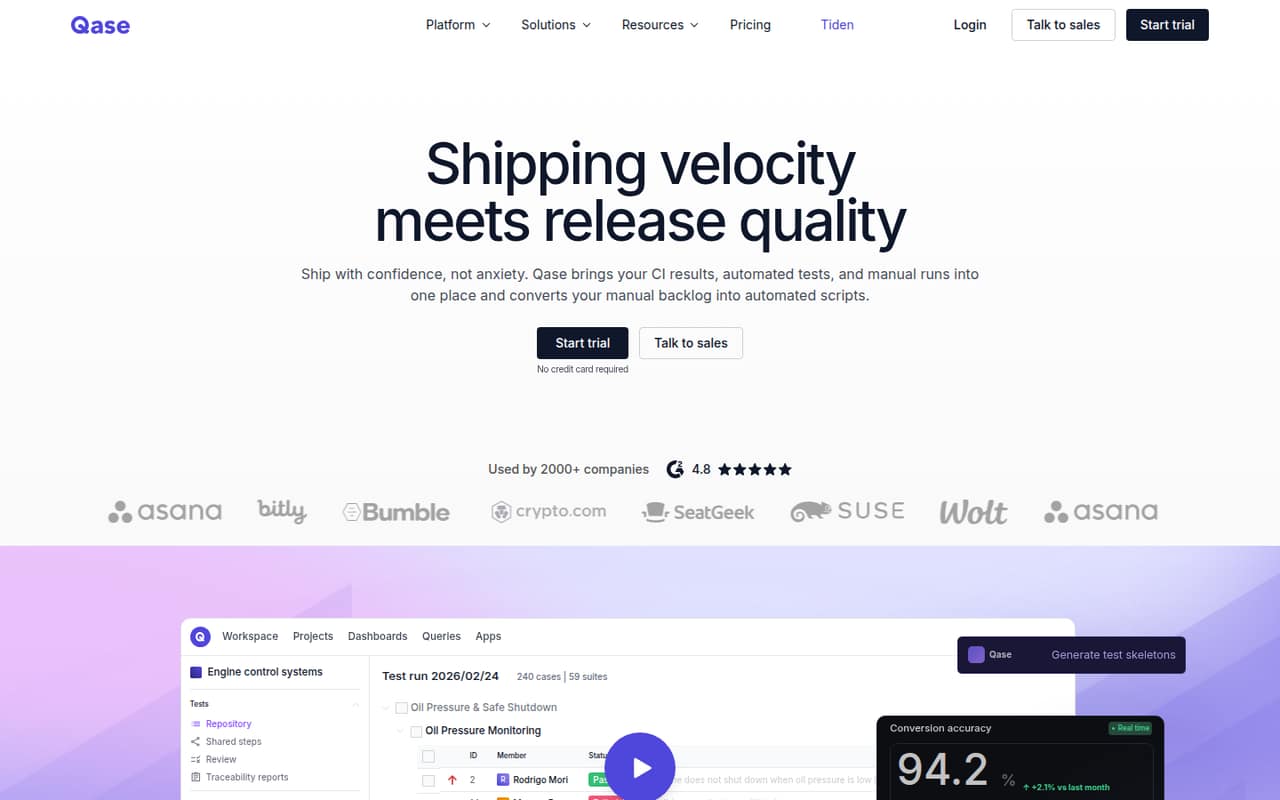
Qase is a hosted test-management platform that brings manual runs, automated tests and CI results into one workspace. It also links requirements to test cases and results, tracks test history, and offers AI test creation and automation features.
The feature set covers the QA workflow, but the developer-facing integration details are less clear: Qase lists API references, MCP and framework integrations, while specific API protocols and SDK support need checking in its docs. Reddit feedback is mixed, with concerns about privacy and usability alongside a positive report from a personal-project user.
Good fit if
- Teams consolidating manual and CI results
- QA groups tracking requirements to tests
- Teams automating existing test cases
Skip it if
- Organizations requiring self-hosted test management
- Teams needing confirmed data residency controls
- Developers seeking a documented SDK-first workflow
ScoresHow it rates
What works
- Combines manual runs, automated tests and CI results
- Links requirements to test cases and results
- Converts manual cases into supported framework scripts
- Includes test history and flaky-test visibility
- Free plan supports up to four users
What doesn't
- API protocol and SDK coverage need confirmation
- No self-hosted deployment is listed
- Source availability and licence are not published
- Export and migration details need vendor confirmation
- Reddit users raise privacy and usability concerns
01What Qase is, technically
Qase is a hosted test-management SaaS application, not a test framework or a library that runs inside your application. It sits alongside your issue tracker and CI pipelines as a shared system for test cases, manual runs, automated results and release reporting.
The product is intended to replace scattered test records with a common view of coverage and outcomes. Teams can organize test cases, track test runs, connect requirements to cases and results, and review release-readiness signals. Qase also presents test history for spotting unstable pass/fail patterns, and it can generate test cases from Jira or GitHub issues.
For automation, Qase says it can turn manual cases into scripts for supported frameworks. Its homepage names Playwright, Cypress and Selenium for that workflow. The result is a management layer around testing rather than a replacement for the test runner: your tests still run in their framework and CI environment, while Qase brings results and manual QA activity together.
02Qase API, SDKs and docs
Qase lists API references and setup guides in its documentation, and its homepage identifies Model Context Protocol (MCP) as a way to connect AI agents to test data. It also promotes Jira, GitHub and Slack integrations, with more than 35 integrations listed on the homepage.
For test-framework connections, the homepage names Pytest, Cypress, Playwright, JUnit, Newman and PHPUnit. It also shows a Python import, from qaseio.pytest import qase, in a Pytest example. That establishes a named Pytest integration, but not the full SDK matrix or API contract. The homepage does not name a specific API style, CLI or webhook surface. Confirm SDK support, authentication, result-upload behavior and API limits in Qase’s docs before designing a production integration.
Qase also advertises AI test creation from Jira or GitHub issues, plus test-script generation for Playwright, Cypress or Selenium. That can fit a stack already using those tools, but teams should check how their own runners and issue workflows map to Qase’s supported integrations.
03Qase pricing for developers
Qase has a Free plan at $0 per user per month for up to four users, two projects, two active test runs, 500 MB of storage and 30 days of test history. The free tier is useful for a small project, but the user, project, run, storage and history caps matter if it becomes a team’s system of record. Qase also offers a 14-day free trial.
Teams costs $35 per user per month when billed annually or $42 per user per month when billed monthly, and requires five or more users. It includes unlimited projects, test runs and storage, 2,000 AI credits per month, two-year test history and 35+ integrations. As seats grow, the per-user charge grows too. Collaborator seats are listed at $10 per user per month.
Enterprise pricing is custom, with unlimited users, 4,000 AI credits per month, unlimited data retention and a 24/5 support SLA. Extra AI credits cost $0.40 each. Enterprise add-ons include a dedicated cluster, custom domain, custom POC and migration services; ask for a quote that includes the add-ons your deployment needs.
04Qase: open source, self-hosting and lock-in
Qase is presented as a hosted platform. The vendor does not publish a source licence or offer a self-hosted deployment on the vendor's site, so teams that require code access or deployment inside their own environment should treat Qase as hosted-only unless sales confirms otherwise.
Data export and migration formats are not specified in the vendor information. Before loading a large test repository, ask which test cases, attachments, run histories, requirements links and results can be exported, and in what formats. This matters if your exit plan depends on moving test assets into another management system or keeping a local archive.
The main lock-in risk is operational: test cases, execution history and requirement links live in Qase’s workspace, while automation remains in your own frameworks. Keeping source test definitions and runner code under version control can reduce dependence on the workspace, but confirm how much execution history and metadata you can take with you.
05Qase in production
The Free plan limits storage to 500 MB, test history to 30 days, projects to two and active test runs to two. Teams removes the project, run and storage caps and provides two-year history; Enterprise lists unlimited data retention. The vendor does not publish API rate limits on the vendor's site, so confirm limits, retry guidance and service availability before making Qase a release-critical reporting dependency.
Security and data residency deserve a direct review, especially for regulated or government work. A Reddit thread includes a user saying their organization could not store test data outside its own servers. Another thread raises privacy concerns, but does not establish a specific security incident or control gap. Ask Qase about hosting location, access controls, retention, audit evidence and any required compliance documentation.
The pricing page lists a 24/5 support SLA for Enterprise, not an uptime commitment. Reddit comments also criticize usability and report dissatisfaction with enterprise-plan changes; a personal-project user says they like Qase. Treat those comments as individual experiences, then validate support terms and manual-entry workflows against your team’s needs.
From the threadsWhat users say
Reddit feedback is mixed and sparse. Some users report privacy or usability concerns, while one personal-project user says they like Qase.
Tried Qase, but it's a no go. Privacy isn't great and changes in the enterprise plan cost a fortune
since its bloating jira, the ux is bad, and really not intuitive
I use Qase for a personal project and like it
We are not allowed to store data (even test data) outside of our own servers
Questions people ask
What is Qase used for?
Qase manages manual test cases, test runs, automated results and CI results in one workspace. Teams can use it to organize test coverage, connect requirements to tests, review test history and make release-readiness decisions. It also offers test-case generation and script-generation features.
Does Qase integrate with CI and test frameworks?
Qase positions itself as CI/CD-connected and names Pytest, Cypress, Playwright, JUnit, Newman and PHPUnit among its framework integrations. Its homepage also names Jira, GitHub and Slack integrations. Check the documentation for setup steps and confirm that your runner’s result format is supported.
Can Qase be self-hosted?
Qase is presented as a hosted platform, and a self-hosted deployment is not listed. If your organization requires test data to remain on its own servers, ask Qase directly about deployment options, data residency and contractual controls before adopting it.
Does Qase have an API or SDK?
Qase lists API references in its documentation and identifies MCP for connecting AI agents to test data. Its homepage also shows a Python Pytest import example. Confirm the API protocol, SDK languages, authentication model and rate limits in the current documentation before building an integration.
What are the limits on Qase’s free plan?
The Free plan supports up to four users and two projects, with two active test runs, 500 MB of storage and 30-day test history. Teams removes the project, run and storage caps and provides two-year test history, but is priced per user.