
We may earn a commission if you buy through links on this page. It never changes a score or a ranking. How we make money
The bottom line
Plesk centralizes site and server work, but its API story and portability need checking.
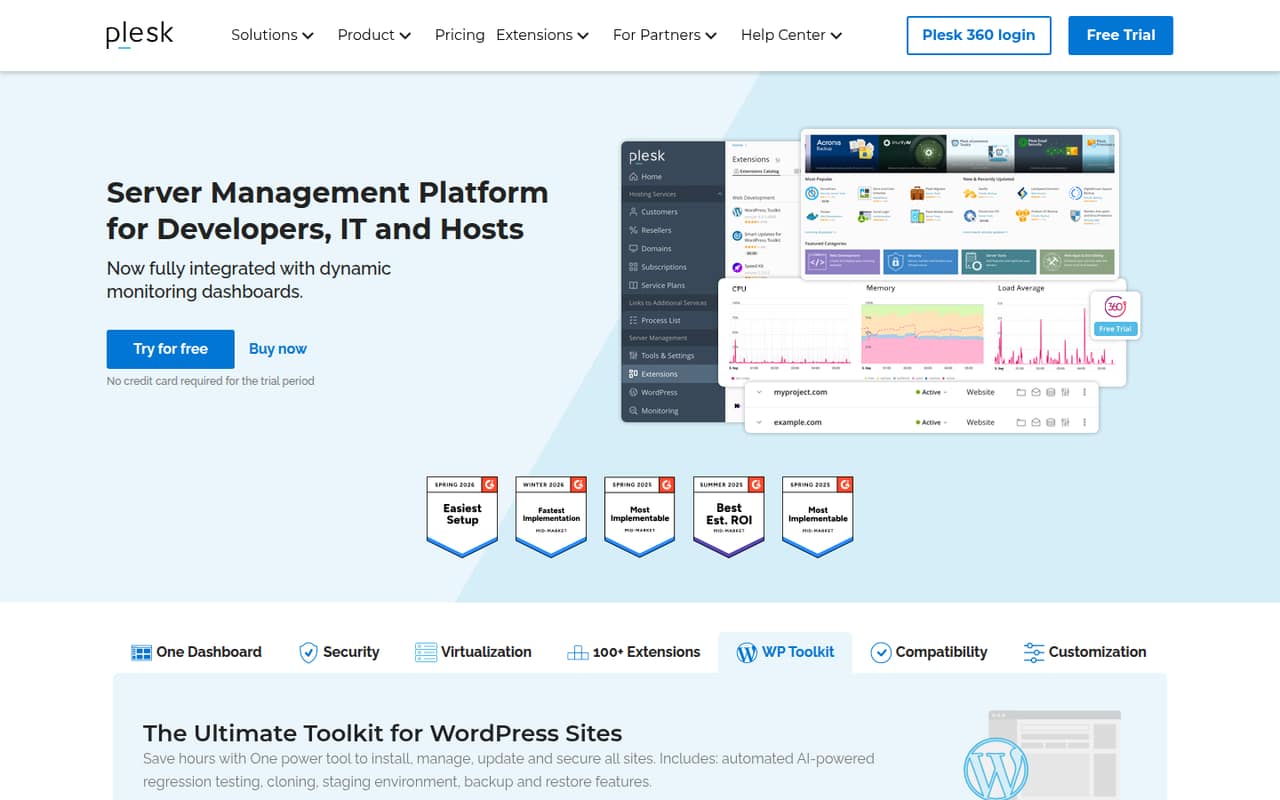
Plesk is a server control panel installed on a VPS or dedicated server, not a hosted website builder or application library. It brings site administration, WordPress tooling, security features, monitoring and extensions into one dashboard.
It suits teams managing multiple sites that want a GUI alongside root access. The main trade-offs are per-server licensing, limited published API and SDK detail, and migration and license terms to confirm before committing.
Good fit if
- Teams managing multiple client sites
- WordPress operators needing staging tools
- Hosts offering Plesk-managed VPS servers
Skip it if
- Teams requiring a documented SDK
- Projects seeking an open-source panel
- Operators minimizing per-server licensing
ScoresHow it rates
What works
- One dashboard for multiple sites and server tasks
- WordPress staging, cloning, backups and updates
- Extensions include Git, Cloudflare and Let’s Encrypt
- Full root access via SSH on VPS and dedicated servers
- Integrates with SolusVM for VPS hosting
What doesn't
- License pricing is charged per server
- No free plan; trial lasts two weeks
- API, SDK and language details need confirmation
- Optional add-on prices are not published
- Business Plans show conflicting minimums
01What Plesk is, technically
Plesk is a server management control panel that runs on a VPS or dedicated server. It is not a hosted application platform or a library embedded in your codebase: administrators use its dashboard to manage websites and server services. Plesk says its panel can manage multiple sites, run updates, monitor performance and onboard prospects from one place.
In a hosting stack, Plesk sits above the operating system and hosting services, providing a user interface for site administration and security. Its features cover operating system, network and application security, plus WordPress installation, updates, staging, cloning, backups and restore. The homepage also lists website uptime, process and server monitoring. Extensions connect services such as Git, Cloudflare, DigiCert SSL and Let’s Encrypt. For VPS providers, Plesk integrates with SolusVM virtualization. Plesk says it supports major cloud providers including AWS, Google, Alibaba, Azure and DigitalOcean, and offers SSH root access on Plesk-powered VPS and dedicated servers.
02Plesk API, SDKs and docs
Plesk’s homepage does not publish an API style, SDK list, supported programming languages or CLI details. That makes it hard to assess Plesk as a code-driven control plane from the homepage alone. Before building automation around it, check the vendor’s technical documentation for the API endpoints, authentication method, versioning, rate limits and language support your workflows need.
The integration surfaces named on the homepage are the control-panel extension catalog and its integrations with tools including DigiCert SSL, Cloudflare, Git, Let’s Encrypt, Node.js, PHP and NGINX. It also describes SolusVM integration for VPS virtualization and automatic integration with top monitoring technologies. These are product integrations, not evidence of a particular SDK or protocol. Confirm SDK support and extension compatibility in Plesk’s docs before adopting them. For shell-based administration, the homepage says Plesk-powered VPS and dedicated servers include full root access via SSH; it does not describe a Plesk CLI.
03Plesk pricing for developers
Plesk has no free plan, and the vendor lists a two-week free trial. The pricing page lists Web Admin Edition at $15.57 per server per month, Web Pro Edition at $27.49, and Web Host Edition at $57.74. Their included domain limits are 10, 30 and unlimited, respectively. All three list Sitejet Builder, subscription and account management, and PostgreSQL and MSSQL modules. WP Toolkit SE is listed for Web Admin; the other two include WP Toolkit.
The page says yearly billing saves 8%, but it is unclear whether the displayed prices are the annual-billing rates; monthly rates are not listed. The editions are licensed per server, so adding servers increases the license bill. The pricing page also lists Business Plans at $250 per month, with partner discounts up to 45%, priority 24/7 support and a dedicated account manager. Its FAQ instead gives a $500 monthly partner minimum. Optional add-on prices are not published, so confirm the total with the vendor before budgeting for extensions.
04Plesk: open source, self-hosting and lock-in
Plesk is sold as a commercial control panel, with Web Admin, Web Pro and Web Host licenses priced per server. The vendor does not present an open-source edition in its product and pricing pages, so teams that require an open-source license should confirm the licensing terms before adopting it.
Plesk is self-hosted on infrastructure you manage or obtain from a hosting provider. The homepage says Plesk-powered VPS and dedicated servers include full root access via SSH, and names support for major cloud providers. That gives administrators access to the underlying server, but it does not settle how Plesk configuration, account data or backups export to another panel. The vendor does not publish data-export or migration details on the homepage. Before rollout, test how to retrieve site files, databases, DNS settings, mail and backups, and check whether extensions or panel-specific configuration need rebuilding during a move.
05Plesk in production
Plesk combines site administration, security features, WordPress tools and monitoring, but the vendor’s homepage does not give uptime targets, capacity guidance, rate limits or compliance certifications. Teams should verify those requirements with the vendor and their hosting provider, and test backup restoration, monitoring alerts, extension updates and recovery procedures on their own stack. Security features are described broadly across the operating system, network and apps; confirm which controls apply to your deployment.
Plesk’s per-server license means growth across servers can add license costs alongside infrastructure costs. Reddit users report different concerns: one commenter said Plesk became difficult when running direct SSH commands and managing persistent SSH keys. A separate discussion describes a DigitalOcean user receiving notice that a previously free license for up to three domains would become a $16 monthly fee. Those are individual reports, not current license terms, but they are reasons to confirm provider-bundled licenses and SSH workflows before production migration.
From the threadsWhat users say
Reddit sentiment is mixed. Some users say Plesk is useful and user-friendly, while others focus on rising license costs and friction with SSH workflows.
I like Plesk, but it makes it a nightmare when you absolutely need to run direct commands via SSH
Plesk (based on my subjective observation), has much more to offer and is a bit more user friendly
Recently, I received an email from Digital Ocean stating I now need to pay a $16 monthly license fee
Moving to a new platform usually isn’t worth the hassle and cost, unless something major is going wrong or it lacks features
Questions people ask
What is Plesk used for?
Plesk is a server control panel for managing websites and server tasks from one dashboard. Its features include site updates, security tools, WordPress management, monitoring and extensions. Hosting providers can also integrate it with SolusVM for VPS virtualization.
How much does a Plesk license cost?
The listed editions start at $15.57 per server per month for Web Admin Edition, followed by Web Pro Edition at $27.49 and Web Host Edition at $57.74. The page says yearly billing saves 8%, but does not make clear whether these displayed prices are annual-billing rates.
Can I install Plesk on my own server?
Plesk is a control panel for VPS and dedicated servers, and its homepage says Plesk-powered servers include full root access via SSH. Confirm operating-system and hosting requirements with Plesk before choosing a server, since the homepage does not detail those requirements.
Does Plesk include WordPress staging and backups?
Plesk’s WordPress Toolkit includes management and update tools, with staging, cloning, backup and restore features. The editions differ: Web Admin Edition lists WP Toolkit SE, while Web Pro Edition and Web Host Edition list WP Toolkit.
Is Plesk a better choice for my team than another control panel?
That depends on your hosting stack and workflows. Plesk offers a centralized panel, WordPress tools, extensions and SSH root access on its VPS and dedicated servers. Compare license costs, integration needs, migration paths and any required automation API before choosing.