
We may earn a commission if you buy through links on this page. It never changes a score or a ranking. How we make money
The bottom line
A self-hosted network monitor with a free tier, a REST API and a five-minute default poller reported by users.
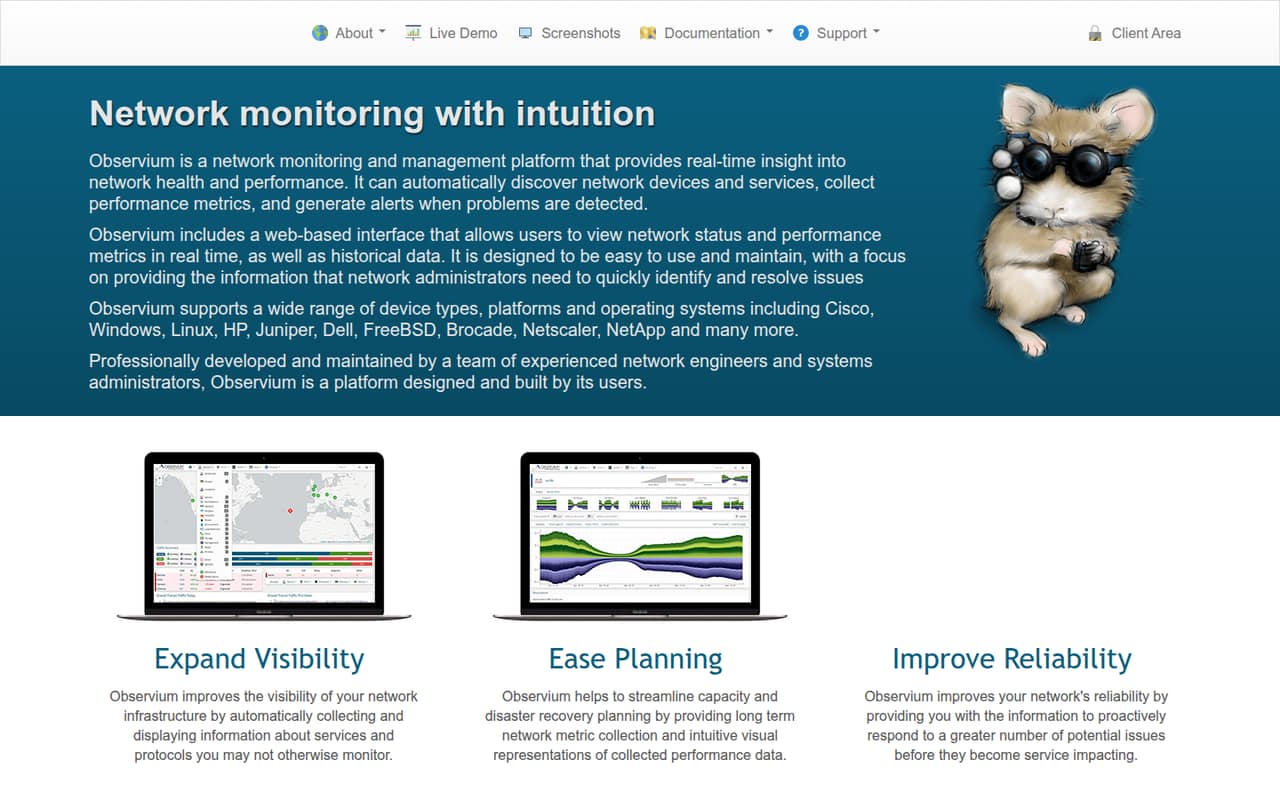
Observium is a self-hosted monitoring server that discovers network devices, collects metrics and presents current and historical data in a web interface. Community is free under the QPL Open Source license; Professional starts at £250 per year and includes faster updates.
It suits teams that want broad infrastructure visibility without per-device pricing. Check how its polling cadence fits your alerting needs, and verify API and support requirements against the edition you plan to run.
Good fit if
- Home labs and non-critical networks
- Teams monitoring mixed network hardware
- Capacity planning from historical metrics
Skip it if
- Teams needing sub-minute polling
- Projects requiring a named SDK
- Buyers needing published compliance guarantees
ScoresHow it rates
What works
- Automatically discovers supported devices and metrics
- Monitors unlimited devices, ports and sensors
- Community edition is free under QPL
- Includes a RESTful API
- Supports threshold, state and syslog alerts
What doesn't
- Community updates arrive on a 6-to-12-month cycle
- Users report a five-minute default polling interval
- Reddit users say some customization is limited
- Monthly billing prices are not published
- Data export and migration details need confirmation
01What Observium is, technically
Observium is a network monitoring and management server that you install in your own environment. It discovers supported devices and services, collects performance metrics and serves the results through a web interface. It is not a hosted SaaS service or a client-side library: it sits alongside your network infrastructure and gathers data from devices for operators to inspect.
The platform covers network health, traffic, device status and historical performance data. It supports equipment and operating systems including Cisco, Windows, Linux, HP, Juniper, Dell, FreeBSD, Brocade, Netscaler and NetApp. The vendor says it supports more than 458 OS types, with autodetection and graphing across industry-standard and private MIBs. Network administrators can use its graphs and alerts for troubleshooting, capacity planning and disaster recovery planning. Its installation documentation lists Debian/Ubuntu and RHEL/CentOS, so plan for a supported Linux server rather than treating it as a managed cloud endpoint.
02Observium API, SDKs and docs
Observium lists a RESTful API as a product feature, giving teams an HTTP integration surface alongside its web interface. The vendor also says users can write custom application modules to collect and report data from applications. Named integrations include collectd, Munin and Smokeping; the feature list also names RANCID. Check the documentation for the exact endpoints, authentication model, supported API operations and integration setup before building automation around them.
The homepage does not name SDKs, programming languages or a CLI. Confirm SDK support in the vendor’s documentation rather than assuming a language-specific client is available. The documentation navigation includes installation guides for Debian/Ubuntu and RHEL/CentOS, alerting, supported devices, application monitors, developing, FAQs and a changelog. Professional and Enterprise use an SVN-based release mechanism; Community is distributed as a .tar.gz archive. The available integration surfaces are the REST API and custom application modules, not a documented webhook or CLI workflow.
03Observium pricing for developers
Community costs £0 and uses the QPL Open Source license. The vendor’s feature table lists unlimited monitored devices, ports and sensors. It is intended for small, home, lab and non-critical deployments, and the vendor distributes it in six-monthly .tar.gz releases. That slower update cycle is the main trade-off against paid editions.
Professional costs £250 for a one-year term, equivalent to £20.83 per month when averaged across the year; monthly billing is not published. The listed package covers one production installation and two testing or development installations, with no published user or device limits. Enterprise costs £1,500 per year, or £125 per month on the same annualized basis, and includes one instance using one or more systems, 10 hours of support and priority consideration for new features. Monthly prices are not published for either plan. Optional services are Basic Installation at £200 for a two-hour minimum, then £100 per additional hour, and Feature Development at £1,000 per day. The pricing model is subscription-based, not metered by requests or devices.
04Observium: open source, self-hosting and lock-in
Observium Community is distributed under the QPL Open Source license as a .tar.gz release. The vendor lists installation documentation for Debian/Ubuntu and RHEL/CentOS, making self-hosting part of the product model. Professional and Enterprise are distributed through an SVN-based release mechanism, which provides access to daily security and bug fixes as well as new features, per the vendor.
The vendor describes long-term metric collection, but does not publish data-export formats or a migration procedure. Before deployment, ask how to export collected metrics, configuration and alert rules, and what the supported restore path looks like. Moving away from Observium would mean replacing its monitoring and presentation layer and migrating any data you need to retain; the effort depends on your stored data and integrations. The open-source Community edition reduces dependence on a paid subscription, but the release and support models differ by edition.
05Observium in production
The vendor says an instance can scale across multiple servers, but teams should confirm which edition supports that setup and how to size the deployment for their device count and polling load. The homepage describes real-time visibility, while a Reddit user running Observium for years reports a five-minute polling interval that missed brief customer outages on a busy peering link. Validate whether that cadence catches the events your operations team needs to detect.
Another Reddit thread reports that Observium was easy to set up but lacked some customization. For change management, account for Community’s six-monthly release packaging and 6-to-12-month update cycle; paid editions use SVN for more frequent fixes. Enterprise includes 10 hours of support, while the vendor does not publish specific security certifications or compliance commitments on the homepage. Confirm those requirements, backup and recovery behavior, API access, and alert delivery under your intended deployment before relying on it for production response.
From the threadsWhat users say
Reddit reactions are mixed but lean positive on basic setup and ongoing monitoring. Concerns center on customization and whether the reported polling interval catches short outages.
Dead simple to set up and it looks pretty nice as well
it definitely lacks the ability to customize some things
we're normally pushing 3Gbps over our main peering link
So far Observium has been treating us fine
Questions people ask
Is Observium open source?
Observium Community is distributed under the QPL Open Source license as a .tar.gz release. Professional and Enterprise are paid subscriptions distributed through an SVN-based release mechanism. The vendor says Professional subscriptions are available free of charge to registered charities and Open Source projects; confirm eligibility and terms with Observium.
How do I install Observium?
Observium’s documentation lists installation guides for Debian/Ubuntu and RHEL/CentOS. The vendor distributes Community as a .tar.gz archive and Professional and Enterprise through SVN. Check the relevant installation guide and supported-device documentation for prerequisites, configuration steps and upgrade instructions before you deploy.
How does Observium work?
Observium automatically discovers supported network devices and services, collects performance metrics and displays current and historical data in a web interface. It can alert on thresholds, state changes and syslog events. Its network mapping uses discovery protocols, while its collected history supports performance review and capacity planning.
Does Observium have an API or SDK?
The vendor lists a RESTful API and says users can write custom application modules to collect and report data. The homepage does not name SDKs or supported programming languages, so confirm client-library support, API endpoints and authentication details in Observium’s documentation before designing an integration.
How much does Observium cost?
Community is free. Professional costs £250 for a one-year term, and Enterprise costs £1,500 for a one-year term; monthly billing is not published. Optional services include Basic Installation at £200 for a two-hour minimum, then £100 per additional hour, and Feature Development at £1,000 per day.
Sources
- Observium homepage
- Observium pricing, compiled via web search from observium.org, comparecamp.com
- Reddit: My Experience with Observium Management
- Reddit: Observium alternatives due to polling intervals
- Reddit: Observium, SolarWinds NPM or Something else?
- Reddit: Best Network monitoring software for Mostly windows based environment.