
We may earn a commission if you buy through links on this page. It never changes a score or a ranking. How we make money
The bottom line
A useful SEO browser extension; paid credits and limited API detail make it a cautious fit for production.
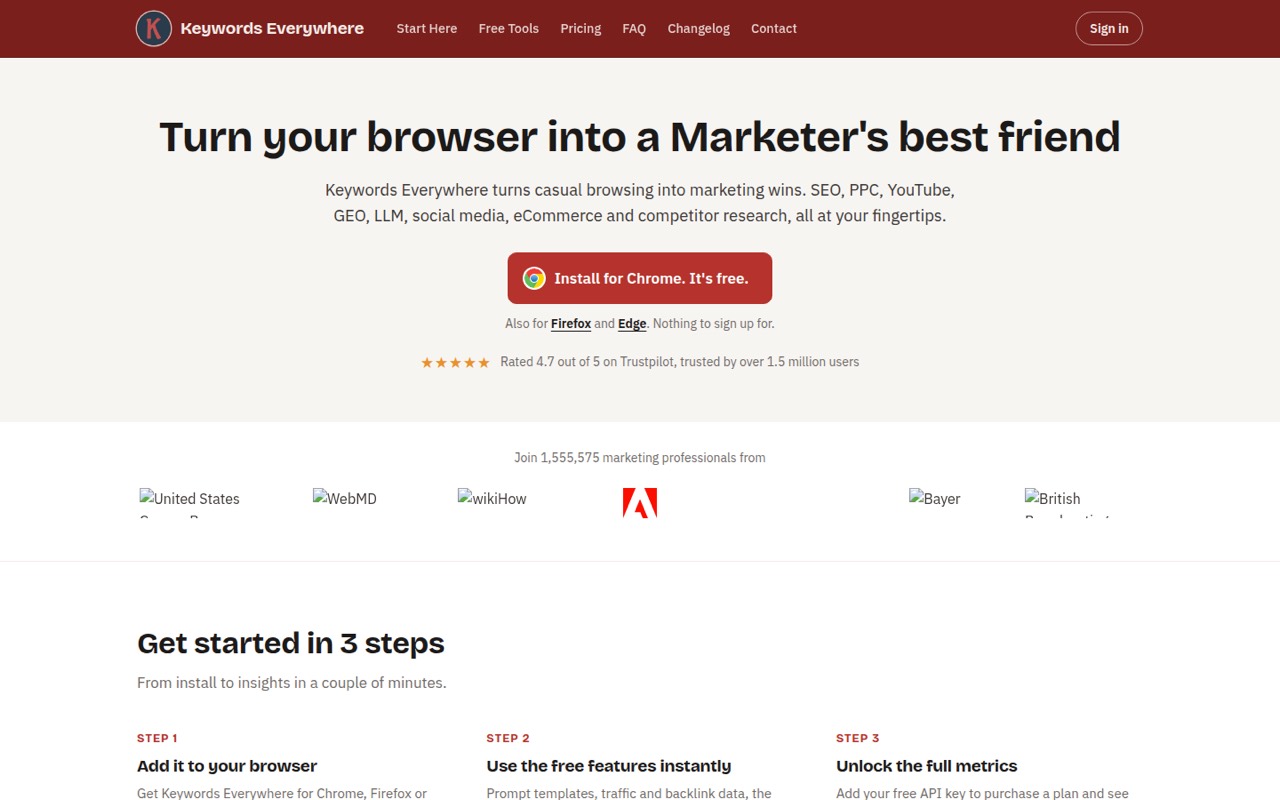
Keywords Everywhere is a browser extension for Chrome, Firefox and Edge, with an API and MCP access to keyword data. Free features cover traffic and backlink metrics, social engagement and AI prompt templates; paid credits unlock search volume, CPC and competition data across 15+ sites.
It fits marketers doing research in the browser more naturally than teams building a product around an API. Reddit users praise its convenience and low cost, but also report confusing credit consumption. Confirm API support and credit accounting before making it a production dependency.
Good fit if
- SEO research inside the browser
- Solo marketers needing keyword metrics
- AI workflows using MCP keyword data
Skip it if
- Teams needing a documented SDK stack
- High-volume automated keyword collection
- Projects requiring self-hosted SEO data
ScoresHow it rates
What works
- Free browser features work without an API key
- Available for Chrome, Firefox and Edge
- Paid metrics cover 15+ sites
- MCP connects to ChatGPT, Claude, Cursor and VS Code
- Free plan includes social metrics and prompt templates
What doesn't
- Free plan includes zero search-volume credits
- Paid plans are billed annually
- Reddit users report confusing credit consumption
- SDK and language support need confirmation
- Self-hosting and data export need vendor confirmation
01What Keywords Everywhere is, technically
Keywords Everywhere is a browser extension paired with an API and an MCP server. It is not a self-hosted analytics stack or a keyword-research library that you add to an application. The extension runs in Chrome, Firefox or Edge and overlays marketing data while you browse. The API and MCP surfaces provide access to live keyword data for other tools.
For an SEO or marketing workflow, it sits between search and social sites and the person or AI assistant researching them. Free features include traffic and backlink metrics, social engagement metrics and prompt templates. Paid credits unlock search volume, CPC and competition across 15+ sites, plus historical trend charts, bulk keyword uploads and competitor gap analysis. The product also covers competitor keywords, ranking pages and backlink data. This makes it useful as a research layer for people, but teams building a data pipeline should evaluate the API separately: the browser extension's convenience does not establish that the API fits automated workloads.
02Keywords Everywhere API, SDKs and docs
The named integration surfaces are the browser extension, an API key and an MCP server. The homepage says to add a free API key to purchase a plan and access paid metrics. For AI workflows, the MCP server connects to ChatGPT, Claude, Cursor and VS Code, where an assistant can pull live keyword data. Prompt templates are available in ChatGPT, Claude, Gemini and DeepSeek; those templates are separate from the live-data MCP connection.
The extension installs in Chrome, Firefox and Edge, and the vendor says free browser features work without an API key. The homepage does not name an API protocol, SDKs, programming languages, CLI or webhook integration. Confirm API methods, authentication details, SDK support and usage accounting in the vendor's API and MCP docs before choosing a client or building an automated workflow. The homepage lists integrations spanning Google Search, Search Console, Analytics, YouTube, Amazon, eBay and Etsy, among others; that breadth describes marketing surfaces, not necessarily API endpoints.
03Keywords Everywhere pricing for developers
The Free plan costs $0 and includes browser features, prompt templates and social metrics, but it has zero keyword search-volume credits. Paid plans are annual: Bronze costs $7 per month-equivalent for 100,000 credits per year and one seat; Silver is $14 for 400,000 credits and three seats; Gold is $40 for 2,000,000 credits and 10 seats; Platinum is $120 for 8,000,000 credits and 20 seats. The plans also raise the limits for top keywords and backlinks per website. The vendor says paid plans can be cancelled anytime; standalone monthly pricing is not published.
The vendor says paid data includes search volume, CPC and competition, and the pricing page lists no add-ons. A fixed cost per API request or credit-to-query conversion is not published, so estimate usage before relying on annual credits. Reddit users report that one search can consume dozens of credits, and some say one page can use hundreds depending on what loads. Treat that as a warning to check settings and monitor balances, not as a guaranteed rate.
04Keywords Everywhere: open source, self-hosting and lock-in
The vendor does not publish an open-source license or a self-hosting option. Treat Keywords Everywhere as a proprietary service unless the vendor confirms otherwise; the browser extension, API and MCP server are the integration surfaces it names. That means teams should not plan on running its data service inside their own infrastructure.
The vendor does not publish a data-export path on its homepage. Before adopting it for a recurring workflow, ask what query history, saved research and account data can be exported, and in what format. Migration risk depends on how much your process relies on the extension or API: keyword research can move to another provider, but data access and any saved workflow may need rebuilding. Keep your own query records and avoid making vendor-specific outputs the only copy of research needed by other systems.
05Keywords Everywhere in production
Before depending on the API, confirm its rate limits, availability commitments, authentication requirements and credit accounting with the vendor. The homepage does not give production limits or reliability commitments. It says paid plans include annual credits, but does not publish a request-to-credit rate. That makes capacity planning harder for automated jobs than for occasional manual research.
Credit consumption is the clearest operational concern in Reddit discussions. Users report that a search may count the typed keyword and related suggestions, or load data across multiple services if the extension stays enabled. Other commenters say their usage was much lower, so actual consumption appears workflow-dependent. Configure the extension to load data only when needed, if that setting is available in your workflow, and monitor credits before scaling usage. The homepage does not describe security controls, data retention or compliance terms; review the vendor's terms and ask how API and browsing data are handled before sending sensitive queries.
From the threadsWhat users say
Reddit sentiment is mixed: users value the extension's convenience and low cost, while others object to credit use and question its role beside larger SEO suites. Some commenters say settings can reduce accidental consumption.
For like $1 or $2 a month, it's really still free
It’s excellent! I’ve loved using it, because it’s so simple and I like the layout
Be sure to follow their guide to minimizing credit usage and it’s a great price
Questions people ask
Can I use Keywords Everywhere for free?
Yes. The extension is free to install in Chrome, Firefox and Edge, and free features include traffic and backlink data, social metrics and AI prompt templates. The Free plan includes zero keyword search-volume credits, so search volume, CPC and competition require paid credits.
What does Keywords Everywhere show?
The extension includes traffic estimates, backlink and domain metrics, social engagement metrics, competitor research and keyword widgets. Paid credits unlock search volume, CPC and competition across 15+ sites. The vendor also lists historical volume, bulk keyword uploads and competitor gap analysis among paid features.
How do Keywords Everywhere credits work?
Paid plans include a yearly credit allowance, but a fixed credit cost per search or API request is not published. Reddit users report that a search can consume credits for multiple keyword suggestions or loaded data. Check the vendor's guidance and monitor your balance before automating requests.
Does Keywords Everywhere work with AI tools?
Yes. The vendor offers free prompt templates for ChatGPT, Claude, Gemini and DeepSeek. For live keyword data, its MCP server connects to ChatGPT, Claude, Cursor and VS Code. The vendor's homepage does not name an SDK or programming language for this integration.
Is Keywords Everywhere safe to use?
The vendor's homepage does not describe security controls or data retention. Reddit discussions include both privacy concerns and commenters disputing those claims. Review the vendor's terms and privacy information, and ask how browser and API data are handled before using it with sensitive queries.
Sources
- Keywords Everywhere homepage
- Keywords Everywhere pricing, compiled via web search from keywordseverywhere.com
- Reddit: Keywords Everywhere just went paid, any good alternatives?
- Reddit: PSA: If you don't pay for Keywords Everywhere, then don't forget to disable it.
- Reddit: Alternative for the Keywords Everywhere Chrome extension?
- Reddit: Is Keywords Everywhere any good?