
We may earn a commission if you buy through links on this page. It never changes a score or a ranking. How we make money
The bottom line
A broad hosted toolkit for browser agents, with usage costs and portability to verify.
Hyperbrowser combines hosted Chrome sessions, isolated code sandboxes, web-data APIs and managed browser agents. Playwright, Puppeteer, Node.js and Python SDKs, a CLI and MCP give developers several integration paths.
The free tier is useful for small tests, while production costs depend on credits and metered browser, proxy, sandbox and API usage. The vendor describes session recordings and saved state, but developers should confirm data export, self-hosting and security details before relying on it for long-running workflows.
Good fit if
- Teams building browser-based AI agents
- Apps needing hosted Chrome sessions
- Workflows that combine browsing and extraction
Skip it if
- Teams requiring self-hosted browser infrastructure
- Projects needing published export guarantees
- Workloads with tightly fixed usage costs
ScoresHow it rates
What works
- Playwright and Puppeteer connect to hosted Chrome
- Node.js and Python SDKs, CLI and MCP
- Browser sessions, sandboxes and web APIs in one service
- Saved browser profiles and sandbox snapshots
- Free plan includes 5,000 credits
What doesn't
- License and self-hosting terms are not published
- Data export details are not published
- Usage charges can add to plan prices
- Computer-use model rates are listed separately
- Reddit reports describe long-session reliability as imperfect
01What Hyperbrowser is, technically
Hyperbrowser is a hosted cloud service, not a browser library or a self-hosted server. It provides cloud-hosted Chrome sessions, isolated environments for running code, and APIs for fetching, crawling and searching websites. In an application stack, it sits between your agent or automation code and the browser, execution environment or web data it needs.
For browser control, connect Playwright or Puppeteer to a hosted Chrome session. Sandboxes run commands in isolated environments, can expose local services and can be saved as reusable snapshots. The Web API returns page content as Markdown, HTML, screenshots or schema-matched JSON. Managed agents can run tasks through HyperAgent, Browser Use or computer-use models.
That combination targets teams that want browser and web access without operating the browser fleet and execution environments themselves. The trade-off is that browser state, sandbox snapshots and API calls become dependencies on a hosted service.
02Hyperbrowser API, SDKs and docs
The main integration surfaces are hosted Chrome sessions, the Web API, sandbox APIs and managed browser agents. The homepage shows a client-style API call for fetching a page and an SDK example that creates a Node.js sandbox, executes a command and saves a snapshot. It names Node.js and Python SDKs, a CLI and MCP, alongside Playwright and Puppeteer support.
For extraction, the Web API can fetch a page, crawl a site or search the web, with outputs including Markdown, HTML, screenshots and schema-matched JSON. For agent workflows, send a task to HyperAgent, Browser Use or a computer-use model, then inspect the steps and retrieve the result. Browser sessions can be inspected live; recordings can be replayed.
The homepage points developers to documentation but does not establish endpoint versioning, authentication, retry behavior or SDK feature parity. Check the vendor’s docs for those details before choosing an integration surface.
03Hyperbrowser pricing for developers
The Free plan costs $0 per month and includes 5,000 credits, one concurrent session and seven days of data retention. Startup is $30 per month with 30,000 credits, $30 of monthly usage included, 25 concurrent sessions and 30-day retention. Scale costs $100 per month, with 100,000 credits, $100 of monthly usage included, 100 concurrent sessions and the same retention period. Enterprise pricing is custom; listed terms include custom credit allocations, 1,000+ concurrent sessions and 180+ days of retention.
Metered charges can grow beyond the plan: browser time is $0.10 per hour, proxy data $10 per GB, sandbox vCPU $0.045 per vCPU-hour and memory $0.015 per GiB-hour. Web API rates are $0.001 per fetched page, plus $0.005 per page for JSON; ultra stealth or location adds $0.009 per page. Search costs $0.005 per query, or $0.01 with location. HyperAgent and Browser Use cost $0.02 per step; computer-use model rates are listed separately. Additional credits cost $1 per 1,000. Annual prices are not published.
04Hyperbrowser: open source, self-hosting and lock-in
Hyperbrowser describes cloud-hosted Chrome, sandboxes and web APIs. The vendor does not publish a source-availability or open-source licence commitment in its product details, and the homepage does not describe a self-hosting option. Treat it as a hosted service unless the vendor confirms otherwise; ask about deployment options and contractual terms if running the service in your own environment is a requirement.
Migration effort depends on how much application logic uses Hyperbrowser’s APIs, saved browser profiles, sandbox snapshots and managed agents. Playwright and Puppeteer are named integration surfaces, but that alone does not establish that session state or snapshots can move to another provider. The vendor does not publish data-export details on the vendor's site. Before storing important state, ask what can be exported, in which formats, and what happens to recordings and retained data when an account closes.
05Hyperbrowser in production
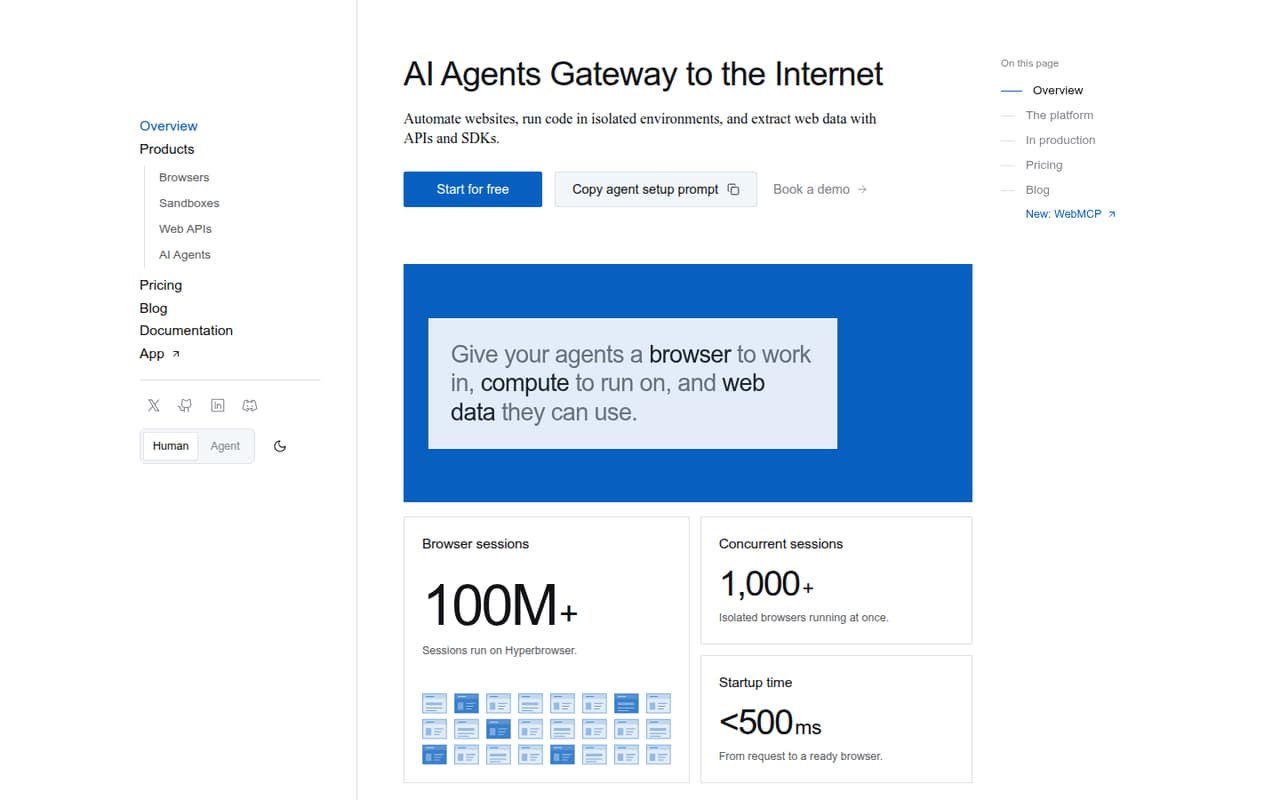
The homepage claims startup in under 500 ms and 1,000+ concurrent sessions, while plan limits vary: Free lists one session, Startup 25 and Scale 100. Enterprise lists 1,000+ sessions. These are vendor claims and plan figures, not a guarantee that a particular workload will meet its latency or throughput targets. Retention ranges from seven days on Free to 30 days on Startup and Scale; Enterprise lists 180+ days.
The homepage points to encryption, access controls and independent security assessments, but teams should review the security materials and confirm the controls relevant to their data and compliance needs. Test recovery, CAPTCHA handling, authentication flows and usage under your own workload before depending on long-running jobs.
Reddit reports are limited and mixed. One follow-up thread says Hyperbrowser felt more stable on longer tasks with multiple tabs and logins, but the poster also says it was not perfect. Build retry and resume behavior rather than assuming sessions never fail.
From the threadsWhat users say
Reddit sentiment is limited and mixed. A follow-up report describes better stability on longer, multi-tab tasks, but still flags imperfect reliability.
Hyperbrowser felt a bit more stable in those cases
especially when I added multiple tabs and logins
though it still was not perfect
Saving intermediate state so the agent can resume if a page crashes
Questions people ask
What is Hyperbrowser used for?
Hyperbrowser provides hosted Chrome sessions, isolated code sandboxes, web-data APIs and managed browser agents. Developers can use it to automate websites, run code in isolated environments, or fetch, crawl and search web content. Browser control is available through Playwright or Puppeteer, and the service also names Node.js and Python SDKs, a CLI and MCP.
Does Hyperbrowser have a free plan?
Yes. The Free plan costs $0 per month and includes 5,000 credits, one concurrent session and seven days of data retention. It is suitable for small tests, but the listed session limit is lower than Startup’s 25 and Scale’s 100. Additional credits cost $1 per 1,000.
How much does Hyperbrowser cost for production use?
Startup costs $30 per month and lists 30,000 credits, $30 of monthly usage included and 25 concurrent sessions. Scale costs $100 per month and lists 100,000 credits, $100 of monthly usage included and 100 sessions. Metered browser, proxy, sandbox and API charges can add to those plan prices.
Can I use Playwright or Puppeteer with Hyperbrowser?
Yes. Hyperbrowser says developers can connect Playwright or Puppeteer to a cloud-hosted Chrome session. Its homepage also names Node.js and Python SDKs, a CLI and MCP. Check the vendor’s docs for setup details, authentication, versioning and whether the SDKs cover the operations your application needs.
Can I self-host Hyperbrowser or export my data?
The vendor describes Hyperbrowser as a hosted service, but its product details do not publish a self-hosting commitment, open-source licence or data-export terms. Ask the vendor about deployment options, export formats and data deletion before making it a dependency for important browser profiles, sandbox snapshots or session recordings.
Sources
- Hyperbrowser homepage
- Hyperbrowser pricing page
- Reddit: Anyone here compared Hyperbrowser with Browserbase or Playwright for long-running agent tasks?
- Reddit: Anyone using one of these? BrowserBase, Airtop.ai , Browser Use, Hyperbrowser or Anchor Browser
- Reddit: Follow up on Hyperbrowser, Playwright and Browserbase for long running automation