
We may earn a commission if you buy through links on this page. It never changes a score or a ranking. How we make money
The bottom line
A free, local-first agent with useful integration surfaces and room to verify production details.
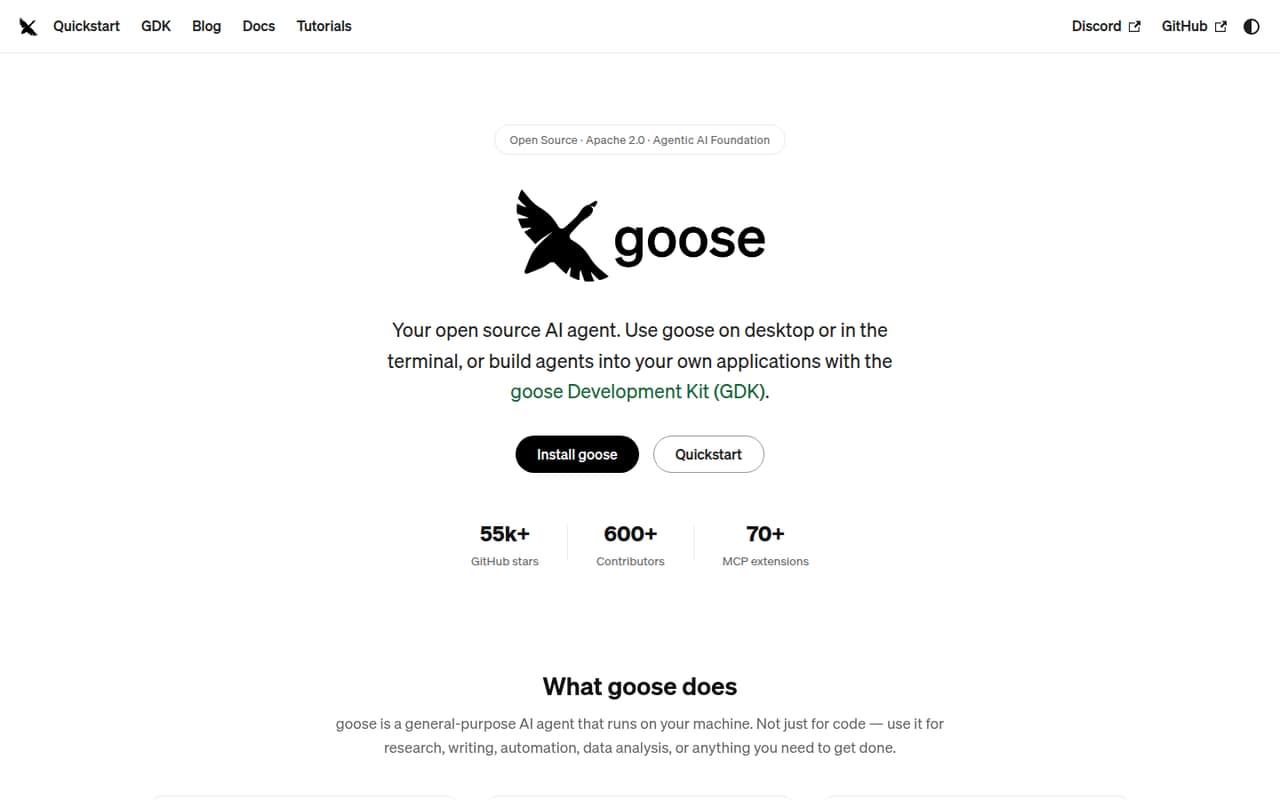
Goose is an open-source AI agent that runs on your machine, with a desktop app, CLI and API. It connects to 15+ model providers, supports MCP extensions and packages workflows as portable YAML recipes. The software is free; model access may cost extra through your chosen provider.
That combination makes Goose worth considering for teams that want provider choice and a local agent runtime. Before deploying it broadly, confirm provider-specific limits, session-data handling and the support options you need. Reddit users like its general-purpose use cases, but report uneven model results and requests for more GUI updates.
Good fit if
- Teams that bring their own model access
- Developers building MCP-powered workflows
- Local-first agent experimentation
Skip it if
- Teams needing published service-level guarantees
- Buyers seeking a single bundled AI bill
- Projects requiring documented data-export procedures
ScoresHow it rates
What works
- Desktop app, CLI and API integration surfaces
- Supports 15+ LLM providers
- Apache 2.0 software with no run charge
- Portable YAML recipes support sharing and CI
- Security controls include permissions and sandbox mode
What doesn't
- Provider-specific usage costs are separate
- Seat and usage limits are not published
- Rate limits and service guarantees are not published
- No specific SDK languages are named on the homepage
- Reddit users report model variability and GUI gaps
01What Goose is, technically
Goose is a general-purpose AI agent that runs on your machine, rather than a hosted-only agent service. Its user-facing surfaces are a native desktop app for macOS, Linux and Windows, a CLI for terminal workflows, and an API for embedding it elsewhere. The project says it is built in Rust; that describes Goose’s implementation, not a requirement to write integrations in Rust.
In a stack, Goose sits between a user or application and an LLM provider, with MCP extensions connecting it to tools and data sources. It supports API keys and eligible Claude, ChatGPT or Gemini subscriptions through ACP, according to the homepage. The Goose Development Kit provides runtime components for building agents across native apps, servers and browsers, with saved-state resumption. Recipes capture workflows in YAML, including instructions, extensions, parameters and subrecipes. This makes Goose an agent runtime and integration layer, not a model or a managed inference service. Its stated scope includes research, writing, automation, data analysis and coding.
02Goose API, SDKs and docs
The homepage describes an API for embedding Goose, but does not name an API style, endpoint specification or SDK language. It names Rust as the language Goose is built in, and the Goose Development Kit as the runtime components for building agents in native apps, servers and browsers. Confirm SDK support and API details in the vendor’s docs before choosing an integration path.
For terminal workflows, Goose provides a CLI with an install command on its homepage. The desktop app runs on macOS, Linux and Windows. Recipes use portable YAML, and the homepage says they can be shared, run in CI and include extensions, parameters and subrecipes. MCP is the tool-and-data integration standard; Goose lists more than 70 documented extensions. Goose also works as an ACP server for clients including Zed, JetBrains and VS Code, and can use ACP agents such as Claude Code and Codex as providers. MCP Apps can display interactive buttons, forms and visualizations inside Goose Desktop. Check the docs for current setup instructions and compatibility.
03Goose pricing for developers
The Open Source plan costs $0 per month to run and includes the Apache 2.0 software. The pricing information lists bring-your-own LLM provider or API keys; the homepage also describes eligible Claude, ChatGPT and Gemini subscriptions through ACP. There is no listed Goose free-trial period, and annual billing is not published.
The $0 figure is the software price, not a bundled allowance for model inference. With API keys, usage costs depend on the provider and model you select; Goose’s pricing information does not publish a combined per-request rate. With local models, inference runs on your own machine, so hardware and power are your responsibility. The listed plan has no published seat or usage limits, and the vendor does not publish Goose rate limits, overage charges or add-ons in the published pricing details. That means there is no documented Goose usage bill to extrapolate, but provider charges can still grow with model use. Before a production rollout, verify current provider pricing and any limits that apply to your chosen model or account.
04Goose: open source, self-hosting and lock-in
Goose is open source under the Apache 2.0 license, and its homepage points developers to GitHub to browse, fork and contribute to the project. It runs on your machine, with desktop and CLI options, rather than requiring a Goose-hosted runtime. The project also describes a Rust implementation and a Development Kit for embedding its runtime components.
Provider choice and open standards can reduce dependence on one model vendor: Goose supports multiple providers, MCP extensions and ACP connections. Recipes are portable YAML files that can be shared and run in CI. Those are useful portability points, but they are not a complete data-export guarantee. The homepage does not describe a session-data export process or migration procedure. Before adopting Goose for durable workflows, ask how conversations, configuration and other state can be backed up and moved, and check whether your extensions rely on provider-specific behavior.
05Goose in production
Goose lists prompt-injection detection, tool permissions, sandbox mode and an adversary reviewer as security controls. Those controls do not replace a review of tool access, secrets handling and the blast radius of actions in your environment. The homepage does not publish rate limits, availability commitments, scaling guidance or compliance certifications. Confirm those requirements, plus provider-side limits, before making Goose a production dependency.
Reddit reports are mixed on model behavior and the desktop experience. In one LocalLLaMA thread, users describe variability in task completion across open models; another commenter reports a macOS keychain-access prompt that raised security concerns. A separate GUI user asks for projects available in the CLI to be added to the GUI, while another user recommends Goose for general MCP tasks. These are individual reports, not controlled evaluations, but they point to practical checks: test your chosen model and tools, review credential access, and verify that the UI covers your workflow. Do not assume one model’s results transfer to another.
From the threadsWhat users say
Reddit sentiment is mixed but leans positive for general-purpose and MCP workflows. Users also flag model variability, keychain concerns and gaps between CLI and GUI features.
open models showed more variability across runs generally in terms of successfully completing the task also
I recommend it to people when they seem to want a general agent
On Mac, not sure about the other OS's, but it requested keychain access. It's a security risk. So had to opt out of using it
Why aren't projects in the GUI yet but available in the CLI?!
Questions people ask
Is Goose free?
The Open Source plan is listed at $0 per month to run and includes the Apache 2.0 software. You bring your own LLM provider or API keys. That means model charges may still apply through your provider; the Goose price is not a bundled inference allowance.
Which LLM providers does Goose support?
The homepage says Goose works with 15+ providers, including Anthropic, OpenAI, Google, Ollama, OpenRouter, Azure and Bedrock. It supports API keys and eligible Claude, ChatGPT or Gemini subscriptions through ACP. Check the docs for the current provider list and setup requirements.
Can I use Goose from the command line?
Yes. Goose offers a CLI for terminal workflows, alongside a desktop app for macOS, Linux and Windows and an API for embedding it elsewhere. The homepage provides a CLI installation command. Check the vendor’s docs for current installation and configuration steps.
Can I build applications with Goose?
The homepage describes an API for embedding Goose and the Goose Development Kit for building agents that run across native apps, servers and browsers. It does not name an API style or SDK language there, so confirm API details and SDK support in the vendor’s docs before selecting an implementation.
Is Goose open source, and can I run it locally?
Yes. The Open Source plan lists Apache 2.0 software, and Goose is described as an agent that runs on your machine. It has desktop and CLI options. Its recipes are portable YAML, but check with the vendor how to export or migrate session data and other state.
Sources
- Goose homepage
- Goose pricing, compiled via web search from origami.sa, freeaiforthat.com, aitoolanalysis.com
- Reddit: tried a bunch of open models with goose
- Reddit: Anyone using Hermes with Goose?
- Reddit: "goose is a general-purpose AI agent that runs on your machine. Not just for code — use for research, writing, automation, data analysis, anything you need to get done. A native desktop app for macOS, Linux, and Windows. A full CLI for terminal workflows. An API to embed it anywhere." ➡️ useful?
- Reddit: Anyone using Goose GUI? CLI?