
We may earn a commission if you buy through links on this page. It never changes a score or a ranking. How we make money
The bottom line
FlutterFlow speeds up Flutter app creation, but it is a builder—not a substitute for backend engineering.
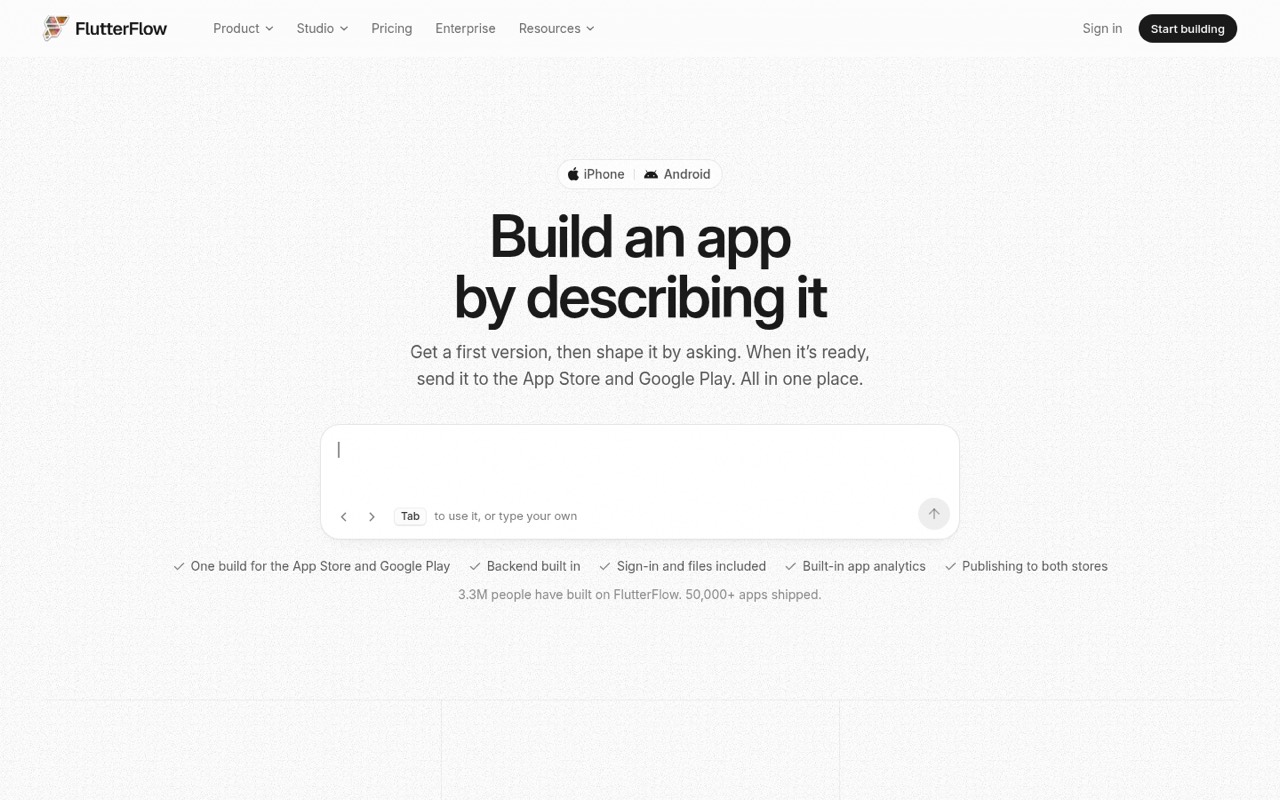
FlutterFlow is a hosted visual builder that uses AI to create Flutter app screens from a plain-language description. Teams can refine the result, add Dart code, export Flutter code and submit builds to app stores.
It is a good fit for prototypes and apps with a clear backend architecture. Reddit users praise its visual builder and shipped-app potential, while others report workarounds, pricing frustration and limits when they expect the builder to handle the whole system.
Good fit if
- Flutter app prototypes
- Visual-first product teams
- Apps with separate backends
Skip it if
- Teams needing self-hosting
- Projects with no backend owner
- Buyers requiring published API limits
ScoresHow it rates
What works
- Generates and checks screens from a description
- Visual editor supports pixel-level control
- Custom Dart code and Flutter export
- Includes email, Google and Apple sign-in
- Can submit builds to both major app stores
What doesn't
- Backend architecture remains your responsibility
- AI usage refills cost extra on Pro and Max
- Free plan blocks code downloads and store deployment
- SDK details and API limits are not published on the homepage
- Licence and self-hosting options are not stated
01What FlutterFlow is, technically
FlutterFlow is a hosted SaaS app builder, not a Flutter library or a self-hosted server. Its AI turns a plain-language app description into screens, then lets you refine them in a visual editor. FlutterFlow Studio adds pixel-level controls, shared libraries, branching and custom code. The output is a Flutter app, and the vendor says you can export clean Flutter code.
In a typical stack, FlutterFlow sits in the client-app layer: it helps create the interface and app flows, while your team still needs to decide where business logic, user data and sensitive operations live. The platform includes sign-in options and a data schema, but that does not remove the need to design and operate a production backend. One Reddit commenter recommends treating FlutterFlow as a UI layer and keeping core logic in the backend. That separation matters for apps involving money, shared state or other users.
02FlutterFlow API, SDKs and docs
The build path starts with a natural-language description; FlutterFlow says its agent plans, builds and checks each screen. You can request changes, review a copy, then push the update into your app. Studio provides a visual editor, shared libraries, branching and review, plus a way to add Dart code and export Flutter code.
The homepage names an SDK, a CLI and an MCP surface for Studio. It does not identify the SDK language or protocol, or describe a REST API, webhooks or plugin system. Confirm supported SDKs, CLI commands and MCP capabilities in the vendor’s docs before designing an automated workflow around them. The site links to docs, but the homepage does not describe their API coverage or integration examples. FlutterFlow also advertises app-store submission and built-in email/password, Google and Apple sign-in. Treat those as builder features, not as a replacement for checking your app’s generated code, backend integrations and release process.
03FlutterFlow pricing for developers
FlutterFlow has a Free plan at $0 per month, with two Studio projects, a shared free AI allowance, up to two free subdomains and one editor on the main branch. It excludes code downloads and store deployment. Basic is listed at $39 monthly or $29 per month when billed annually, and adds unlimited projects, code and APK downloads, and store deployment.
Pro costs $80 monthly or $60 per month billed annually. It includes 2.5 times Basic’s AI usage, up to two editors and additional branch and development-environment capacity. Max is $150 monthly or $113 per month billed annually, with five times Basic’s AI usage and up to five editors. Pro and Max can incur extra AI refill charges. Additional editor seats cost extra: Pro’s second seat is $55 monthly or $41.25 billed annually; Max seats two through five cost $85 monthly or $63.75 billed annually each. Enterprise pricing is custom. Check current plan limits and add-on prices before committing; the listed plans do not publish AI refill or extra-domain prices.
04FlutterFlow: open source, self-hosting and lock-in
FlutterFlow’s product pages describe a hosted builder and Flutter code export, but do not state an open-source licence or offer a self-hosted version. Ask the vendor about source availability and deployment options if either is a requirement; Enterprise lists private cloud options, which are not the same as a self-hosted product.
Code export gives teams a route to continue development outside the visual builder, but exporting code does not guarantee a painless migration. Review what the generated app depends on, how app data is stored and which backend services or FlutterFlow-specific workflows your project uses. The vendor says you can export clean Flutter code whenever you want; it does not describe a data-export format or migration process on the homepage. Treat code portability and data portability as separate questions, and confirm both before building a long-lived product around the platform.
05FlutterFlow in production
FlutterFlow advertises apps with email/password, Google and Apple sign-in, a data schema, user activity and store submission. Its example sets a minimum password length of eight characters and email verification on. Those features do not establish your app’s security posture: review authorization rules, data access, secrets handling, generated code and backend ownership before release. The homepage does not publish uptime targets, rate limits, AI request quotas by action or compliance certifications.
Reddit reports are mixed. Some developers say they have shipped serious apps; others describe workarounds when they put too much logic in the builder or rely on internal state for core behavior. A useful production boundary is to keep sensitive decisions and shared state in a backend, then treat FlutterFlow as the client layer. Test generated builds and store submissions in your own release pipeline. Check plan-specific AI allowances, editor seats and branch limits as your team grows, since the pricing page lists finite capacity and paid refills.
From the threadsWhat users say
Reddit sentiment is split: developers value FlutterFlow’s visual editor and point to apps they have shipped, while others report workarounds and concerns about pricing or relying on the builder for too much. The practical divide is often whether a team treats it as a UI tool with a separately designed backend.
I built serious products with flutterflow & apps in google play and App Store
A lot of people go into it expecting “no code = no engineering decisions,” and that’s where things fall apart
I love flutterflow. They recently changed their pricing plans which is pretty disappointing
The only reason i’m still with FlutterFlow is their visual builder
Questions people ask
Is FlutterFlow free or paid?
FlutterFlow has a Free plan with two Studio projects, a shared free AI allowance, up to two free subdomains and one editor. It does not include code downloads or store deployment. Paid plans start at $39 per month, or $29 per month when billed annually, for Basic.
Can I export Flutter code from FlutterFlow?
Yes. The vendor says you can export clean Flutter code whenever you want. Basic and higher plans include code download; Free does not. Exporting source code is different from exporting app data, so confirm data portability and any dependencies your project uses before planning a migration.
Can FlutterFlow submit apps to the App Store and Google Play?
FlutterFlow says it can send builds to Apple and Google Play for review with one press and follow the submission until the app is live. Store review and approval remain part of the release process, so plan to check the generated build and meet each store’s requirements.
Does FlutterFlow include sign-in and a backend?
FlutterFlow lists email/password, Google and Apple sign-in, along with a data schema for each app. Those built-in capabilities do not answer where your production data should live or how to enforce authorization. Decide which backend owns sensitive logic and data, then verify the relevant integrations in the docs.
Do I need to know Dart to use FlutterFlow?
You can start by describing an app and editing it visually. FlutterFlow Studio also supports custom code, and the vendor names Dart as the language you can add. Teams can use the visual builder without starting from a blank codebase, but complex production behavior may still call for Flutter and backend development skills.
Sources
- FlutterFlow homepage
- FlutterFlow pricing page
- Reddit: My honest experience with FlutterFlow – think twice before you commit
- Reddit: Fed up with FlutterFlow, is there a good app builder focused on Flutter?
- Reddit: Thank you and goodbye FlutterFlow
- Reddit: Would you leave FlutterFlow for pure Flutter in my situation?