
We may earn a commission if you buy through links on this page. It never changes a score or a ranking. How we make money
The bottom line
A capable local app builder with code ownership, but limited published API detail and production guarantees.
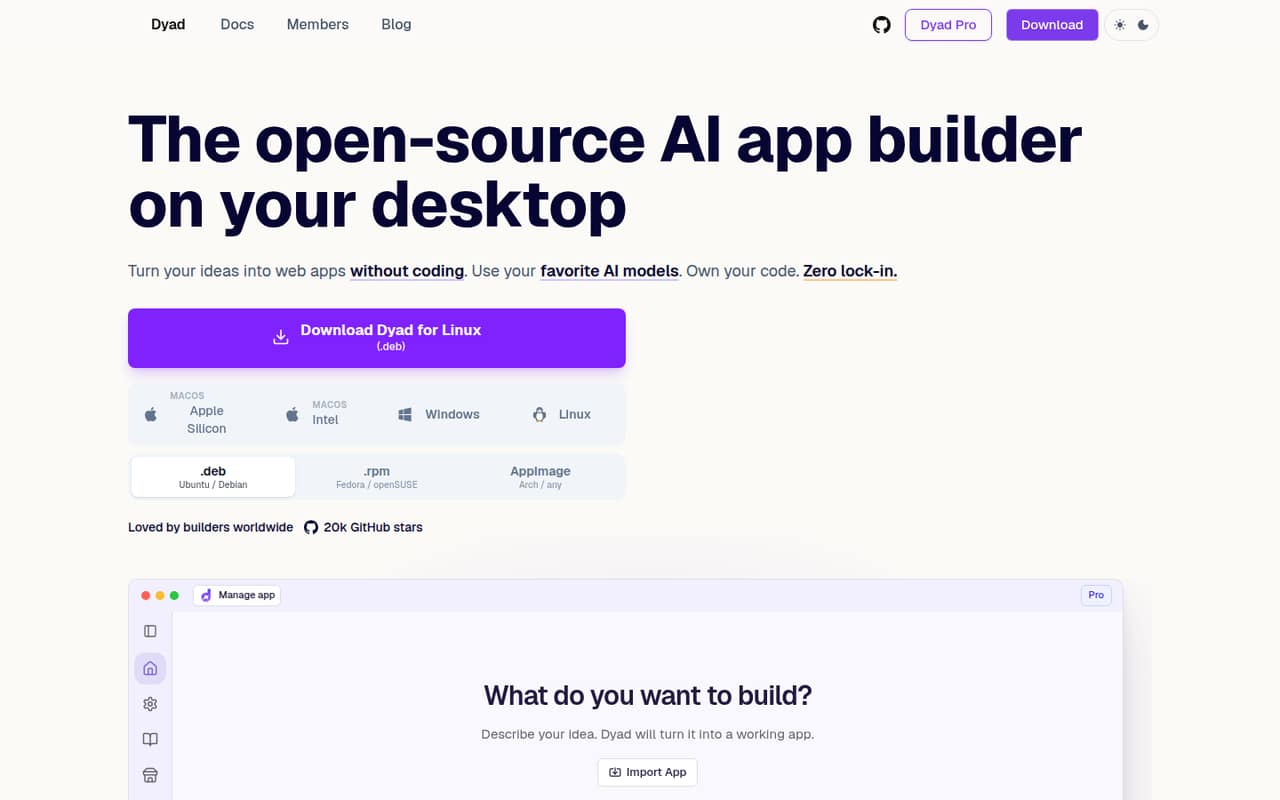
Dyad is an open-source desktop app that turns written ideas into editable web apps on your computer. Its strongest developer fit is the combination of local project files, bring-your-own-model options, MCP connections and code you can export.
The free plan makes it easy to try, while Pro is $20/month for 200 AI credits. Dyad is not a hosted API or a substitute for reviewing generated code: check provider costs, database rollback needs and security before relying on it in production.
Good fit if
- Builders who want local project files
- Developers choosing their own AI models
- Teams exporting and editing generated code
Skip it if
- Teams requiring a documented public API
- Projects needing guaranteed database rollback
- Organizations requiring published compliance details
ScoresHow it rates
What works
- Free desktop app; no sign-up required
- Use OpenAI, Anthropic, Ollama and LM Studio
- Import repos, edit code and export projects
- Connect Supabase or Neon for database and auth
- MCP support for browser tools and custom servers
What doesn't
- Public API and SDK details are not published
- Free plan requires your own API key
- AI provider charges can sit outside Dyad pricing
- No annual pricing, uptime SLA or rate limits listed
- Supabase database changes can be hard to undo
01What Dyad is, technically
Dyad is a desktop AI app builder, not a hosted app-building API, a library, a CLI or a self-hosted server. It runs on your computer, keeps project files on disk and uses a prompt-driven interface to create web apps that you can customize visually and edit as code.
In a typical stack, Dyad sits at the development-tool layer: it helps scaffold an app, while you choose the model provider and connect services such as Supabase or Neon for database and authentication. The homepage also describes deployment through GitHub and Vercel, or to your own cloud. That makes Dyad a way to generate and manage code, not a replacement for hosting or application infrastructure.
The local-first setup and exportable projects reduce dependence on Dyad’s cloud. You still need to inspect generated code and account for the services and models your app uses.
02Dyad API, SDKs and docs
Dyad’s integration surface is its desktop app, model-provider connections and MCP server support. The homepage names OpenAI, Anthropic, Google, Ollama and LM Studio, plus MCP connections for browser tools, custom APIs and other MCP servers. It also lists Supabase and Neon integrations, and GitHub and Vercel deployment.
The vendor does not publish a public Dyad API contract on the homepage. It also does not name language-specific SDKs or a CLI there. Treat the named provider and MCP connections as the integration surfaces to evaluate, and confirm SDK support in Dyad’s docs before designing around a language-specific client. The homepage links to a quickstart guide, but does not describe a REST API or webhook contract.
Dyad supports importing repos, editing files and exporting runnable code. A Reddit commenter reports that installing Node.js is a system requirement; check the current installation docs for your operating system and project setup.
03Dyad pricing for developers
Dyad Free costs $0/month and includes the local, open-source app builder, no sign-up, community support and bring-your-own API key. It does not include a stated monthly AI credit allowance, so model usage through your own provider may add a separate bill.
Dyad Pro costs $20/month and includes 200 AI credits, Pro modes, Academy access and reloadable credits at the same price. Dyad Max costs $79/month and includes 900 credits, Pro features and prioritized office hours. The pricing page lists monthly prices only; it does not show annual billing or discounts.
Dyad charges 1.5 credits per million tokens for token orchestration, combining input and output tokens. The page does not state a cash price per credit, so confirm the checkout cost for reloads and estimate your provider’s separate API charges before budgeting. Credit use depends on token volume, not just the number of projects. For a production project, track both Dyad credits and model-provider spend.
04Dyad: open source, self-hosting and lock-in
Dyad describes itself as open source and links to its GitHub repository. The vendor does not name the open-source license on the homepage, so check the repository’s license file before using or modifying the code in a commercial setting. Dyad is a local desktop app; that is not the same as self-hosting a Dyad server.
The homepage says project files stay on your machine and that you can import repos, edit files and export clean, runnable code. Those choices make it easier to keep working outside Dyad than with a builder that holds your source in a hosted workspace. The product also advertises standard Next.js code, though you should confirm the framework and dependencies in each generated project.
Exporting source does not automatically migrate connected databases, authentication or model-provider setup. Plan to move those integrations and verify the app independently.
05Dyad in production
Dyad’s local workflow can keep projects available without a Dyad cloud service, and the homepage says local models can work offline. Cloud model use still depends on the provider and network. The homepage advertises a built-in scan for security bugs, injection and misconfiguration; treat that as a review aid, not a substitute for code review or security testing. The vendor does not publish uptime commitments, request limits or compliance details on the homepage.
Database rollback needs attention. In a Reddit AMA, Dyad’s creator says Supabase changes cannot easily be undone and that a Neon-based portal template supports database undo. Confirm migration and recovery procedures before using either for production data.
Reddit users also flag setup and resource considerations: one commenter says Node.js is a system requirement and that local models often need beefy machines. Another asks for more detailed documentation. Check current platform requirements, model capacity and support options before standardizing on Dyad.
From the threadsWhat users say
Reddit feedback is mostly positive about Dyad’s local workflow and usefulness for building apps. Developers also raise practical questions about documentation, system requirements, syncing and database rollback.
Best of all, it's local
I believe you need more documentation or a detailed FAQ to avoid asking questions or assumptions made when creating projects
most people choose to use cloud-based AI models because running local models requires beefy machines
with supabase, you can't easily undo database changes
Questions people ask
Is Dyad free to use?
Yes. Dyad Free costs $0/month, requires no sign-up and lets you bring your own API key. The plan includes community support. If you use a paid model provider, its API charges may be separate from Dyad’s free desktop app. Pro costs $20/month and includes 200 AI credits.
Does Dyad require its own AI model or API key?
No. Dyad says you can use your own API keys and choose among providers including OpenAI, Anthropic and Google, or local models through Ollama and LM Studio. The Free plan includes bring-your-own API key. Check each provider’s terms and pricing, since Dyad’s plan price does not establish the cost of provider usage.
Can I export code from Dyad?
Yes. Dyad says you can import existing repos, edit code and export clean, runnable projects. Its local-first approach keeps project files on your machine. Before moving a project, review its framework, dependencies, database setup and authentication configuration; exporting the source does not move those services for you.
Can I use Dyad with Supabase or Neon?
Yes. Dyad lists one-click connections to Supabase and Neon for database schemas, migrations and authentication. Its creator has said that Supabase changes cannot easily be undone, while a Neon-based portal template supports database undo. Check the current template and migration workflow before using either with production data.
Does Dyad work offline?
Dyad says it runs locally and can work offline when you use local models. That does not mean every provider or integration works without a network connection: cloud model providers and hosted services such as GitHub, Vercel, Supabase or Neon require their own connectivity. Check your chosen model and service requirements.
Sources
- Dyad homepage
- Dyad pricing page
- Reddit: I'm Will, creator of Dyad - AMA
- Reddit: Share your feedback on Dyad?
- Reddit: 🚀 The Ultimate System: Building Perfect Apps with Claude + Dyad (I've built over 20.. some on Windsurf)
- Reddit: If your vibe coding tool is down... download dyad! Free local alternative to lovable/v0/bolt. (v0.8.0 just released)