
We may earn a commission if you buy through links on this page. It never changes a score or a ranking. How we make money
The bottom line
A practical local container workflow, but plan for licensing and machine-resource trade-offs.
Docker Desktop is an installable development tool for building applications with containers on Mac, Windows and Linux. It brings the development loop into one place; the vendor says apps can go from a blank file to running in minutes and ship anywhere.
Docker Personal is free, while paid plans add user-based pricing and higher Docker Hub, Scout and Testcontainers Cloud allowances. Reddit sentiment is mixed: developers praise it for local development, while some report resource use and Windows networking problems.
Good fit if
- Local container development
- Developers learning Docker
- Teams standardizing developer workflows
Skip it if
- Long-running production hosting
- Resource-constrained Windows machines
- Teams requiring a published SDK matrix
ScoresHow it rates
What works
- Free Docker Personal plan
- Available for Mac, Windows and Linux
- Supports a full local development loop
- Docker Hub pulls and private repos included
- Vendor describes apps as portable
What doesn't
- Free plan caps pulls at 100 per hour
- Paid plans charge per user
- Windows use can add resource overhead
- Some Reddit users report networking quirks
- Support add-on pricing is not published
01What Docker Desktop is, technically
Docker Desktop is an installable development application for Mac, Windows and Linux, not a hosted API or self-hosted server. It gives developers a local place to build and run applications in containers as part of a development workflow. The vendor describes it as bringing the full development loop into one place, from a blank file to a running app, then shipping the app elsewhere.
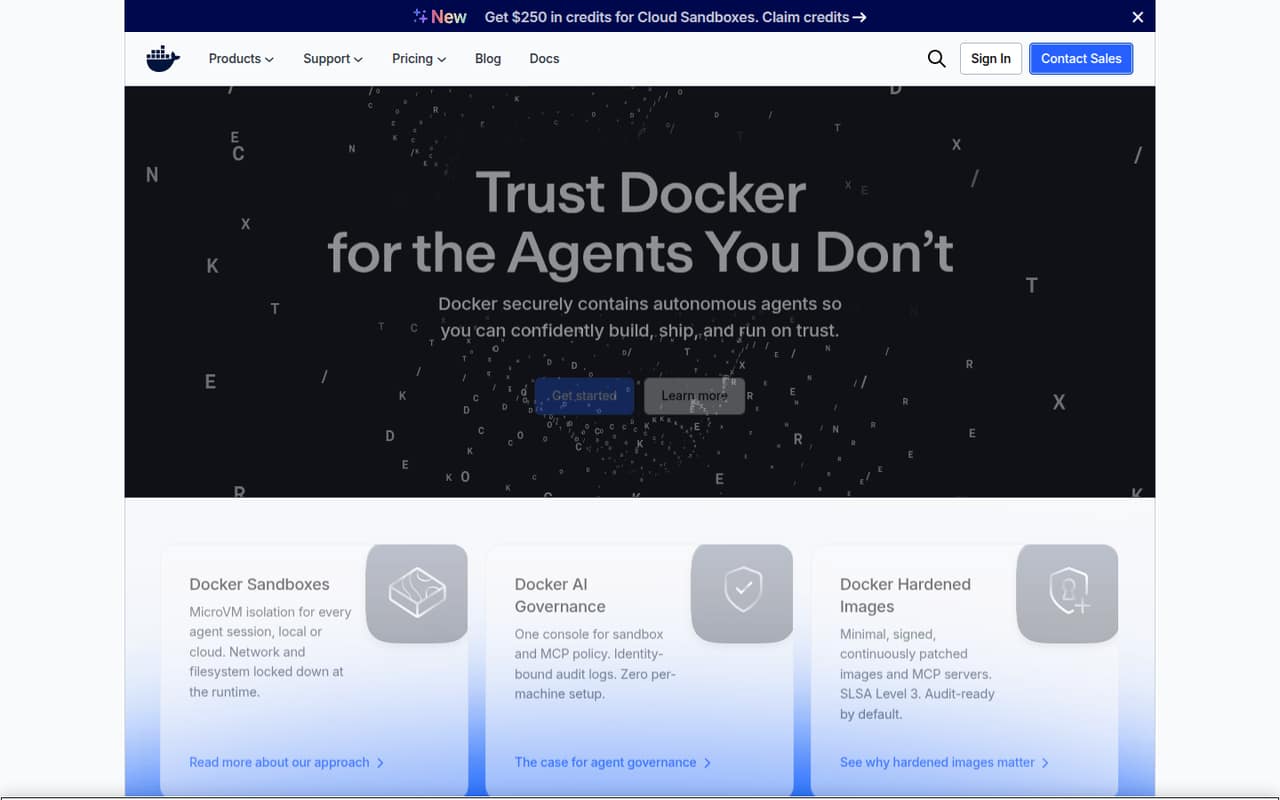
It sits on developer workstations, alongside an application’s source code and the tools used to build and test it. That makes it useful for local development, but distinct from a production hosting platform. One r/docker commenter says developing with Docker Desktop is fine, while another notes it is not intended as a hosting platform. The homepage also promotes Docker Sandboxes, Docker AI Governance and Docker Hardened Images as separate offerings for agent isolation, policy and hardened components. Those features should not be confused with a container-hosting service.
02Docker Desktop API, SDKs and docs
Docker Desktop is a local application rather than a hosted API. The homepage does not present an API style or name SDKs and programming languages for the Desktop product. It does show command-line examples for agent workflows, including docker agent run billing-bot and sbx run claude. Confirm SDK support and the relevant command syntax in Docker’s documentation before choosing a language-specific integration.
The vendor frames Desktop around building and running containerized applications, then shipping them anywhere. The homepage also links to material about Sandboxes, AI Governance and Hardened Images, and describes Sandboxes as microVM isolation for agent sessions. It says Hardened Images are minimal, signed and continuously patched. Those adjacent features extend the stack, but do not establish an SDK or API surface for Desktop itself.
For a codebase, treat Desktop as a local developer tool in the container workflow, not as a remote service endpoint. The homepage lists downloads for Mac with Apple silicon or Intel, Windows with AMD64 or ARM64, and Linux.
03Docker Desktop pricing for developers
Docker Personal costs $0 and includes one user, one Docker Scout-enabled repo, 100 Docker Hub pulls per hour and one private Docker Hub repo. The paid plans are priced per user: Docker Pro is $9 per month with annual billing or $11 monthly; Docker Team is $15 annually or $16 monthly; Docker Business is $24 either way.
Pro includes two Scout-enabled repos, unlimited Docker Hub pull rate and 100 Testcontainers Cloud runtime minutes per month. Team includes unlimited Scout-enabled repos, 500 runtime minutes, 10 organization access tokens and one Docker Hub organization. Business adds unlimited private Docker Hub repos, 1,500 runtime minutes and 100 organization access tokens, with no user cap.
The bill grows with seats and Testcontainers Cloud use. Additional runtime minutes cost $3 per 100 minutes; on-demand minutes cost $4 per 100. Premium Support and TAM are paid add-ons, but the vendor does not publish their price. Check the plan’s user, repo and runtime allowances against your team’s actual usage.
04Docker Desktop: open source, self-hosting and lock-in
Docker Desktop is an application installed on developer machines, not a hosted service that you deploy as your own server. The vendor’s homepage says its agent stack is built on open standards and is OCI-compliant and platform-independent. That is not the same as a published open-source licence for Docker Desktop itself. The vendor does not publish Desktop’s source availability or a data-export policy on the homepage; confirm licensing and export requirements with Docker before adopting it across an organization.
The vendor says applications built with Docker can be shipped anywhere, which supports portability at the application-container level. That does not guarantee a direct migration for every Desktop-specific workflow or adjacent Docker service. Teams can reduce dependency on Desktop-specific features by keeping build and runtime processes based on portable container artifacts and documenting their command-line workflow.
05Docker Desktop in production
Docker Desktop is positioned as a development tool, not a production hosting platform. Use it to build and test locally, then run production workloads on infrastructure designed to host them. The homepage promotes Sandboxes with microVM isolation and Hardened Images with signing and continuous patching, but those claims concern adjacent offerings; verify which security controls apply to your chosen product and deployment.
Reddit reports are mixed. Developers describe Desktop as useful for development, while some Windows users report WSL2 resource overhead or networking quirks. One commenter says Desktop is fine for developing code; another calls its networking difficult. These are individual reports, not a reliability guarantee or benchmark. Before a team rollout, check the paid-plan terms, machine resource needs, access controls and audit requirements. The homepage describes identity-bound audit logs and governance controls for Docker AI Governance, but that does not establish that those controls are included in Desktop.
Questions people ask
Is Docker Desktop free?
Docker Personal costs $0 and includes one user, one Docker Scout-enabled repo, 100 Docker Hub pulls per hour and one private Docker Hub repo. Docker Pro, Team and Business are paid per-user plans with higher listed allowances. Check the plan terms for your intended use before deploying it across a business.
Does Docker Desktop run on Windows?
Yes. Docker lists Windows downloads for AMD64 and ARM64. Reddit users report that Windows setups can involve WSL2 resource use and occasional quirks, so check the machine requirements and test your team’s workflow before standardizing on it.
Can I use Docker Desktop to host production services?
Docker Desktop is presented as a development tool for building applications with containers, not as a production hosting platform. Use it for local development and testing, then deploy workloads to infrastructure intended to host them. A Reddit commenter makes the same distinction between development and long-running services.
What does Docker Desktop include for teams?
Docker Team is $15 per user per month with annual billing or $16 monthly. It includes up to 100 users, unlimited Docker Scout-enabled repos, 500 Testcontainers Cloud runtime minutes per month, 10 organization access tokens and one Docker Hub organization.
Does Docker Desktop have an SDK?
The Docker homepage does not name a Desktop SDK or language-specific integration. It shows command-line examples for agent workflows, including docker agent run and sbx run. Confirm SDK availability and supported languages in Docker’s documentation before choosing an integration.
Sources
- Docker Desktop homepage
- Docker Desktop pricing page
- Reddit: Why should I NOT use Docker Desktop on Windows?
- Reddit: Don't forget Docker Desktop becomes a paid piece of software for lots of companies in two weeks.
- Reddit: Why so hate for Docker Desktop (Windows 11)
- Reddit: Apple made Docker Desktop optional on Mac months ago, and Apple’s container is a solid alternative.