We may earn a commission if you buy through links on this page. It never changes a score or a ranking. How we make money
The bottom line
Docker adds local container workflows and agent security to a portable, OCI-compliant stack.
Docker is a container development platform with Docker Desktop, plus products for agent isolation, governance and hardened images. Its value is strongest when a team already uses container images, registries and CI and wants to extend that stack to agents.
Docker Personal is free, but includes a 100-pull-per-hour Docker Hub limit and one private repository. Paid developer plans start at $9 per user monthly with annual billing. The homepage does not establish the details of a general-purpose API or self-hosted governance service, so confirm those requirements before adopting it for production.
Good fit if
- Teams standardizing container development
- Developers running agents in sandboxes
- Teams using Docker Hub and Scout
Skip it if
- Teams needing a documented public API
- Projects requiring self-hosted governance
- Small deployments with little container need
ScoresHow it rates
What works
- Docker Desktop brings containers and the development loop together
- Agent sessions use microVM isolation locally or in the cloud
- Network and filesystem controls limit sandbox access
- OCI compliance supports platform-independent image workflows
- Free plans cover individual developers and open-source hardened images
What doesn't
- Personal Docker Hub pulls are limited to 100 per hour
- Team and Business costs rise with user count
- Governance, sandbox and image products have separate boundaries
- The homepage does not establish a general API or SDK surface
- Reddit users warn against adding containers where they add little value
01What Docker is, technically
Docker is a container development platform, not one hosted API or a single server. Docker Desktop brings containers and the development loop together on a developer’s machine; Docker’s other products cover agent sandboxes, AI governance and hardened images. The platform sits between source code and the environments where applications run: teams build images, use registries and CI, then run containers locally or elsewhere.
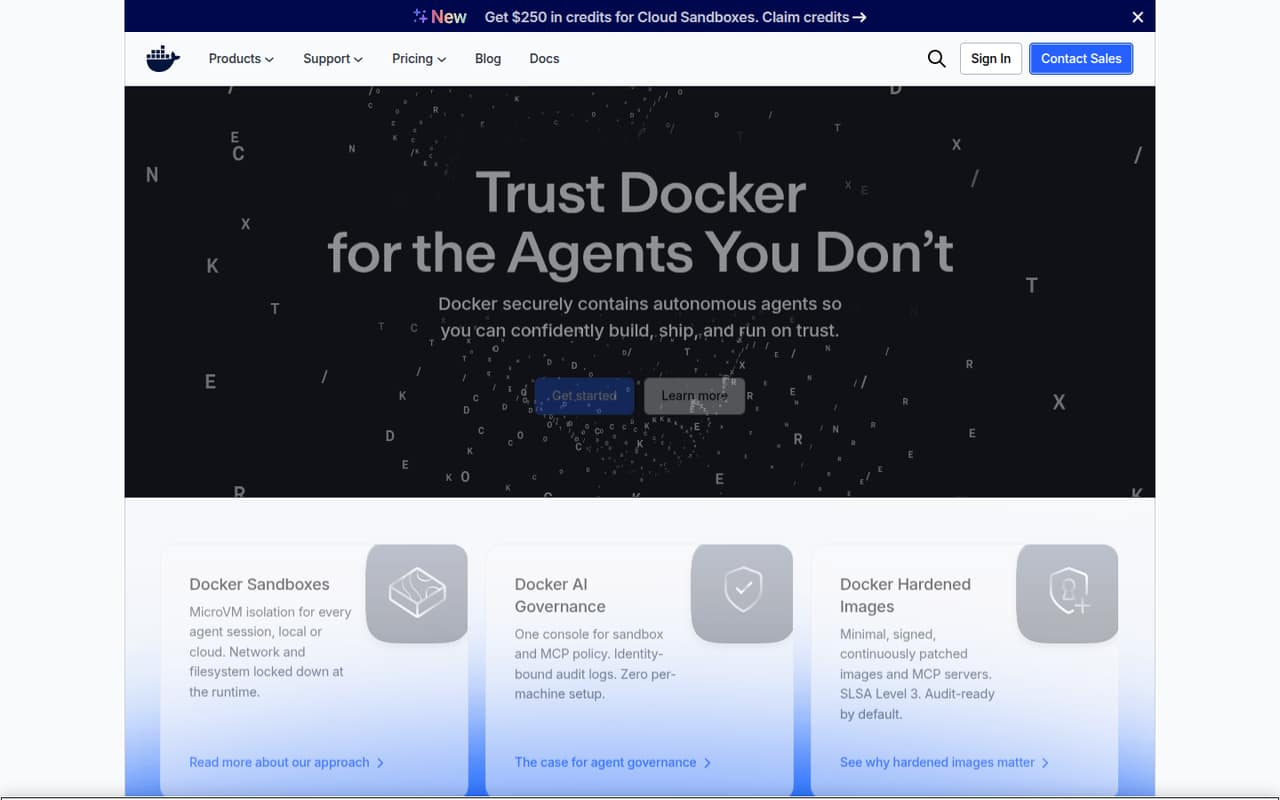
For AI agents, Docker adds microVM-isolated sessions with network and filesystem controls. Its governance console applies sandbox and MCP policy and records identity-bound audit logs. Hardened Images are minimal, signed images and MCP servers that Docker says are continuously patched and built with SLSA Level 3. The homepage says teams can keep their existing images, registries and CI, and describes Docker as OCI-compliant and platform-independent. Agent work can start locally and move to Cloud Sandboxes. That makes Docker an extension to a container stack, rather than a replacement for the application code or CI system.
02Docker API, SDKs and docs
The named integration surface is Docker’s CLI and Docker Desktop. The homepage shows commands including docker agent run billing-bot and sbx run claude, and says developers can use existing images, registries and CI. Docker Desktop is offered for Mac with Apple silicon or Intel, Windows with AMD64 or ARM64, and Linux. That gives teams a local workflow and a stated path to Cloud Sandboxes for longer-running tasks.
The homepage does not establish a general-purpose API contract, SDK languages or a language-specific integration. If your application needs to create sandboxes or manage policy programmatically, confirm API and SDK support in Docker’s docs before choosing an integration pattern. The homepage links to further material on Sandboxes, governance and hardened images, but does not describe their API or SDK methods. Docker says its platform is OCI-compliant, which supports using standard container images; verify the behavior of your specific CI, registry and runtime integrations in the vendor’s docs.
03Docker pricing for developers
Docker Personal costs $0 and includes one user, one Docker Scout-enabled repository, 100 Docker Hub pulls per hour and one private Docker Hub repository. DHI Community is also free per developer, with hardened minimal images, verifiable SBOMs, SLSA Build L3 provenance and an Apache 2.0 open-source image catalog.
Docker Pro is $11 per user monthly or $9 per user per month billed annually. Team is $16 monthly or $15 annually per user; Business is $24 under either billing option. Those plans increase Docker Scout repositories, private repositories, pull access or organization controls, and include 100, 500 or 1,500 Testcontainers Cloud runtime minutes per month respectively. Team supports up to 100 users; Business has no user cap.
Additional Testcontainers Cloud runtime minutes cost $3 per 100 minutes and expire at subscription end; on-demand minutes cost $4 per 100. DHI Select starts at $5,000 per repository. DHI Enterprise, Extended Lifecycle Support, Premium Support and TAM Services require custom pricing or have no published price.
04Docker: open source, self-hosting and lock-in
Docker states that its platform is OCI-compliant and platform-independent, which gives teams a standards-based route for moving container images between compatible tools. The DHI Community catalog is open source under Apache 2.0. That licence applies to the catalog of open-source images, not automatically to Docker’s other products. The homepage does not establish a licence for Docker Desktop, AI Governance or Sandboxes.
Docker Desktop runs on a developer’s computer, and Docker says agents can run locally or in Cloud Sandboxes. That is not the same as a documented, self-hosted governance service. The vendor does not publish a data-export process on the homepage; ask how to export audit logs, policies and sandbox configuration before depending on them. OCI images can reduce runtime lock-in, but moving governance rules, logs or cloud sandbox workflows may require product-specific changes.
05Docker in production
Docker’s production case for agents rests on microVM isolation, network and filesystem controls, signed components, policy enforcement and identity-bound audit logs. Its homepage also describes Hardened Images as continuously patched and SLSA Level 3. Those are relevant controls, but teams should still check the exact isolation boundary, policy behavior, image-update process and compliance evidence for the product and plan they intend to deploy.
The pricing page’s Testcontainers Cloud runtime-minute allowances are finite on Pro, Team and Business; additional and on-demand minutes have separate prices. Confirm expected consumption and the behavior at the limit before making runtime minutes part of a production pipeline. The homepage does not publish service reliability targets or general rate limits, so ask Docker about those and support coverage for your workload.
Developers on Reddit praise containers for reproducible environments and easier issue reproduction. Other commenters warn that containerizing every component can make small deployments clunky, and that unofficial images can carry security risk. Treat images and network access as production dependencies, not just setup details.
From the threadsWhat users say
Reddit comments tend to value Docker for portable, reproducible environments and convenient service deployment. The discussion also includes cautions about unnecessary containerization, image trust and gaps when switching to alternatives.
As a developer? You're missing out on setting up a consistent portable and and stable development environment
With docker (or something else, like vagrant) you can have reproducible environments with a single command
it's easy to overuse docker, especially in small deployments, and end up with a system that's clunky and annoying to work with
Now i will think twice before jist downloading an unofficial docker image
Questions people ask
How do I run a Dockerfile?
A Dockerfile describes how to build a container image. Docker’s homepage centers its developer workflow on Docker Desktop and the command line, but does not give a Dockerfile tutorial. Follow Docker’s documentation for the exact build and run commands, and check that your image and runtime settings match your deployment environment.
Is Docker better than a virtual machine?
They serve different isolation and packaging needs. Docker packages applications as containers, while Docker’s agent product uses microVM isolation for agent sessions. The right choice depends on the boundary you need and your runtime; check Docker’s documentation for the isolation model of the specific product you plan to use.
Does Docker replace Kubernetes?
Docker describes tools for building, shipping and running applications, including Docker Desktop and Cloud Sandboxes. Its homepage does not position Docker as a Kubernetes replacement. Treat container development and production orchestration as separate architecture decisions, and confirm which deployment and orchestration targets your team needs.
Is Docker still free?
Yes. Docker Personal is free for one user and includes one Docker Scout-enabled repository, 100 Docker Hub pulls per hour and one private repository. DHI Community is also free per developer. Docker Pro, Team and Business are paid per user, while production image and support offerings can have separate pricing.
Can Docker run AI agents?
Docker offers Sandboxes for agent sessions, with microVM isolation and network and filesystem controls. The homepage says teams can start agents locally and move tasks to Cloud Sandboxes. Docker AI Governance adds sandbox and MCP policy and identity-bound audit logs. Confirm product availability, pricing and required integrations for your deployment.