
We may earn a commission if you buy through links on this page. It never changes a score or a ranking. How we make money
The bottom line
A capable agent workflow for developers willing to review its code and manage usage.
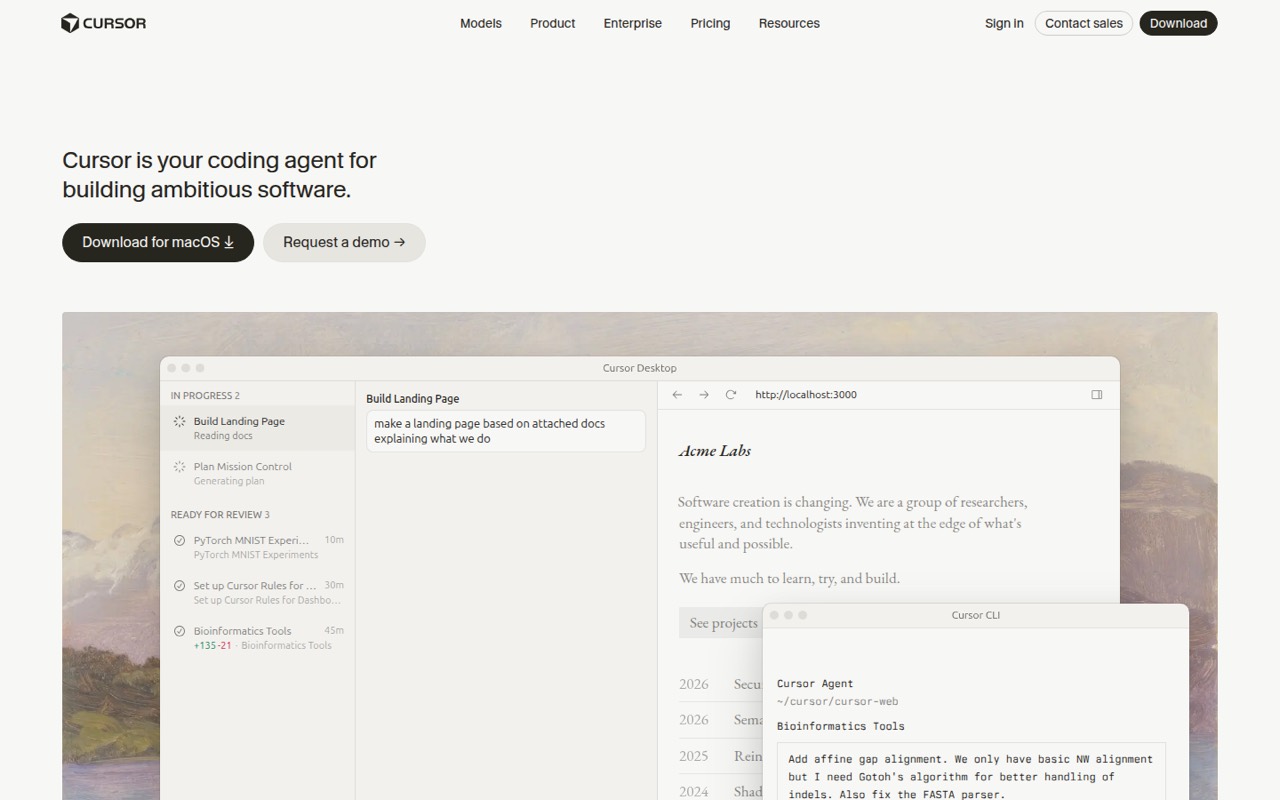
Cursor is a desktop coding agent with a CLI and Slack and GitHub workflows. It can plan, write, test and demo software, with cloud agents running tasks in parallel. That makes it useful for delegating contained work while keeping code review in the loop.
The trade-offs are usage-based costs, limited detail on API and SDK support, and the risk of reviewing large or misguided changes. Reddit discussions range from reports of productivity gains to complaints about code quality, model access and losing control of diffs.
Good fit if
- Developers delegating bounded coding tasks
- Teams reviewing agent-generated pull requests
- Users who want IDE and CLI workflows
Skip it if
- Teams requiring self-hosted coding agents
- Developers who want to skip code review
- Projects needing a documented public SDK
ScoresHow it rates
What works
- Agents plan, write, test and demo features
- Cloud agents can work in parallel
- Choose among several model providers
- CLI, Slack and GitHub workflows
- Free tier includes limited agent and Chat requests
What doesn't
- Usage allowances and top-off prices need careful checking
- No self-hosting path is presented
- SDK and language support need confirmation
- Autonomous changes can create substantial review work
- Model access varies by plan
01What Cursor is, technically
Cursor is a commercial AI coding agent from Anysphere, delivered through a desktop app, a terminal CLI, and workflows connected to Slack and GitHub. It sits alongside your code editor and repository rather than acting as a library or a self-hosted server. The product is designed to take coding tasks from planning through implementation, testing and a reviewable result.
The homepage describes agents using their own computers to build, test and demo features. Cloud agents can run in parallel on tasks for hours or days, while developers review completed work. Cursor also offers model selection across OpenAI, Anthropic, Gemini, SpaceXAI and its own Composer. In a codebase, that makes Cursor an agent orchestration layer that works against project files and can feed changes into existing review workflows. It is not a replacement for your source control, CI or human review: the advertised workflow ends with work for you to inspect.
02Cursor API, SDKs and docs
Cursor's documented integration surface is its desktop app, terminal CLI, Slack integration and GitHub pull-request workflow. The CLI installs with curl https://cursor.com/install -fsS | bash. In Slack, users can tag the agent to open or review pull requests; in GitHub, the agent can review and open pull requests. The homepage also describes model selection across OpenAI, Anthropic, Gemini, SpaceXAI and Composer.
Cursor is presented as a coding application and agent, not as an API-first service. The homepage does not name a public API style, SDK, programming language or webhook interface. Before building an automated integration, confirm SDK and API support in Cursor's vendor documentation rather than assuming the CLI or Slack workflow exposes a stable developer API. The CLI is the named terminal integration; the homepage does not provide a language-specific package or sample integration contract. For a team adopting Cursor, start with its desktop or CLI workflow and verify the supported authentication, permissions and repository access in the docs.
03Cursor pricing for developers
Cursor's listed plans start with Free at $0 per month, which includes limited agent requests and limited Chat requests. Plus is $8 per month, Premium $30, Super $100 and Ultra $200. The plan descriptions say Plus is limited to Grok models; Premium includes four times Plus usage, Super 15 times and Ultra 50 times. Premium also lists cloud agents and automations, code hosting and AI code reviews. Third-party models are billed separately at API list price.
Teams starts at $30 per user per month, with usage varying by seat tier; it lists centralized billing, administration, SAML/OIDC SSO and team-wide privacy settings. Enterprise has custom pricing and lists pooled usage, invoice or PO billing, SCIM seat management, spend controls, audit logs and service accounts. The pricing page lists usage top-offs when an allowance is exhausted, but does not give their price here. Check expected model usage and top-off costs before setting a production budget. No annual discount is listed.
04Cursor: open source, self-hosting and lock-in
Cursor is sold as a commercial product, not presented as an open-source editor or agent server. The homepage describes a desktop app, CLI and hosted cloud agents; it does not describe a self-hosted deployment path. The vendor does not publish an open-source license, self-hosting option or data-export guarantee on the homepage, so teams with source-code residency or exit requirements should ask Anysphere about those terms before adoption.
Migration risk depends on how much of your workflow relies on Cursor-specific agent behavior, Slack handoffs and review automation. Your repository and normal Git history remain the practical boundary for code changes, but the homepage does not document an export format for agent context, tasks or configuration. Keep project instructions and important decisions in files your team controls, and make sure generated changes remain reviewable as ordinary repository changes. That reduces dependence on app-specific context if you later move to another editor or agent.
05Cursor in production
Cursor can help with production code, but the advertised agent workflow is not a substitute for CI, tests, security review or change controls. The homepage describes agents testing and demoing features, but does not publish reliability targets, rate limits or a production SLA. Before rolling it out, check repository permissions, privacy settings, model-routing behavior, usage controls and how agents access secrets or deployment tools. Teams and Enterprise list privacy and administration controls; confirm that their specifics meet your requirements.
Developers on Reddit report both time savings and problems with mismatched project patterns, unwanted changes and large diffs. One commenter says they review proposed changes one by one and work on branches; another says agent-generated code can leave them lost in the diffs. Those reports point to a practical safeguard: assign bounded tasks, ask for a plan on broad changes, inspect diffs and run the project's own tests. Parallel cloud agents may expand throughput, but they also create more work to review.
From the threadsWhat users say
Reddit sentiment is mixed. Some developers describe meaningful productivity gains, while others object to model restrictions, unwanted code changes or agent output that is hard to review.
Although it did correctly provide code snippets, they are not using my patterns and it also provided react code but I use vue
I like seeing the code, seeing code changes (not only diffs, but seeing what exactly changed where, around what other unchanged code, in my worktree)
I look over all proposed changes and approve them one by one. I work on branches in case I have to revert
I don't need an IDE, i like the terminal. Buttons, zones keep changing positions, features move in an IDE
Questions people ask
Is Cursor a legitimate company?
Cursor is built by Anysphere. Its homepage presents a commercial coding agent with a desktop app, CLI, cloud agents, Slack integration and GitHub workflows. If procurement needs company, security or compliance documentation, request the current materials directly from Anysphere rather than treating product features as certification.
Does Cursor send or expose my code?
Cursor's homepage describes codebase indexing and cloud agents, and the Teams plan lists team-wide privacy settings. Those facts do not establish how every model request, index or agent task handles source code. Review Cursor's current privacy and security documentation, model-provider terms and plan controls before connecting a sensitive repository.
Is Cursor worth paying for?
It can be worth paying for teams that regularly delegate bounded coding tasks and can review the results. The listed paid plans start at $8 per month, but model access and usage vary by tier, and third-party models can be billed separately. Try the free tier first and estimate usage before relying on agents for routine work.
Can Cursor run in the terminal?
Yes. Cursor provides a terminal CLI, installed with curl https://cursor.com/install -fsS | bash. The homepage also presents a desktop app, Slack integration and GitHub pull-request workflows. Confirm the CLI's current commands and authentication requirements in Cursor's documentation before automating it.
Can Cursor work with my existing codebase?
Cursor is designed to work on software projects, and its homepage describes agents searching files, implementing changes and using project data. A Reddit user reported that an earlier attempt did not follow their project patterns and used React where their project used Vue. Give agents clear project instructions and review changes against your codebase conventions.
Sources
- Cursor homepage
- Cursor pricing page
- Reddit: So how many of you have permanently switched to cursor IDE and how’s that working out for you?
- Reddit: Whats alternative to Cursor now ?
- Reddit: My honest review after 3 months with CursorAI: Don’t use it
- Reddit: Why do you prefer Claude Code over AI-native editors like Cursor? What am I missing?