
We may earn a commission if you buy through links on this page. It never changes a score or a ranking. How we make money
The bottom line
A hosted AI support platform for teams that need agents to act, not just answer.
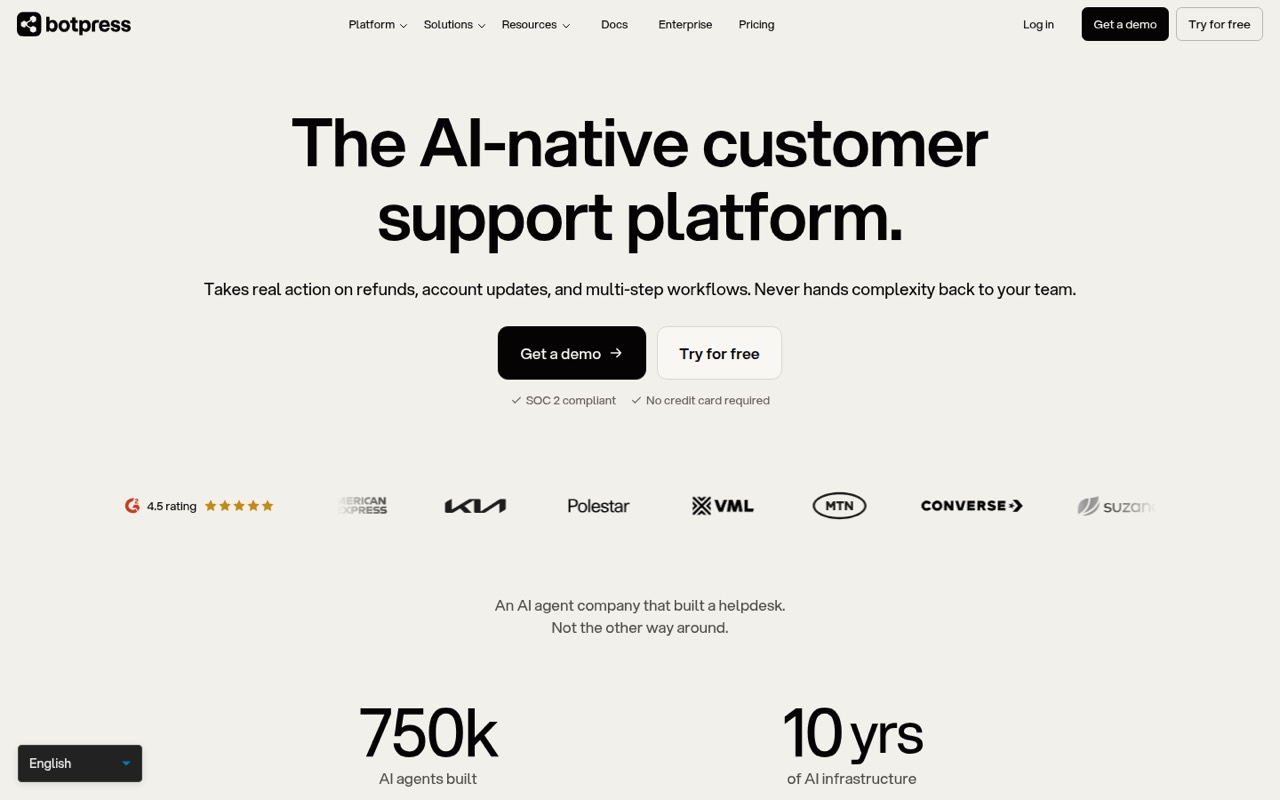
Botpress is a hosted customer support platform that builds AI agents to resolve tickets, run workflows and hand off cases with context. It can sit alongside an existing helpdesk or provide ticket management through Botpress Desk.
The product pitch is strongest for operational support tasks such as refunds and account updates. Natural-language building and OAuth connections may reduce setup work, but engineering teams should confirm API and SDK fit and forecast usage beyond the Free plan’s 100 monthly conversations.
Good fit if
- Support teams automating multi-step tickets
- Businesses keeping an existing helpdesk
- Teams needing contextual human handoff
Skip it if
- Projects requiring self-hosted deployment
- Developers needing documented SDK coverage
- High-volume teams on a tight budget
ScoresHow it rates
What works
- Agents can handle refunds and account updates
- Coordinates multi-step actions across systems
- Hands off cases with conversation context
- Can work with an existing helpdesk
- Natural-language agent building with OAuth connections
What doesn't
- Free plan caps usage at 100 conversations monthly
- Plus and Team prices require annual billing
- Conversation packs add a separate usage charge
- Vendor does not publish language-specific SDK details
- Source availability and self-hosting status are unclear
01What Botpress is, technically
Botpress is a hosted AI-native customer support platform, not a library or a self-hosted server. It provides an application for building AI agents and a helpdesk option, Botpress Desk, that can manage tickets on its own. Teams can also connect Botpress to an existing helpdesk, keeping their current ticket system in place.
The platform targets support work that needs more than an answer from a knowledge base: agents can update account details, issue refunds and coordinate actions across systems. The workflow can resolve a ticket end to end or pass it to a human with conversation history, account details and attempted troubleshooting. That puts Botpress between a customer-facing channel and the systems a support team uses to act on requests. The homepage describes building agents with natural language and connecting via OAuth. It also links an API Reference, but teams should check the current docs to understand how that interface maps to their application architecture.
02Botpress API, SDKs and docs
Botpress presents agent building as a natural-language workflow and says teams can connect via OAuth. Its homepage links to Documentation and an API Reference, and lists integrations, channels, LLMs, Knowledge Bases and Tables as platform areas. Those are the integration surfaces the vendor names publicly on its homepage; it does not identify a protocol, programming language, SDK or CLI there. Confirm supported SDKs and API patterns in the vendor’s docs before planning a production integration.
For an implementation, map each agent action to the systems it must update, then verify the OAuth permissions and failure behavior for those connections. The product’s core workflow depends on safely coordinating actions such as changing a record and closing a request. Check how your existing helpdesk connects, what data Botpress needs, and how an agent’s handoff is represented in your ticket queue. The homepage says no engineering resources are needed to go live, but that is a vendor claim; custom integrations and production controls still need technical review.
03Botpress pricing for developers
The Free plan costs $0 and includes 100 conversations per month, 3 seats, 3 AI agents, 1,000 table rows and 100MB of vector and file storage. Plus is $150 per month when billed annually, with 250 conversations, 3 seats, unlimited AI agents, $25 of AI usage and 100,000 table rows. Team is $750 per month when billed annually, with 1,500 conversations, unlimited seats and agents, $150 of AI usage and 500,000 table rows. Monthly billing prices for Plus and Team are not published.
Conversation overages use packs: $65 per 100 on Plus and $50 per 100 on Team. That makes conversation capacity a separate cost to model alongside AI spend. Plus and Team storage add-ons cost $40 per month for 100,000 table rows, 1GB of vector storage and 10GB of file storage. Paid plans automatically purchase $10 AI spend credit grants when usage reaches 95% of the AI spend limit. Enterprise pricing is custom, with custom conversation volume and storage. The pricing page does not list an open-source option.
04Botpress: open source, self-hosting and lock-in
Botpress’s homepage describes an AWS-hosted service with automatic scaling and says it requires no maintenance. The vendor does not publish a source-availability or licence statement on the homepage, so teams should not assume the current product can be self-hosted or modified under an open-source licence. Ask Botpress directly about deployment options and contractual rights before making those requirements part of an architecture plan.
The homepage also does not explain data export or migration formats. That matters because agent behavior, workflows, tables and helpdesk records can become part of a support operation’s day-to-day process. Before launch, confirm how to export conversations, customer records and agent configuration, and whether those exports can be used outside Botpress. Without those details, the work required to migrate away is uncertain; plan for an exit path rather than assuming a portable configuration.
05Botpress in production
Botpress says its infrastructure runs on AWS with automatic scaling, and describes SOC 2 compliance, GDPR compliance and penetration testing by KPMG. The homepage also says agents use escalation rules and fallback logic, with context passed to a human. Those are vendor claims; production teams should review the Trust Center, security terms, uptime SLA availability and the exact escalation behavior for their deployment. The homepage does not publish a rate limit or detailed service-level figures.
Capacity planning needs to account for conversation caps, AI usage and storage, not just seats. Test failure paths for OAuth connections and downstream systems: an agent that changes a record or issues a refund needs a clear outcome when an action fails. Reddit discussion is limited and mixed. One r/Chatbots poster who says they like Botpress reports that costs can build even during active development. That is a user report, not a general cost estimate, but it makes usage monitoring and budget alerts worth checking before rollout.
From the threadsWhat users say
Reddit discussion offers limited evidence about Botpress itself. One poster who likes it says development costs can add up; most comments discuss chatbot-builder tradeoffs and integration work more broadly.
the cost quickly becomes large even for development
AI" is only 25% of the puzzle. And automation is the other 75%
I started looking into the AI space about 1.5 years ago, just so happened to start with Voiceflow and have never ventured outside of them
Questions people ask
Is Botpress free?
Yes. The Free plan costs $0 and includes 100 conversations per month, 3 seats, 3 AI agents, 1,000 table rows and 100MB of vector and file storage. Teams that exceed the conversation allowance can consider a paid plan or conversation packs; the Free plan’s included AI spend is not listed on the vendor's site.
Can Botpress work with an existing helpdesk?
Yes. Botpress says it can work on top of an existing helpdesk, so teams can keep their current tickets in place. It also offers Botpress Desk as a standalone ticket management system. Confirm the connection and handoff behavior for your specific helpdesk before choosing an implementation.
Does Botpress support human handoff?
Yes. Botpress describes handing a ticket to a human with conversation history, account details and troubleshooting steps already attempted. The homepage also says agents use escalation rules and fallback logic. Check how those controls work in your channels and helpdesk, especially for failed actions or sensitive requests.
Can Botpress issue refunds and update accounts?
Those are among the tasks Botpress says its AI agents can handle. The homepage describes agents approving and issuing refunds under the same conditions as a human agent, and changing plans, billing details or account information. Before enabling these actions, verify permissions, approval rules and audit requirements for your systems.
Can I self-host Botpress?
The homepage describes Botpress as running on AWS, but does not publish a self-hosting option or current source licence. Do not assume you can run the current product on your own infrastructure. If self-hosting or source access is a requirement, ask Botpress to confirm deployment and licence terms before adopting it.