
We may earn a commission if you buy through links on this page. It never changes a score or a ranking. How we make money
The bottom line
A workflow layer for context, plans and code tasks, with usage caps and integration details to verify.
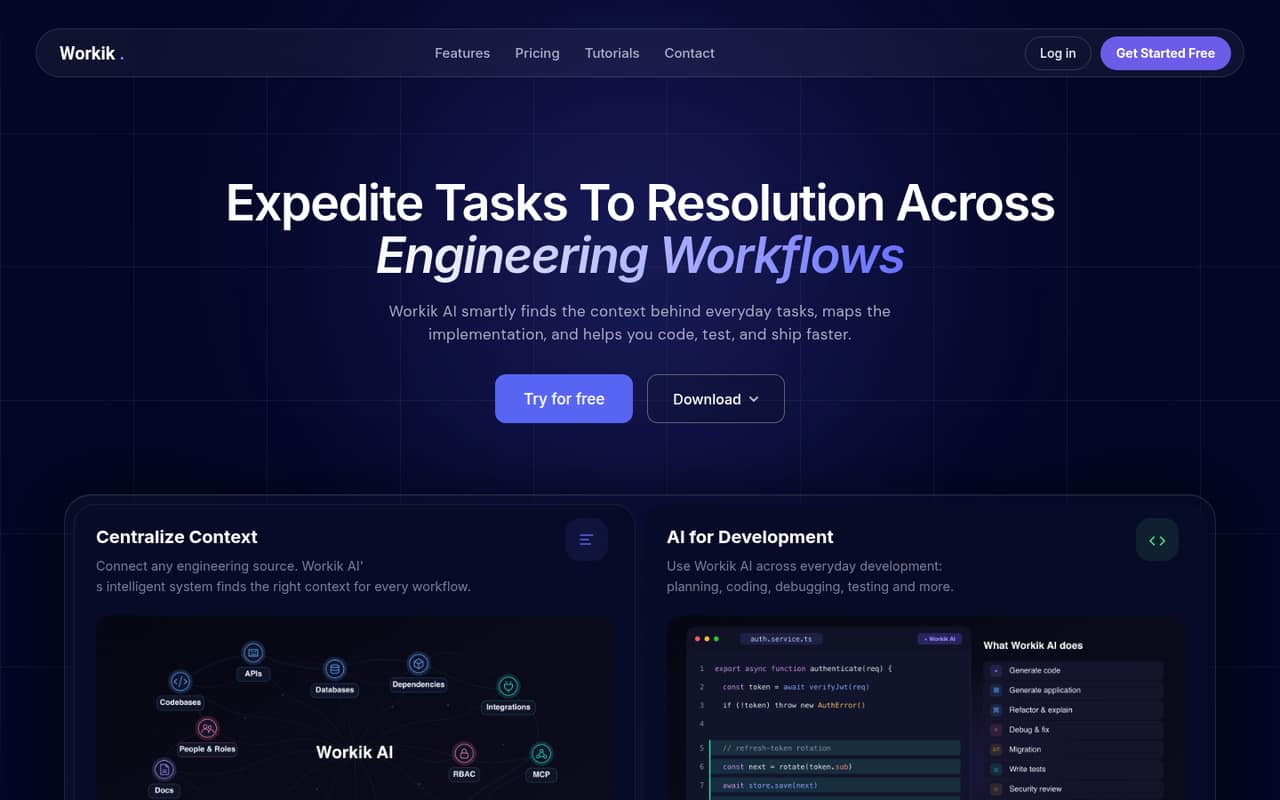
Workik is an AI assistant for engineering workflows, not a programming-language library. It gathers project context, plans tasks and helps with coding, debugging, tests, pull requests and documentation. Its desktop app is available for Windows, macOS and Linux; the homepage also describes connections to Jira and GitHub workflows and coding sessions through MCP.
The free Trial is limited, and paid plans meter tokens, knowledge-base files and flow runs. Workik lists custom local, on-premises or hybrid deployment, but source availability, data export and production service commitments need clarification. Reddit comments are mixed, with one user praising daily development assistance and others questioning AI coding quality and third-party trust.
Good fit if
- Teams managing context-heavy engineering tasks
- Developers who want AI task planning
- Teams needing auto-updating engineering docs
Skip it if
- Teams requiring a published SDK
- Buyers needing a public self-hosting license
- Projects needing published rate limits
ScoresHow it rates
What works
- Plans tasks and breaks work into subtasks
- Supports coding, debugging, testing and PR preparation
- Connects context to Jira and GitHub workflows
- Desktop downloads cover Windows, macOS and Linux
- Custom plan lists local, on-premises and hybrid deployment
What doesn't
- Vendor does not publish a supported-language or SDK list
- Trial includes only 10 requests upon signup
- Paid plans cap tokens, files and flow runs
- Team plan requires five seats; seat price is unpublished
- Data export and service-level commitments are unpublished
01What Workik is, technically
Workik is an AI engineering-workflow application, rather than a code library or language-specific SDK. It sits between project sources such as task trackers and codebases and the developers working on tasks: it gathers context, proposes implementation plans, assists with code and tests, and can prepare pull requests. The homepage describes Workik as supporting planning, coding, debugging, testing and shipping, plus engineering documentation that updates as code changes.
Workik offers desktop downloads for Windows, macOS and Linux. Its task examples show Jira synchronization, GitHub issue workflows and code sessions that can start in Workik, Claude Code or GitHub Copilot through MCP. Those examples position it as a workflow and context layer around existing development tools, not as a replacement for a source repository or issue tracker. Custom plans list local, on-premises or hybrid deployment, while the standard workflow and deployment architecture should be confirmed with the vendor before adoption.
02Workik API, SDKs and docs
The homepage names desktop apps for Windows, macOS and Linux, connections to engineering sources, Jira task synchronization, GitHub issue workflows and code sessions with Claude Code or GitHub Copilot via MCP. It also describes a Workik code session and tutorials. These are the integration surfaces a team can assess before deciding how Workik fits alongside its editor, repository and task tracker.
Workik's homepage does not advertise a supported-language or SDK list; confirm API and SDK support in the vendor's docs before building an integration around one. The vendor also does not publish a REST API, webhook or CLI contract on the homepage, so do not assume those are available for automation. The task examples describe PR preparation and approval, but teams should confirm which repository providers, permissions and actions are supported for their setup. If your stack depends on a specific language or CI system, ask for compatibility details before standardizing on Workik.
03Workik pricing for developers
The free Trial includes 10 requests upon signup, no daily requests, 50 flow runs upon signup with 20 monthly, 100 knowledge-base files and up to three users. Starter is $25 monthly or $15 per month with annual billing; it lists 30 million standard AI tokens, 5,000 files and 1,000 flow runs. Premium is $50 monthly or $30 annually billed, with 60 million standard and 8 million advanced tokens, 15,000 files and 3,000 runs. Elite is $150 monthly or $80 annually billed, with 200 million standard and 20 million advanced tokens, 100,000 files and 10,000 runs. The pricing page advertises 20% off annually.
Tailored is listed at $62 per month for 10 million standard and 5 million advanced computation tokens, with selectable token amounts. Team requires at least five seats, but its per-seat price is not published. Custom pricing is also unpublished. Overages and separate add-on prices are not published, so ask how usage beyond plan allowances is billed before putting production workflows on a plan.
04Workik: open source, self-hosting and lock-in
Workik's source availability and software license are not published on the vendor's site. Do not treat the desktop downloads as evidence that the application is open source or self-hostable. The Custom plan does list local, on-premises or hybrid deployment, alongside role-based access control, pooled token usage, SSO, SCIM, advanced security and audit logs. These are custom-plan features, not a stated option on the standard plans.
The vendor does not publish data-export details. Before loading code, documentation or task history, ask what can be exported, in what format, and whether project context, generated documentation, workflow settings and usage records are included. Migration effort depends on how much your team relies on Workik-specific task plans and automations; confirm whether those can be transferred or recreated. Also ask which data remains with Workik when using a custom deployment and what deletion process applies when an account is closed.
05Workik in production
Workik's plans place limits on tokens, knowledge-base files and flow runs; the Trial also limits requests. Published rate limits, uptime commitments and service-level terms are not available in the pricing details, so ask the vendor about throttling, incident response and capacity before routing critical workflows through it. The homepage says Workik is SOC 2 Type II certified. Its Custom plan lists role-based access control, SSO, SCIM and audit logs, but teams should confirm which controls apply to their chosen deployment and plan.
Reddit feedback is mixed. One commenter reports using Workik's desktop app and VS Code integration for development, documentation and automations. Other commenters question AI coding quality on complex projects, and one raises concern about sharing an OpenAI API key with a third party. Workik's Trial and Starter plans mention using your API key; ask how keys and code context are stored, accessed and protected. Test permission boundaries and review generated changes before enabling automatic PR workflows.
From the threadsWhat users say
Reddit sentiment is mixed and based on a small set of comments. One user describes day-to-day benefits, while others are skeptical about AI coding quality and third-party trust.
I have been using Workik for my Development purpose and it has helped me in my day to day task
AI are good at doing small, simple pieces of code, but once your project gets complex it'll become completely unusable
It’s shown as free but often with free products you end up being the product
Idk, it's probably dogshit like most of these AI startups / code assistant
Questions people ask
Is Workik free?
Workik lists a free Trial with 10 requests upon signup, 50 flow runs upon signup and 20 monthly, 100 knowledge-base files and up to three users. The Trial includes no daily requests. Starter, the lowest paid plan, is listed at $25 monthly or $15 per month with annual billing.
What does Workik do for developers?
Workik gathers engineering context and helps teams plan, code, debug, test and ship tasks. The vendor also describes preparing code sessions and pull requests, reproducing bugs and generating engineering documentation that updates as code changes. Its homepage presents Jira and GitHub task workflows and MCP sessions with Claude Code or Copilot.
Does Workik have an API or SDK?
The vendor's homepage names desktop apps, engineering-source connections, Jira and GitHub workflows, and MCP code sessions. It does not publish a supported-language or SDK list there. Ask Workik for current API and SDK documentation, supported languages and integration details before making it a dependency in custom tooling.
Can I self-host Workik?
Workik's Custom plan lists local, on-premises or hybrid deployment. The standard plan details do not list those deployment options. Ask the vendor what each deployment includes, which security controls are available, and how Workik handles code context, credentials and data retention in your intended environment.
Can I export my Workik data?
Workik does not publish data-export details in the published pricing and homepage material. Before adopting it, ask whether you can export project context, task plans, generated documentation, workflow settings and usage records, and request the available formats and account-closure deletion process.