
We may earn a commission if you buy through links on this page. It never changes a score or a ranking. How we make money
The bottom line
A useful free desktop utility for one-off PDF tables, but not an API or automated pipeline.
Tabula is free, open-source desktop software that lets you select tables in text-based PDFs and export them to CSV or Excel. It runs locally on Mac, Windows, and Linux, and does not work with scanned documents.
For developers, the main trade-off is clear: easy manual extraction, but no documented API, SDK, or CLI workflow. A Reddit post in r/excel praises Tabula for quick table extraction, though that is a limited signal of user sentiment.
Good fit if
- Researchers extracting report tables
- Journalists handling text-based PDFs
- One-off CSV or Excel exports
Skip it if
- Automated ingestion pipelines
- Scanned PDFs without OCR
- Teams needing a hosted API
ScoresHow it rates
What works
- Free under the MIT license
- Runs locally on Mac, Windows, and Linux
- Exports extracted data to CSV and Excel
- Preview lets users inspect results before export
- No published seat or usage limits
What doesn't
- Does not work with scanned documents
- Documented workflow depends on manual table selection
- No documented API, SDK, or CLI integration
- Windows and Linux require Java
- Latest version listed is dated June 2018
01What Tabula is, technically
Tabula is local desktop software for extracting tables from text-based PDF files. It is not a hosted API or a service to add to a backend: you run the application on a Mac, Windows, or Linux machine, open its interface in a browser, and work with a PDF there. The app opens at http://localhost:8080 if the browser does not launch automatically.
The workflow is aimed at converting tables trapped in PDFs into CSV or Excel files for further analysis. Users upload a PDF, browse to the relevant page, drag a box around a table, preview the extracted data, and export it. That puts Tabula at the manual cleanup stage of a data workflow, rather than in an automated ingestion pipeline. It only works with text-based PDFs, not scanned documents. Windows and Linux users need Java installed; Java is included with the Mac version.
02Tabula API, SDKs and docs
The documented integration surface is Tabula’s local browser interface, not an API or command-line workflow. The vendor’s instructions walk users through uploading a PDF, selecting a table by dragging a box, previewing the extraction, and exporting the result. For a developer, that means the published workflow is suited to a person handling a file, not a service calling a stable endpoint.
The vendor does not document a REST API or SDK on the homepage. It also does not name a supported programming language for application integration. Check the vendor’s documentation and GitHub project to confirm whether an SDK or automation path fits your environment before building around Tabula. Installation is platform-specific: Windows and Linux need Java, while the Mac download includes it. Linux and other users are directed to the JAR download and its README. The homepage lists CSV and Excel exports; it does not describe plugins, webhooks, or other integration points.
03Tabula pricing for developers
Tabula is free under the MIT license. The pricing page lists the open-source option at $0 per month, with local operation, extraction from text-based PDFs, and CSV and Excel exports. No seat or usage limits are published, and there is no annual billing listed. Users can make optional one-time or monthly donations through OpenCollective.
There is no published per-request, per-seat, or compute charge, so the listed price does not rise with those measures. The vendor also does not publish an overage schedule or a paid tier. That makes Tabula inexpensive for individual, manual jobs, but does not establish a guaranteed capacity or production support commitment. If you plan to depend on it for recurring or high-volume processing, confirm how the current release handles your workload and whether it fits your operational requirements. Donations are voluntary, not a required add-on.
04Tabula: open source, self-hosting and lock-in
Tabula is open source under the MIT license, and the vendor invites users to fork the project on GitHub. The app runs locally on the user’s machine rather than requiring a hosted Tabula account. That keeps the workflow independent of a vendor-hosted API, though the vendor’s setup instructions still require Java on Windows and Linux.
For data portability, Tabula exports to CSV and Excel, formats that can be used outside the app. The manual selection workflow also avoids tying extracted tables to a proprietary API contract. Moving away would mean choosing another way to extract tables and checking its output against your existing files; the exported data itself is not locked to Tabula. The vendor describes Tabula as free and open source, with optional donations supporting its continued work.
05Tabula in production
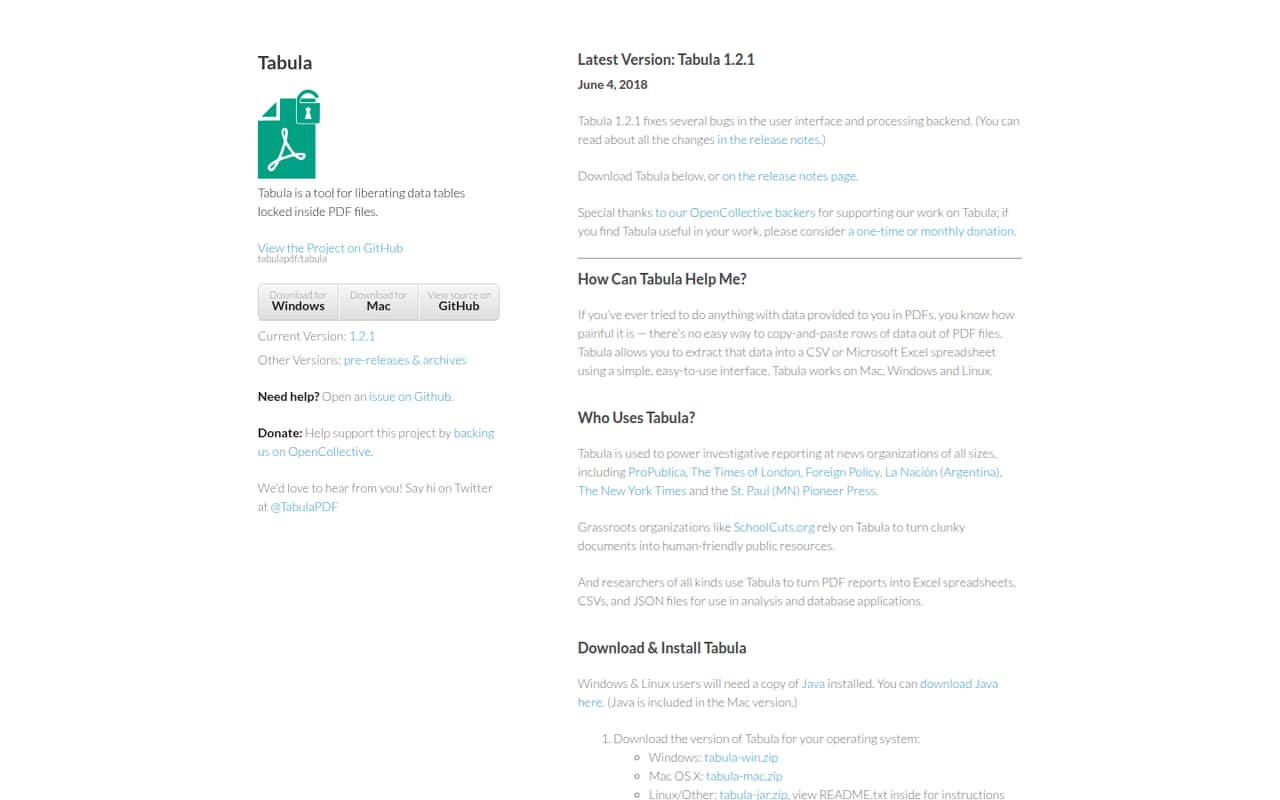
Tabula is designed for local, user-driven extraction, so treat it as a desktop utility rather than a production service with published throughput or uptime commitments. The vendor’s homepage identifies version 1.2.1, dated June 4, 2018, as the latest version. That release fixed interface and processing-backend bugs; teams should verify the current build and test representative PDFs before making it part of a critical workflow.
The hard input limit is document type: Tabula does not work with scanned PDFs. Previewing results lets a user catch missing data and adjust the selection, but the documented workflow still requires that review. Files are handled locally, but local operation alone is not a security or compliance guarantee; check your device controls and retention requirements. A post in r/excel describes Tabula as useful for quick table extraction and says it sometimes reads a document better than the author’s other approach. That is positive anecdotal feedback, not reliability evidence.
From the threadsWhat users say
The Reddit feedback we found is positive and focused on quick, practical table extraction. It is a single post, so it offers little evidence about broader sentiment or production reliability.
when i'm in the rush
when I do not have enough time to make a PowerQuery
Tabula does a better job of reading
Questions people ask
Is Tabula free?
Yes. Tabula is free under the MIT license, and the pricing page lists the open-source plan at $0 per month. The vendor accepts optional one-time or monthly donations through OpenCollective. No annual billing is listed.
Can Tabula extract tables from scanned PDFs?
No. Tabula works with text-based PDFs, not scanned documents. If your PDF consists of scanned page images, Tabula is not the right extraction step for that file. Check that the text in the PDF is selectable before using Tabula.
What file formats can Tabula export?
Tabula exports extracted tables to CSV or Excel. The documented workflow lets you preview the result before exporting, so you can inspect it and adjust the selected area if data is missing. CSV and Excel files can then be opened in spreadsheet software.
Does Tabula have an API or SDK?
The vendor’s homepage documents a desktop interface opened in a browser, with a manual upload, drag-to-select, preview, and export workflow. It does not document an API or SDK there. Check the vendor’s current documentation and GitHub project if you need programmatic integration.
What do I need to install Tabula?
Tabula runs on Mac, Windows, and Linux. Windows and Linux users need Java installed; Java is included in the Mac version. Linux and other users can download the JAR package and follow the README instructions.