
We may earn a commission if you buy through links on this page. It never changes a score or a ranking. How we make money
The bottom line
Shuffle automates security workflows, but unclear paid pricing and execution limits call for a careful pilot.
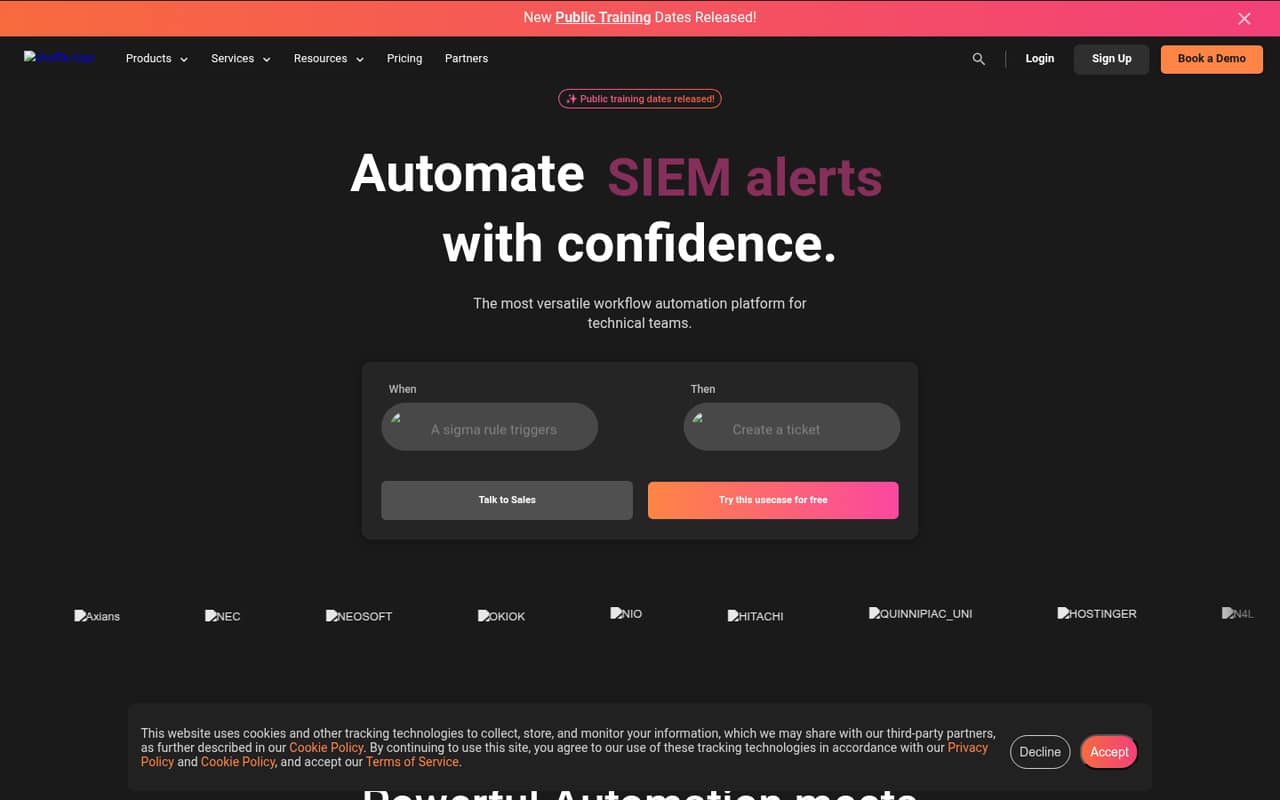
Shuffle is a workflow automation platform aimed at security operations. It connects tools through pre-built use cases or custom workflows, with triggers, actions, Python scripts and an app library the homepage says has more than 2,500 apps.
The Scale plan is listed at $0 per month, with 2,000 monthly Cloud App Runs and 25,000 on-prem App Runs. Paid-plan prices are not published, so teams should confirm costs and limits before sizing a production deployment.
Good fit if
- Security teams automating SIEM alert handling
- Teams building ticketing and enrichment workflows
- Organizations needing on-prem app runs
Skip it if
- Teams requiring published paid-plan pricing
- Projects dependent on a named SDK
- Workloads needing unverified high-volume limits
ScoresHow it rates
What works
- Pre-built security use cases include SIEM enrichment and ticketing
- Homepage lists more than 2,500 apps
- No-code app creator supports customization
- Custom Python scripts can run in automations
- Scale includes free cloud and on-prem run allowances
What doesn't
- Paid-plan prices are not published
- Scale has a hard monthly Cloud App Runs limit
- Vendor does not name SDKs or a CLI on its homepage
- Open-source licence terms are not stated on the homepage
- Business and Enterprise use soft run limits
01What Shuffle is, technically
Shuffle is a workflow automation platform for technical teams, with a focus on security operations. It sits between security products and the actions teams take when alerts arrive: a workflow can respond to a trigger, enrich a SIEM alert, and create a ticket. Teams can start from pre-built use cases or assemble workflows from triggers, actions, scripts and integrations.
Architecturally, Shuffle is a platform rather than a standalone library or command-line tool. Its homepage promotes sign-up and an app library, while pricing separates Cloud App Runs from on-prem App Runs. That points to cloud execution and an on-prem execution option; confirm which components run in each environment before designing network access or deployment boundaries. The homepage also describes multi-tenancy and multi-user collaboration, IAM roles, and connections to a KMS for API keys. These features put Shuffle in the automation layer of a security stack, alongside SIEM, EDR, ticketing and enrichment services.
02Shuffle API, SDKs and docs
The homepage names an API Explorer for exploring APIs and actions from more than 2,500 platforms, plus API Testing to run APIs and mimic actions inside automations. It also lists webhooks, schedules and pipelines as trigger types. These are the integration surfaces to evaluate when connecting an existing stack; confirm the exact API protocol and authentication patterns in Shuffle's vendor docs.
Custom Python scripts can run within workflows, and the no-code app creator offers another route for customizing integrations. Shuffle also describes an AI Workflow Engine that generates and builds automations based on intent, alongside plug-and-play AI integrations. The homepage does not name a client SDK or CLI. Confirm SDK support, versioning and documentation coverage in the vendor's docs before committing to application-level integration. For each app your workflow depends on, check available actions, required credentials, error handling and maintenance expectations; the app count alone does not establish coverage for a particular product or endpoint.
03Shuffle pricing for developers
The Scale plan is listed at $0 per month. It includes 2,000 monthly Cloud App Runs, marked as a hard limit, and 25,000 monthly on-prem App Runs. It also includes three tenants and one location, plus unlimited users, workflows, triggers, storage and datastore cache. Shuffle advertises free sign-up; the pricing information also lists a 30-day free trial.
Business and Enterprise each include 300,000 monthly App Runs, marked as a soft limit, with unlimited users, tenants, locations, branding and workflows. Business includes three onboarding use cases. Enterprise adds SLA, email and on-call support, alerts, professional services and unlimited onboarding use cases. The vendor does not publish monthly or annual prices for either paid plan; contact Shuffle for a quote. The pricing page lists 10% off with annual billing, but paid-plan amounts are not stated. The listed allowances do not include an overage price, so ask how soft-limit usage is handled and whether additional Cloud or on-prem runs change the bill before production.
04Shuffle: open source, self-hosting and lock-in
Shuffle's homepage title calls it an open-source SOAR solution, but the homepage does not state the source-code licence. Confirm the licence and its conditions with Shuffle before relying on the ability to modify, redistribute or operate the software independently.
Pricing lists monthly on-prem App Runs, which indicates an on-prem execution option. That does not, by itself, establish that every platform component can be self-hosted. Ask which services must remain in Shuffle's cloud, how upgrades work and what support applies to on-prem deployments. The homepage does not describe a data-export format or migration tool. Before building a large workflow library, check how to export workflows, credentials, app configurations and execution history. Workflows built around vendor-specific apps or actions may need translation if you move to another automation platform.
05Shuffle in production
The first production constraint to model is App Runs. Scale caps Cloud App Runs at 2,000 per month with a hard limit, while its on-prem allowance is 25,000. Business and Enterprise list 300,000 monthly App Runs as a soft limit. Clarify what counts as a run, how failed or retried executions are treated, and what happens when a limit is reached; the vendor's pricing information does not state those mechanics.
Shuffle advertises IAM roles, KMS connections for API keys and Enterprise SLA and alerting options. Those are useful controls to assess, but confirm the exact permission model, key handling, availability commitments and incident process with the vendor. The homepage does not state reliability figures or compliance certifications. Test failure handling and recovery in a pilot: security workflows that enrich alerts or create tickets need clear behavior when an integration times out or returns an error. Also validate capacity and support expectations for the deployment mode you plan to use.
Questions people ask
How much does Shuffle cost?
Scale is listed at $0 per month, with 2,000 monthly Cloud App Runs and 25,000 on-prem App Runs. Business and Enterprise prices are not published; Shuffle asks organizations to contact sales. The pricing page lists a 10% discount for annual billing, but does not state the paid-plan amounts.
Can Shuffle run on premises?
Shuffle's pricing lists 25,000 monthly on-prem App Runs for Scale, indicating an on-prem execution option. Confirm which components can run on premises, what must connect to Shuffle's cloud, and how updates and support work for your deployment before planning network access.
Does Shuffle support Python?
Yes. Shuffle's homepage says custom Python scripts can run within automations. It does not name additional programming languages or a client SDK there, so check the vendor's docs for supported runtimes, version requirements and script execution constraints.
What integrations does Shuffle offer?
Shuffle's homepage lists an app library with more than 2,500 apps and a no-code app creator. It also describes an API Explorer and API Testing. Check the specific app and actions your workflow needs, since the total app count does not guarantee coverage for every product or endpoint.
What happens when I reach Shuffle's App Run limit?
Scale's 2,000 monthly Cloud App Runs are marked as a hard limit; its 25,000 on-prem runs are listed separately. Business and Enterprise include 300,000 monthly App Runs marked as a soft limit. Shuffle's pricing information does not state the enforcement or overage terms, so ask the vendor before deployment.