
We may earn a commission if you buy through links on this page. It never changes a score or a ranking. How we make money
The bottom line
Free, self-hosted and resource-light; integration and operations are yours to manage.
PicoClaw is a Go-based personal AI assistant that runs as a single binary on your own hardware. It connects to LLM providers through APIs, while keeping conversation history and configuration local; the software is free under an MIT-compatible license.
Gateway mode exposes MCP and a REST API for chat-platform integrations. There is no software subscription, but model calls cost money at the provider’s rates. PicoClaw suits developers who want a small self-hosted runtime and can handle setup, updates and production checks.
Good fit if
- Self-hosting on small Linux devices
- Teams building chat-based assistants
- Developers comfortable managing API keys
Skip it if
- Teams needing a managed assistant service
- Projects requiring published service-level guarantees
- Users who want turnkey setup and support
ScoresHow it rates
What works
- Free software under an MIT-compatible license
- Runs as a single Go binary
- Supports MCP and a REST API
- Connects to many named LLM providers
- Keeps conversation history and configuration local
What doesn't
- LLM API charges are separate and usage-based
- Vendor publishes no service-level guarantees
- SDK support is not established on the homepage
- Self-hosting puts maintenance on your team
- Some Reddit users report setup workarounds
01What PicoClaw is, technically
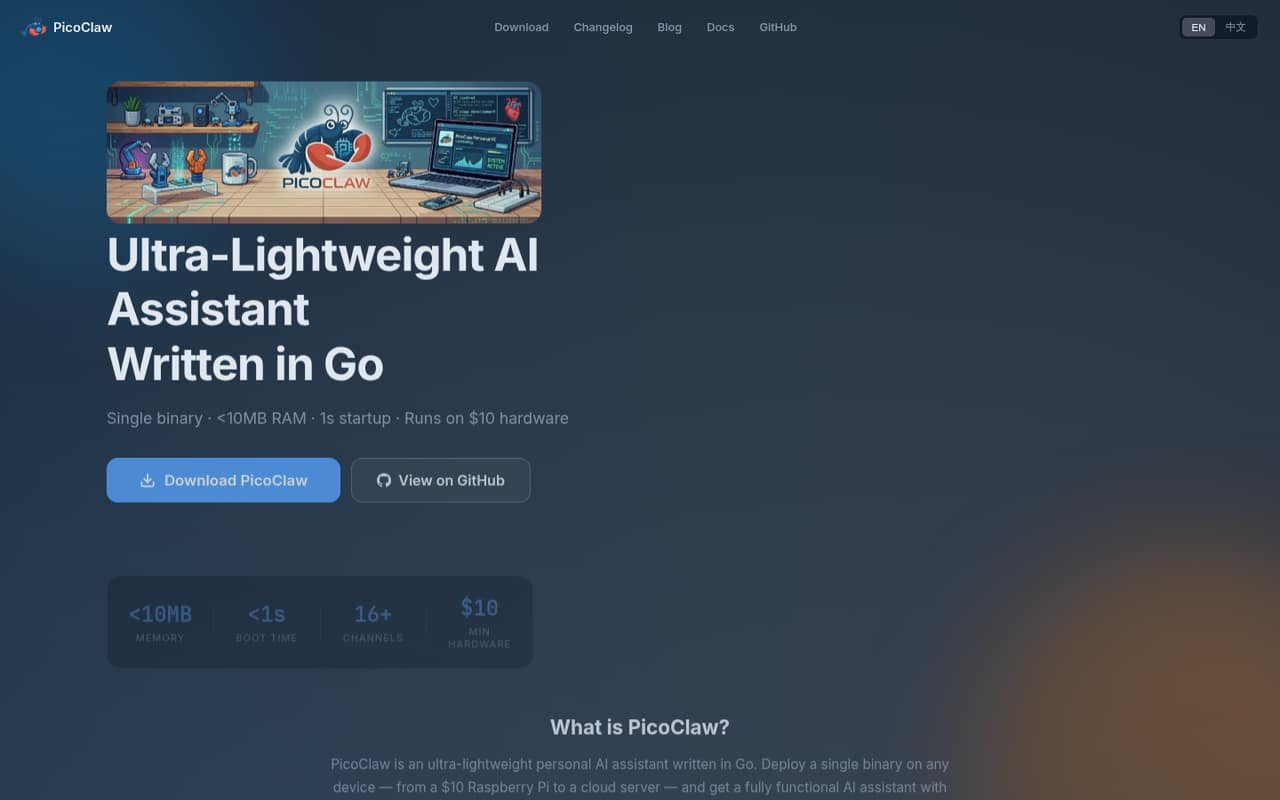
PicoClaw is a self-hosted personal AI assistant, not a hosted API or SaaS service. Written in Go, it deploys as a single binary on hardware ranging from small boards to cloud servers. It connects to LLM providers through their APIs; PicoClaw’s stated design keeps conversation history and configuration local.
In a stack, it sits between chat interfaces or command-line use and a model provider. Gateway mode makes it an AI backend for chat-platform connections through MCP and a REST API. The homepage lists support for 16+ chat platforms, including Telegram, Discord, Slack, QQ and DingTalk. The vendor says minimum hardware is any device with 64MB RAM and an internet connection, with 512MB recommended, and lists x86_64, ARM64, ARMv7, ARMv6, RISC-V and MIPS support. It claims under 10MB of RAM use and startup in under one second. Those are vendor claims, not a substitute for measuring your own workload.
02PicoClaw API, SDKs and docs
The main integration surfaces named on the homepage are Gateway mode, MCP protocol and a REST API. The assistant connects to LLM providers through APIs, including OpenAI, Anthropic, DeepSeek, Google Gemini, Mistral, Qwen, Ollama and any OpenAI-compatible API. The implementation language is Go; the homepage does not name client SDKs for the gateway, so confirm SDK support and API details in the vendor’s docs before choosing a language for your integration.
PicoClaw is distributed as a single binary, and the site links to documentation, a changelog and GitHub. The homepage also describes Android APK installation and Termux use. One Reddit user shared a setup using the binary, a configuration file, an OpenRouter API key and Telegram; another reported building from source in Termux. Treat those as individual reports, not official install instructions. Check the docs for current commands, configuration format, authentication, API behavior and supported chat-platform setup.
03PicoClaw pricing for developers
The software costs $0 per month: the pricing information lists a free, open-source option under an MIT license, with self-hosting and no published monthly or annual billing. The vendor says the software is free and describes the license as MIT-compatible. Seat and usage limits for the software are not published; for a self-hosted project, you provide the compute and manage capacity yourself.
The bill grows through LLM API usage. The vendor says PicoClaw connects to providers such as OpenAI and Anthropic, and its pricing information says you pay those providers directly based on consumption. Model rates, any PicoClaw-side request limits, and total usage costs are not published. The amount therefore depends on your provider, selected model and workload; check that provider’s current pricing and track usage before deploying for multiple users. There is no published PicoClaw add-on, free trial or paid plan. For production, budget for hosting and model calls separately, and ask providers about their own rate limits and overage rules.
04PicoClaw: open source, self-hosting and lock-in
PicoClaw is open source, and the vendor describes its license as MIT-compatible; the pricing information lists an MIT license. It runs on infrastructure you control as a single binary, rather than requiring a vendor-hosted runtime. The homepage says conversation history and configuration remain local, while LLM requests go to the provider you configure. That means model traffic is still subject to the provider’s data handling and retention terms.
The vendor does not describe a dedicated data-export feature. Because the assistant is self-hosted and the code is open source, you control its local files and can inspect the repository, but confirm the current storage format and migration steps in the docs before relying on them. Provider-specific configuration, prompts and chat-platform integrations may take work to move. Lock-in is less about a hosted subscription and more about the code and operational effort invested in your setup.
05PicoClaw in production
PicoClaw’s low memory and hardware claims make it worth evaluating on constrained devices, but they do not establish production capacity or reliability. The vendor does not publish service-level guarantees, rate limits, concurrency limits or a support response time. Your LLM provider remains an external dependency, and its availability, quotas and pricing affect the assistant. Check authentication, secret storage, update procedures, logging, backups and what data is sent to each provider before connecting sensitive workflows.
Reddit feedback is mixed and anecdotal. One user described running it on a Raspberry Pi 400 and configuring a Telegram bot; another reported that setup involved workarounds and configuration. A separate commenter said they built it locally for Termux, while another reported easy daily automation. These experiences are not reliability evidence. For production, test your own provider failures, chat integrations, restart behavior and scheduled tasks, and verify that local history and configuration meet your security and compliance requirements.
From the threadsWhat users say
Reddit sentiment is mixed: users report successful runs on small hardware and Android setups, while others describe setup friction. The comments are individual experiences, not evidence of reliability across deployments.
I have picoclaw running on an arm64 Raspberry Pi 400
there're a lot of things to tweak and workarounds more than installing openclaw on a debian box
I have picoclaw running on Samsung galaxy tab A7 on the termux, I just needed to clone the repo and buld then locally
Just setup ours today, testing through an old android, so far no challenges Daily automation easily bypassed, free or almost zero cost
Questions people ask
Is PicoClaw free to use?
The software is free and open source, and the pricing information lists a free option under an MIT license. You still pay for model usage directly to the LLM provider, based on that provider’s rates and your consumption. Hosting costs are also yours when you run PicoClaw on a server or device.
Which LLM providers does PicoClaw support?
The vendor lists OpenAI, Anthropic, DeepSeek, Google Gemini, Mistral, Volcengine (Doubao), Qwen, Minimax, Moonshot (Kimi), Cerebras, Perplexity and Ollama. It also says PicoClaw supports any OpenAI-compatible API. Check the docs for current configuration steps and provider-specific options.
What hardware and operating environments can run PicoClaw?
The vendor lists a minimum of 64MB RAM and recommends 512MB, with an internet connection for LLM API calls. Supported architectures include x86_64, ARM64, ARMv7, ARMv6, RISC-V and MIPS. The homepage also describes Android APK installation and Termux use; confirm device-specific steps in the docs.
Does PicoClaw keep my data private?
The vendor says conversation history and configuration remain local. PicoClaw sends requests to the LLM provider you configure, so model inputs are subject to that provider’s data handling terms. Before using sensitive information, review the provider’s policies and confirm what PicoClaw stores and sends in your setup.
Can I connect PicoClaw to chat platforms or build an integration?
The vendor says PicoClaw supports 16+ chat platforms and that Gateway mode connects chat platforms through MCP and a REST API. It lists Telegram, Discord, Slack, QQ and DingTalk among its examples. The homepage does not name client SDKs, so check the docs for API details and language support.
Sources
- PicoClaw homepage
- PicoClaw pricing, compiled via web search from kunavo.com, promptquorum.com, picoclaw.io
- Reddit: What is the best Openclaw alternative?
- Reddit: Anyone tried PicoClaw? An AI assistant that apparently runs on less than $10 hardware
- Reddit: I just installed PicoClaw on my RG35XX Pro and this can be done on the R36S too!
- Reddit: OpenClaw and Friends: Claw, Nano, Zero, Pico… So Many Overlapping Projects, I’m Confused