
We may earn a commission if you buy through links on this page. It never changes a score or a ranking. How we make money
The bottom line
Useful meeting workflows and API access; verify limits, export and integration details before adopting it.
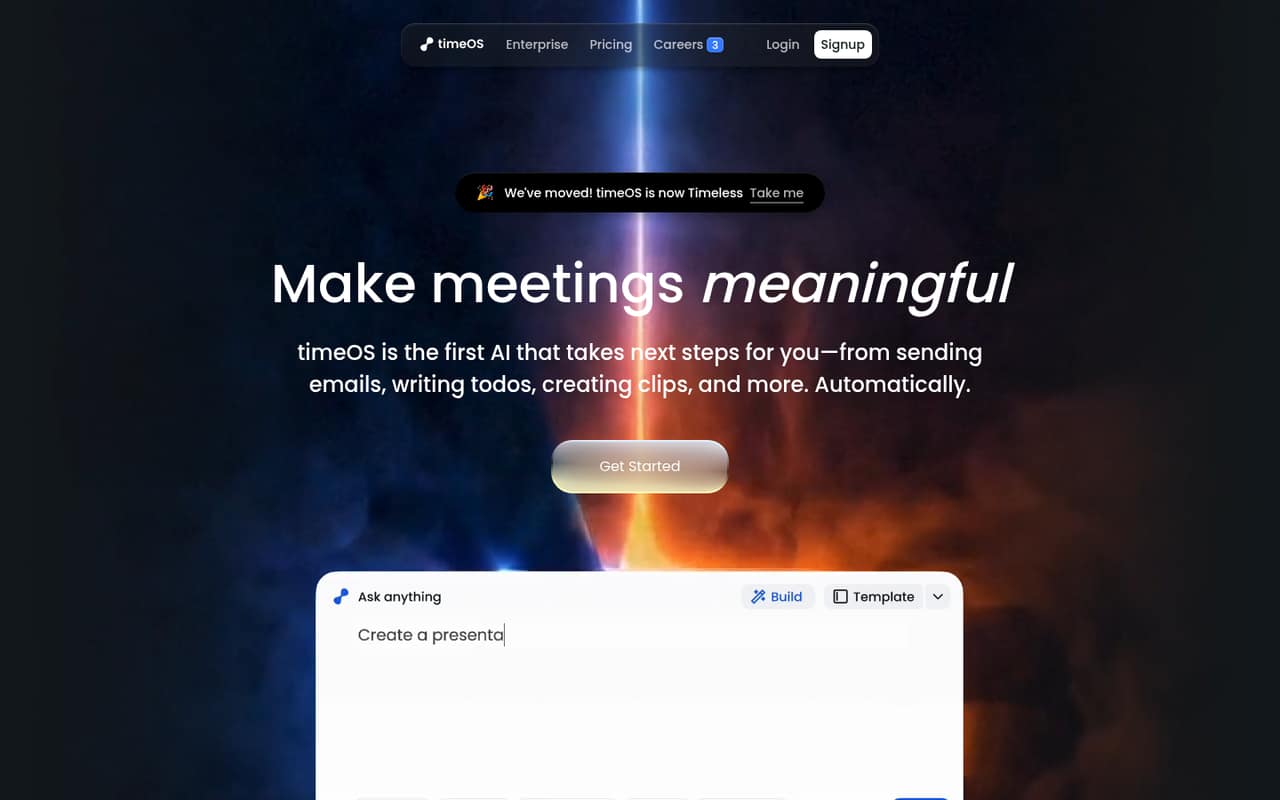
Magical is meeting-automation software: it turns conversations into summaries, action items, emails, clips and structured outputs, then sends them to connected tools. Its homepage describes timeOS as having moved to Timeless, while the product is presented here as Magical, so confirm the current product and account naming before integrating it.
For developers, the appeal is API and MCP access, with webhooks and real-time events on Max and Business. The trade-off is limited public detail on SDKs, rate limits, security, data export and overages. Free is useful for a small evaluation; production teams should clarify those terms and the unlisted Team and Business prices.
Good fit if
- Teams automating meeting follow-ups
- Builders using API or MCP workflows
- People sending notes to connected tools
Skip it if
- Teams requiring self-hosted software
- Builders needing published rate limits
- Projects requiring known export guarantees
ScoresHow it rates
What works
- Turns transcripts into summaries and action items
- Drafts follow-up emails from meetings or prompts
- Creates clips, charts and structured tables
- Free tier includes five AI meetings
- Max and Business list unlimited API access
What doesn't
- SDKs and programming languages are not named
- Rate limits and overages are not published
- Team and Business prices are not listed
- Self-hosting and data export are not documented
- Priority support is listed only on Max
01What Magical is, technically
Magical is AI meeting software delivered as an online product, not a library or command-line tool. It captures or works with meeting conversations and turns them into summaries, action items, follow-up emails, clips, charts and structured tables. Those outputs can go to connected tools, including Google Drive and monday.com; the homepage also shows a workflow that logs information to a Notion database.
In a stack, Magical sits between meetings and the systems where teams track work, store notes or contact customers. Its templates and prompt-based workflows let users define what should happen after a conversation. That makes it a potential automation layer for sales, research, coaching and other meeting-heavy processes. The homepage says timeOS has moved to Timeless, while the product is identified here as Magical. Treat that branding as something to confirm when setting up accounts or integrations. For developers, the key distinction is that this is a hosted meeting product with API and MCP access on paid plans, rather than software described as self-hostable.
02Magical API, SDKs and docs
The pricing lists API and MCP access: Pro includes limited access, while Max and Business include unlimited API access and unlimited MCP access. Max and Business also list webhooks or real-time webhooks; Max specifically includes real-time events. Those are the integration surfaces to investigate if you need to connect meeting outputs to an application or automation stack.
The homepage names Google Drive and monday.com as integrations and shows Notion workflows, along with 15+ integrations on Free and 15+ premium integrations on Pro. It also describes importing templates from Notion. The homepage does not name SDKs, programming languages, API protocols, a CLI or plugin framework. Before building, confirm SDK support, authentication, endpoint coverage and webhook behavior in the vendor's docs. The available material does not establish how to create or manage workflows programmatically, so check whether API and MCP access cover the specific meeting artifacts your integration needs.
03Magical pricing for developers
Free costs $0 per month and includes up to five AI meetings, up to 90 minutes per meeting, notes in 60+ languages and 15+ integrations. Pro costs $29 per month and adds unlimited meeting notes, recording, transcript and artifact storage, limited API and MCP access, and 15+ premium integrations. Max costs $39 per month and lists unlimited API and MCP server access, webhooks and real-time events, plus priority support. Pro and Max are billed monthly; annual pricing is not listed.
Team starts at three seats and includes shared workspaces and notes, one bill and permission set, and limited API and MCP access. Business includes unlimited API and MCP access and real-time webhooks. Neither Team nor Business has a published price, so request a quote before budgeting. The pricing lists no add-ons, per-request rates, usage overages or rate limits. That leaves an important production question: what happens when Free meeting caps or paid-plan access limits are reached? Confirm metering and any excess-use charges with the vendor before committing.
04Magical: open source, self-hosting and lock-in
Magical is presented as a hosted product. The vendor's product and pricing material does not publish an open-source license or a self-hosting option, so teams should not plan on auditing and operating the service from source. Data export options and formats are also not published on the vendor's site; ask the vendor how to retrieve transcripts, notes, clips and workflow definitions before adopting it as a system of record.
Migration difficulty depends on how much your team stores in Magical and how tightly its workflows depend on integrations, API or MCP access. Keep durable business records in systems you control where possible, and test whether notes and generated artifacts can be moved in a usable format. If an export path or workflow portability is a requirement, get the answer in writing before rollout.
05Magical in production
The listed plan limits give a starting point for capacity planning: Free allows five AI meetings and caps each meeting at 90 minutes, while Pro lists unlimited notes and recording, transcript and artifact storage. Max and Business list unlimited API access, but the pricing does not publish request rates, rate limits, availability targets or overage rules. “Unlimited” access is not a substitute for confirming throughput and fair-use terms with the vendor.
Before relying on Magical for operational workflows, ask about webhook delivery guarantees, retries, event ordering and failure handling. Also confirm authentication, data retention, deletion, encryption, access controls and any security or compliance documentation your organization requires; those details are not published on the vendor's site. Max lists priority support, but response targets are not listed. For a production rollout, define a fallback for missed events and keep meeting outputs available in another system until export and recovery behavior are clear.
Questions people ask
What does Magical do?
Magical turns meeting conversations into summaries, action items, follow-up emails, clips, charts and structured tables. It can send outputs to connected tools, and users can build workflows from prompts and templates. The homepage describes timeOS as having moved to Timeless, so confirm the current product naming when creating an account.
Does Magical have an API?
Yes. The pricing lists limited API and MCP access on Pro, and unlimited API and MCP access on Max and Business. Max and Business also list webhooks or real-time webhooks. The vendor's product material does not name SDKs or programming languages, so confirm implementation details in its docs.
Is Magical free?
Magical has a Free plan at $0 per month. It includes up to five AI meetings, with each meeting up to 90 minutes, notes in 60+ languages and 15+ integrations. Pro and Max are paid monthly plans; Team and Business pricing is not listed.
Can I use Magical with Notion?
The homepage shows workflows that log information to a Notion database and says users can import templates from Notion. It also names Google Drive and monday.com as integrations. Confirm the exact Notion actions and sync behavior you need before depending on them in a workflow.
Can I self-host Magical or export my data?
Magical is presented as a hosted product, and its product and pricing material does not publish a self-hosting option, open-source license or data-export format. If portability or running the software in your own environment is a requirement, ask the vendor about supported export and deployment options before adopting it.