
We may earn a commission if you buy through links on this page. It never changes a score or a ranking. How we make money
The bottom line
A strong free SQL client for varied databases, with some editor and large-schema caveats.
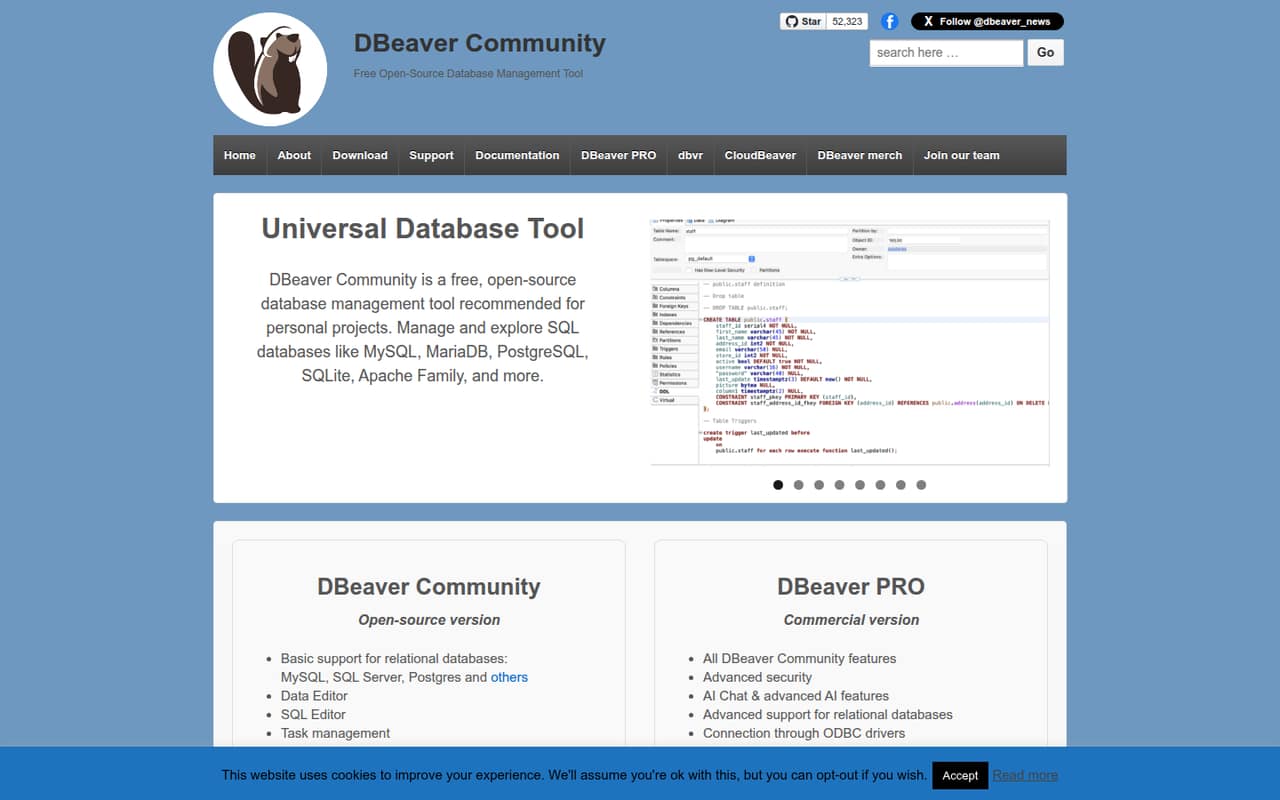
DBeaver Community is a free, open-source database client for managing and exploring SQL databases. It includes a data editor, SQL editor, task management, maintenance tools, and AI Chat. The Community edition is licensed under Apache 2.0.
DBeaver PRO adds support for more database types, cloud services, security features, and ongoing technical support. Reddit users value the broad database coverage and free edition, while some report a dated interface, sluggishness with large schemas, and gaps in SQL editor assistance.
Good fit if
- Developers working across SQL databases
- Personal projects and small teams
- Teams wanting a free database client
Skip it if
- Teams needing an API-first database tool
- Users relying on advanced SQL assistance
- Large-schema workflows sensitive to UI lag
ScoresHow it rates
What works
- Community is free and licensed under Apache 2.0
- Supports MySQL, SQL Server, PostgreSQL, and others
- Includes data and SQL editors
- Community includes AI Chat and the @ai command
- PRO adds NoSQL, cloud database, and ODBC support
What doesn't
- Community seat and usage limits are not published
- PRO pricing increases per user or machine
- CloudBeaver Enterprise pricing is not published
- Reddit users report sluggishness with larger schemas
- Some users report SQL highlighting and autocomplete gaps
01What DBeaver is, technically
DBeaver is a downloadable database management client, not a hosted API, database server, or library to embed in an application. DBeaver Community runs as a desktop tool for connecting to and working with databases. It sits alongside your database in a developer or data-engineering workflow: use it to browse database objects, edit data, write SQL, and manage tasks.
The Community edition supports relational databases including MySQL, SQL Server, PostgreSQL, and others. The homepage also names MariaDB, SQLite, and the Apache family. DBeaver PRO adds support for NoSQL systems such as MongoDB, Cassandra, Redis, and CouchDB, plus cloud databases including Redshift, Google BigQuery, and Oracle Cloud. PRO also lists native support for AWS, Google Cloud, and Azure. CloudBeaver and dbvr are separate products in the DBeaver lineup; they are not the Community desktop client.
02DBeaver API, SDKs and docs
DBeaver is a GUI client, not a build-time SDK or service API. Its primary integration surface is connecting to databases through the client: Community lists basic relational database support, while PRO adds ODBC drivers and broader database and cloud support. The homepage also lists a separate dbvr CLI product. Its Community edition supports username-and-password authentication, SSH tunnels, local query-result export, and metadata management; the commercial dbvr edition adds more database types, cloud storage, and MCP configuration to expose a database connection as an MCP server.
The DBeaver site links to documentation, but does not name programming-language SDKs or a REST API. Confirm SDK support in the vendor's documentation before planning to integrate DBeaver itself into application code. For editor workflows, the homepage lists a SQL editor, data editor, task management, and maintenance tools. The Community edition also includes AI Chat and an @ai command. PRO adds a Visual Query Builder, Task Scheduler, and database development tools.
03DBeaver pricing for developers
Community is free and open-source under Apache 2.0. The pricing page lists no seat or usage limits for it, so teams should confirm licensing and support needs before standardizing on it. The paid individual editions are Lite at $9.42, Enterprise at $21.25, and Ultimate at $42.50 per user per month, shown as annual-billing equivalents. Each individual license covers one user and can convert to a Group license; each has a 14-day trial with no credit card required.
Team Edition requires at least three users, including one Administrator and two other users. Its annual-billing monthly equivalents range from $6.83 per Viewer to $67.50 per Administrator per user. CloudBeaver Enterprise requires at least five users, but its price is not published. The dbvr CLI is $66.67 per machine per month on an annual-billing equivalent. These are license prices, not usage-based API charges: the pricing page lists no request, compute, or data-volume billing, overages, or add-ons.
04DBeaver: open source, self-hosting and lock-in
DBeaver Community is open-source software under the Apache 2.0 license. That makes the client itself available to inspect and use under the license terms; DBeaver PRO is the commercial edition. Community is a downloadable client, not a hosted service that you deploy as a server. CloudBeaver Enterprise is a separate server-license product, and the pricing page lists a five-user minimum.
DBeaver works with databases that hold your data, rather than acting as a proprietary database or hosted data store. The product's release notes include data transfer and export features, and dbvr Community lists query-result export to local disk. This keeps the core workflow centered on the connected database, though the vendor does not publish a formal migration path for settings or saved connections. Teams can switch clients, but should check which workflows and metadata handling need to be recreated.
05DBeaver in production
DBeaver is a database client, so production readiness depends on the database connections, user permissions, and operating practices around it—not an API request quota. The vendor lists advanced security, SSO, SSL, Kerberos, and secret-management integrations for the commercial dbvr product; DBeaver PRO lists advanced security. Confirm the specific controls, authentication methods, and support terms your organization requires before choosing an edition.
The homepage does not publish client connection, concurrency, or performance limits. Reddit users report that DBeaver can feel sluggish with larger schemas. Another PostgreSQL discussion reports gaps in syntax highlighting and autocomplete for complex queries, including CTE cases. Those reports are user experiences, not published product limits, but they are reasons to test representative schemas and queries before making the client a team standard. PRO lists ongoing technical support; Community users should check the vendor's support options for their needs.
From the threadsWhat users say
Reddit sentiment is mostly positive about DBeaver's free, multi-database workflow. Some users criticize its interface and report performance or SQL-editor shortcomings.
DBeaver is my go to for multi database support
It is ugly, I don't like the interface. But it works everytime and it is free. No ads or request to upgrade to Pro version disrupting my workflow
It gets the job done, but the UI feels dated and it can get sluggish with larger schemas
I've been using DBeaver for a while now, but i'm getting frustrated with the lacking support for more complex queries in its SQL editor syntax highlighting and autocompletions
Questions people ask
Is DBeaver Community free?
Yes. DBeaver Community is free and open-source under the Apache 2.0 license. The vendor's pricing page does not publish seat or usage limits for the Community edition. PRO editions and other DBeaver products have separate commercial pricing.
Which databases does DBeaver support?
Community lists basic support for relational databases such as MySQL, SQL Server, and PostgreSQL. The homepage also names MariaDB, SQLite, and the Apache family. PRO adds NoSQL databases such as MongoDB, Cassandra, Redis, and CouchDB, along with cloud databases including Redshift and Google BigQuery.
Does DBeaver include AI features?
The homepage lists AI Chat and an @ai command in Community. DBeaver PRO includes AI Chat and advanced AI features. The release notes also describe configuration for AI providers, including OpenAI and GitHub Copilot, through environment variables.
Does DBeaver have a command-line version?
Yes. dbvr is a separate CLI product with Community and commercial editions. The homepage lists database connection, authentication, SSH tunnel, metadata, and export features for dbvr Community; the commercial edition adds more database and cloud-storage support.
Can I use DBeaver with cloud databases?
The homepage lists cloud database support as a DBeaver PRO feature, including Redshift, Google BigQuery, and Oracle Cloud, plus native support for AWS, Google Cloud, and Azure. Check the vendor's documentation for the specific database and connection method you need.
Sources
- DBeaver homepage
- DBeaver pricing, compiled via web search from futurepicker.com, kimsalmi.com, pricingsaas.com, queryglow.com, dbeaver.com, softwareadvice.com, trustradius.com, dbeaver.io
- Reddit: Fellow DEs — what's your go-to database client these days?
- Reddit: DBeaver Alternative?
- Reddit: DBeaver fanboy here
- Reddit: Reaching the limits of DBeaver for editing queries, what other tools are out there?