
We may earn a commission if you buy through links on this page. It never changes a score or a ranking. How we make money
The bottom line
A clear, multi-database SQL client; check paid feature gates and plugin support before standardizing.
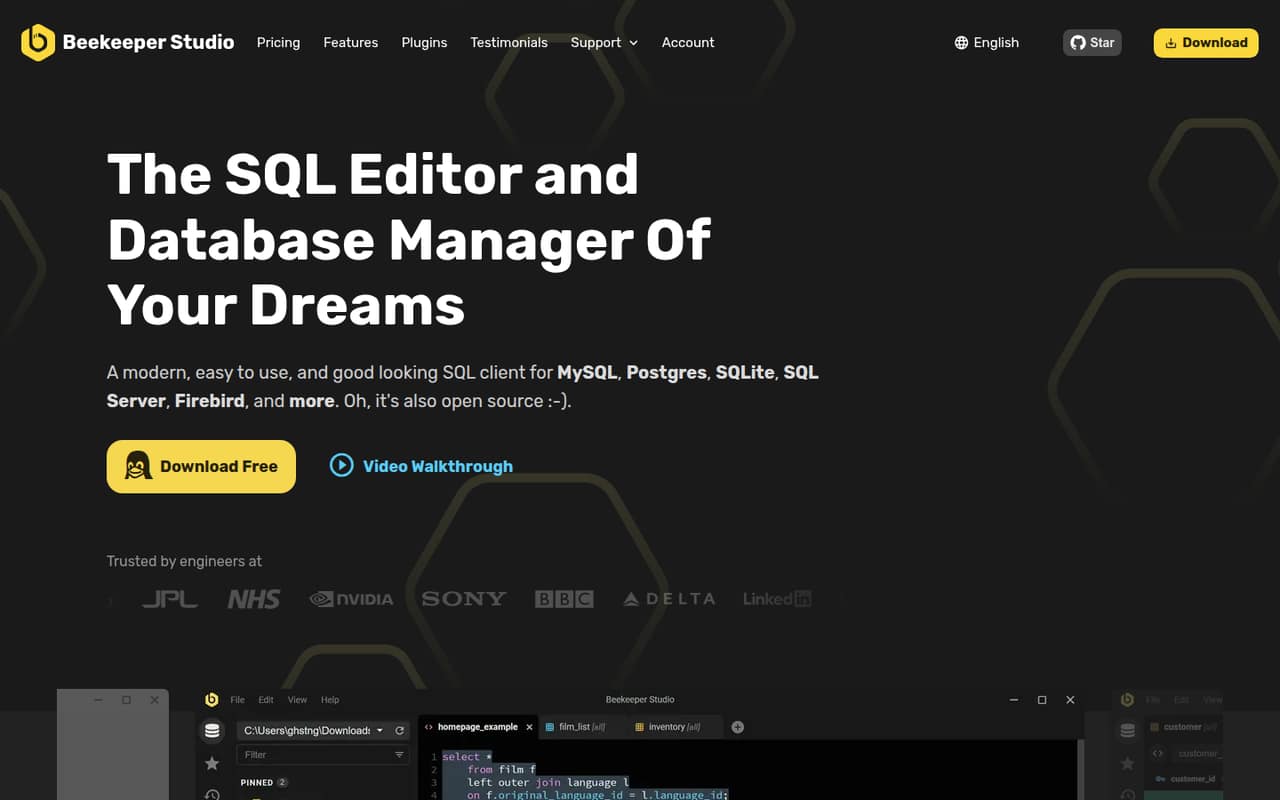
Beekeeper Studio is an open-source desktop SQL client for connecting to databases, querying them, and editing data. Its feature set includes a SQL editor, table editing, import and export, and optional AI and team-workspace tools. It is a client in your development stack, not a hosted database or query API.
The free Community plan covers unlimited connections, queries, and tabs, while AI Shell and cloud workspaces are in Professional. Paid plans are seat-based, starting at $9 per user per month with annual billing. Reddit reactions include praise for the interface and reports of missing features, so check the workflows your team depends on before adopting it.
Good fit if
- Developers querying several database types
- Teams sharing saved queries and connections
- Users who want a free SQL client
Skip it if
- Teams seeking a database REST API
- Workflows needing every feature free
- Teams requiring a self-hosted workspace
ScoresHow it rates
What works
- Community includes unlimited connections, queries, and tabs
- Supports a wide range of database types
- Spreadsheet-like table and query-result editing
- Exports filtered data to CSV, JSON, JSONL, or SQL
- SSL connections and SSH tunneling are supported
What doesn't
- AI Shell and cloud workspaces require Professional
- Import and export are not included in Community
- Plugin SDK languages are not named on the homepage
- Open-source license name is not published on the vendor's site
- Reddit users report feature gaps and workflow issues
01What Beekeeper Studio is, technically
Beekeeper Studio is a desktop SQL client and database manager: it sits on a developer’s workstation and connects to databases for querying, browsing, and editing. It is not a hosted database, a backend service, or a general-purpose query API. The homepage lists MySQL, PostgreSQL, SQLite, SQL Server, Firebird, MongoDB, and many others, including Snowflake, ClickHouse, and DuckDB.
In a development stack, it is the interactive layer between an engineer and database systems. The SQL editor provides syntax highlighting, table-aware autocomplete, and folders for saved queries and connections. Users can also browse and edit table data, build tables and indexes, import CSV data, and export filtered results. Connections can use SSL or an SSH tunnel, and the client can save an encrypted connection password, per the homepage. AI Shell and cloud workspaces add optional AI-assisted database work and cross-device sharing, respectively; they are features of the client, not separate database infrastructure.
02Beekeeper Studio API, SDKs and docs
Beekeeper Studio is primarily a user-facing database client, not a library or service that an application calls through a REST API. The homepage presents SQL editing, direct database connections, and a plugin system as its integration surfaces. It does not name an application API, CLI, or programming language for extensions, so teams planning custom integrations should confirm API and SDK support in the vendor’s documentation.
The latest release listed on the homepage, v6.2, adds a plugin store and says developers can make plugins using the vendor’s SDK. The homepage does not name the SDK’s languages or runtime; check the plugin documentation before committing to an extension. For normal use, integration is through supported database connections, with SSL encryption or SSH tunneling available. The homepage links to feature details and a video walkthrough, but it does not outline a programmatic automation interface. That makes Beekeeper Studio straightforward to evaluate as a GUI, but a poor fit if the requirement is to embed database access into an application or automate the client from a CI pipeline.
03Beekeeper Studio pricing for developers
The Community plan is free and lists unlimited connections, queries, and tabs, plus support for common databases. The pricing page lists a 14-day free trial. The vendor’s pricing information does not name a request, query, or compute allowance; its paid plans are priced per user rather than by database activity.
Indie costs $18 per user per month, or $9 per user per month with annual billing. Its listing includes two users per license, one device per user, JSON Sidebar, import and export, and a lifetime usage license. Professional is $28 monthly or $14 annually per user, with 20 users per license, unlimited devices per user, AI Shell, cloud workspaces, and email support. Business is $35 monthly or $18 annually per user, with unlimited users and devices, SSO cloud DB auth, air-gapped support, and invoice payment available. The pricing page lists no add-ons. For budgeting, model the bill by plan and seats; confirm license counts and billing terms with the vendor before buying.
04Beekeeper Studio: open source, self-hosting and lock-in
Beekeeper Studio describes itself as open source, and its source repository is linked from a Reddit launch post. The license name and terms are not published on the vendor's site. Before using it in a commercial codebase or redistributing a modified version, verify the repository’s license and any distinctions between Community and paid editions.
This is a desktop application, not a server that you deploy in your own environment. The homepage offers cloud workspaces for syncing connections and saved queries; it says workspace data is encrypted at rest and in transit, and that the company does not see queried rows. It does not list a self-hosted workspace option. Data export is available in CSV, JSON, JSONL, and SQL formats, with filters available for exports. Those formats reduce dependence on the client for data portability, but saved connections, queries, and workspace organization may need to be recreated elsewhere. Confirm what can be exported before relying on shared workspaces as a long-term team record.
05Beekeeper Studio in production
Beekeeper Studio can sit in a production engineering workflow as a human-operated database client, but the published details do not publish connection, query, or concurrency limits. The homepage describes SSL connections and SSH tunnels, encrypted saved passwords, and workspace encryption at rest and in transit. Teams with compliance requirements should ask the vendor about security controls, data retention, auditability, and the terms for cloud workspaces before enabling them.
Reddit users describe the client as appealing but report gaps: one database-client thread says it is nice but lacks features the commenter needs, and an r/SQL commenter says query debugging with PostgreSQL’s RAISE NOTICE method did not work for them. Another Reddit discussion notes data import was behind a paid plan at the time of that comment; current plan details place import and export in Indie. These reports are not a complete compatibility matrix. Test the exact database versions, authentication path, debugging workflow, and export needs your team uses. Do not treat the client’s desktop convenience as a substitute for migrations, backups, or production access controls.
From the threadsWhat users say
Reddit sentiment is mixed but leans positive on Beekeeper Studio’s interface and general appeal. Users also mention missing features, a debugging workflow concern, and paid access to data import.
This looks like something I could really use. I’ll give it a spin soon
Beekeeper is the one I keep coming back to
Beekeeper Studio (nice but missing some features I need)
data import is locked behind the paid version for now
Questions people ask
What is Beekeeper Studio used for?
Beekeeper Studio is a desktop SQL client for connecting to databases, writing and organizing queries, browsing and editing table data, and importing or exporting data. The homepage lists support for many database types, including PostgreSQL, MySQL, SQLite, SQL Server, Snowflake, and MongoDB. Paid plans add AI Shell and cloud workspaces.
How much does Beekeeper Studio cost?
The Community plan is free. The listed paid plans are Indie at $18 per user per month or $9 with annual billing, Professional at $28 monthly or $14 annually, and Business at $35 monthly or $18 annually. The pricing page lists a 14-day free trial. Check plan terms and license counts before purchase.
Is Beekeeper Studio free for commercial use?
The Community plan is listed as free, and the vendor describes Beekeeper Studio as open source. The published product details do not name the open-source license or establish its commercial-use terms. Check the license in the source repository and confirm any distinction between Community and paid editions with the vendor before using it commercially.
What databases does Beekeeper Studio support?
The homepage lists PostgreSQL, MySQL, SQLite, SQL Server, Firebird, MongoDB, Snowflake, ClickHouse, DuckDB, Oracle, Redis, and many others. The complete list also includes database and warehouse products such as BigQuery, Amazon Redshift, and Trino. Verify that your specific database version and authentication setup are supported before standardizing on the client.
Does Beekeeper Studio offer an API or self-hosted deployment?
Beekeeper Studio is presented as a desktop database client, not a hosted query API or self-hosted server. The homepage names a plugin store and SDK but does not name SDK languages or a general application API. It also offers cloud workspaces without listing a self-hosted workspace option. Ask the vendor about extension support or deployment requirements.
Sources
- Beekeeper Studio homepage
- Beekeeper Studio pricing page
- Reddit: Fellow DEs — what's your go-to database client these days?
- Reddit: Beekeeper Studio - Open Source SQL Editor and Database Manager
- Reddit: What feature should I add next to Beekeeper Studio?
- Reddit: I highly recommend you guys try Beekeeper Studio, a underrated SQL/Database editor with GUI